
How to Renew Your Members’ Licences and Insurances
At the start of a new season, your club renews the licences and insurances of its members. You can do this for many members at once in Bridle, the clubs and memberships platform of Paardensport Vlaanderen: you tick the members, and Bridle chooses for each of them the licence and insurances that follow from what they held last season. Your club then pays the orders.
Renewing your club’s own membership? See How to Renew Your Club’s Membership.
Before you begin
You need:
- the club administrator role for your club;
- a club membership for the new season that is paid — see How to Renew Your Club’s Membership;
- no unpaid orders past their due date — a club with unpaid orders cannot order anything new.
The new season can be chosen only once the federation has opened its sales. Until then, only the current season is offered.
Step 1 — Open your profile menu
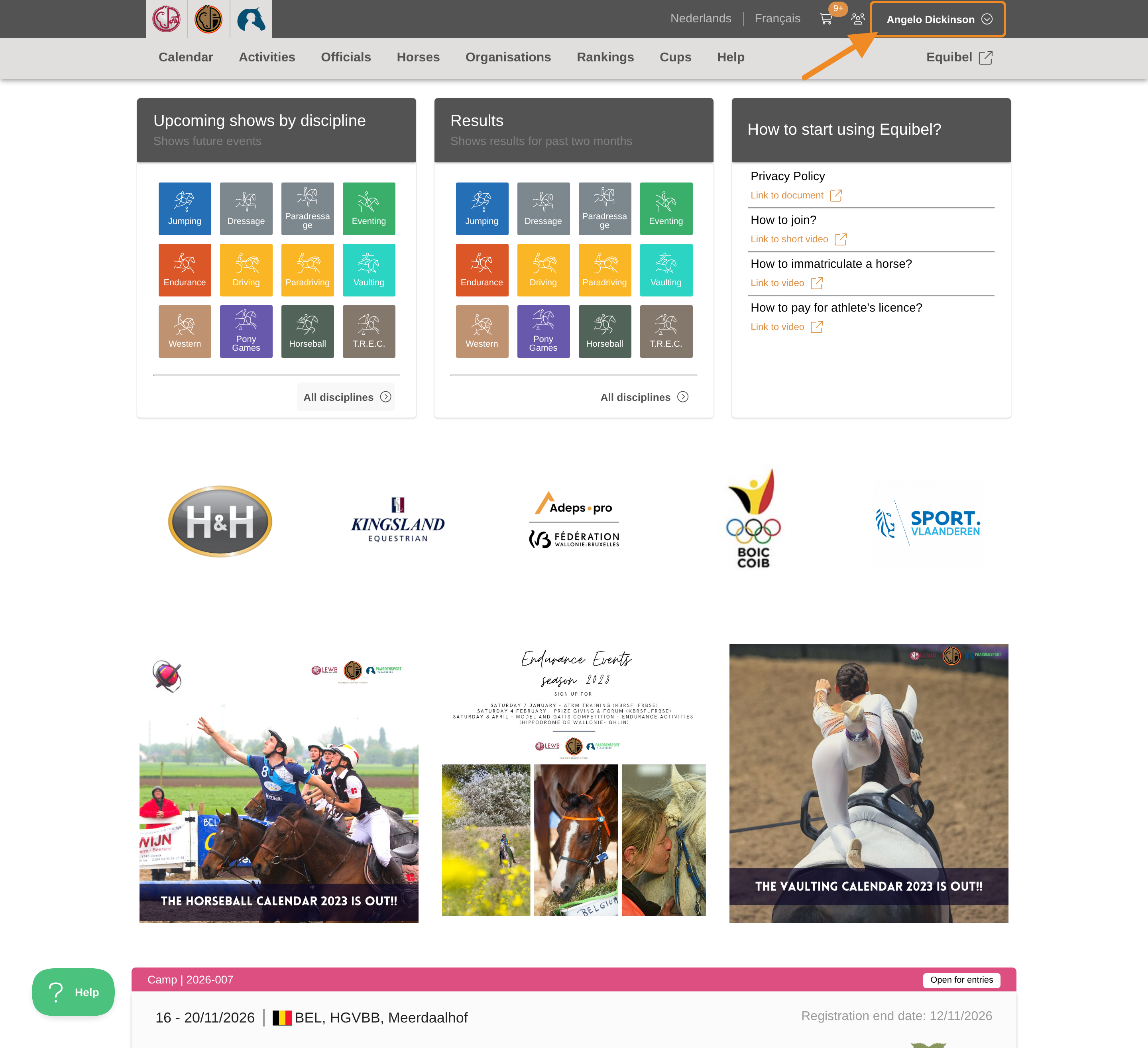
Click your profile button in the upper-right corner of any page.
Step 2 — Open your club
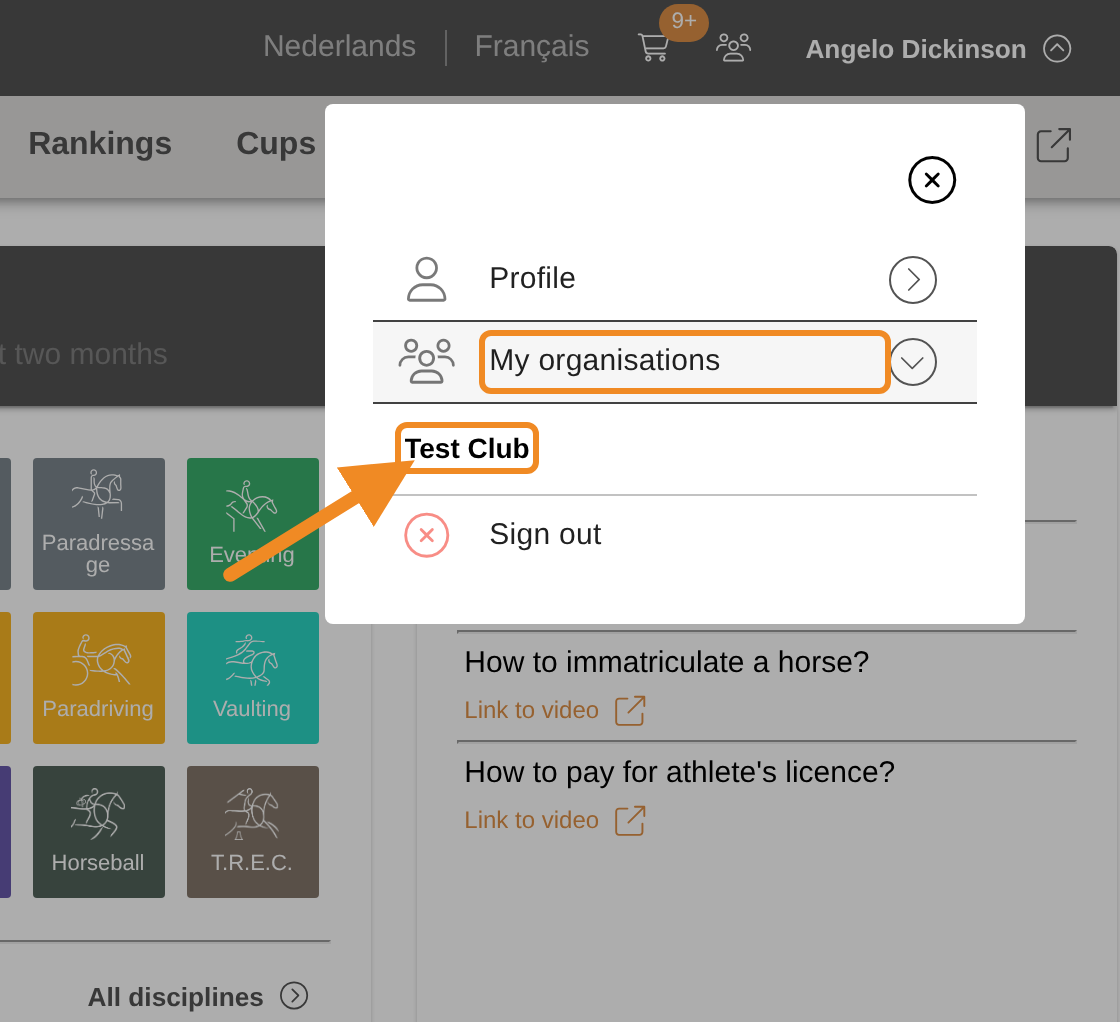
Open “My organisations” and select your club.
Step 3 — Find the Memberships section
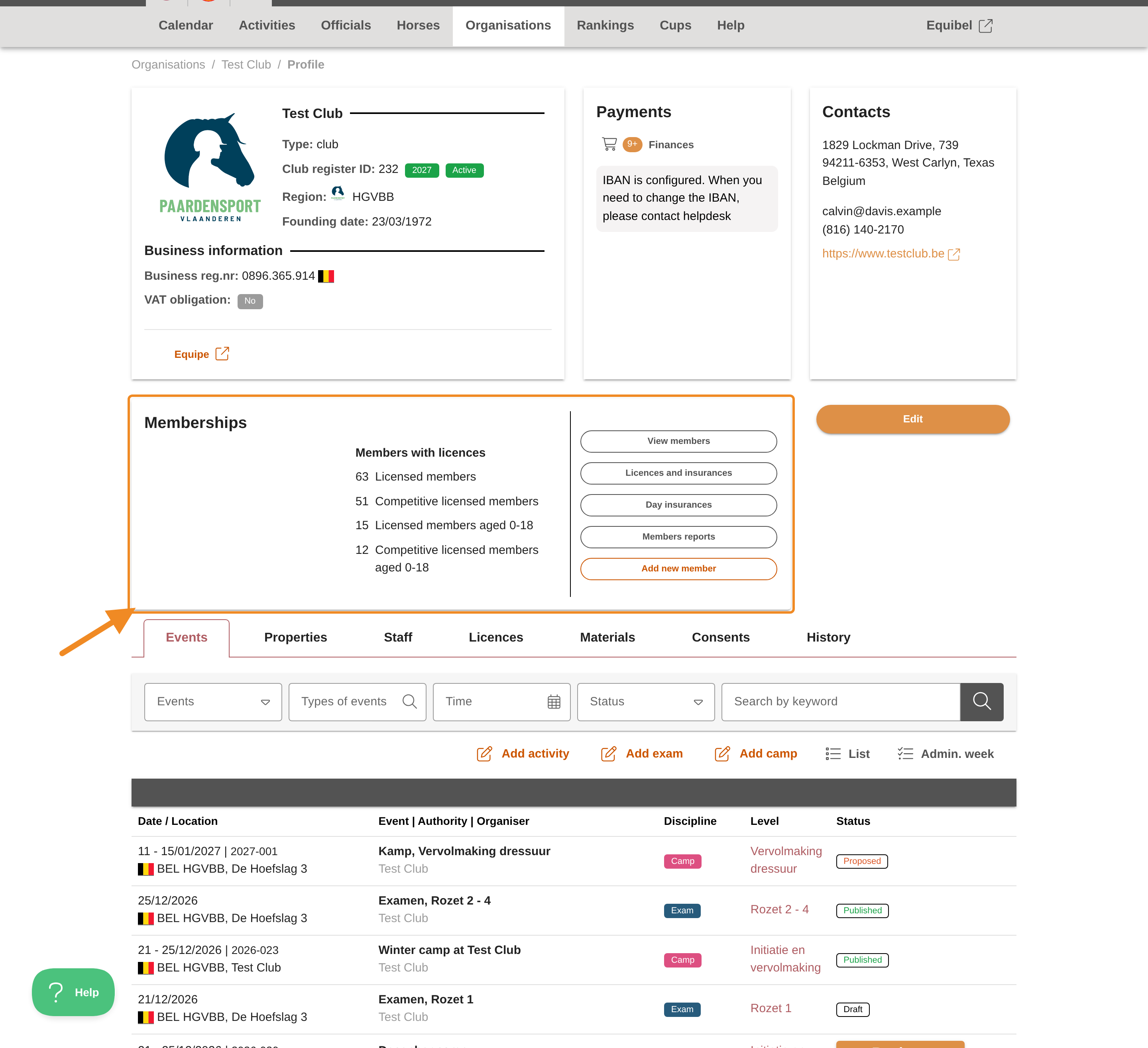
On your club page, find the “Memberships” section.
Step 4 — Open your members’ licences and insurances
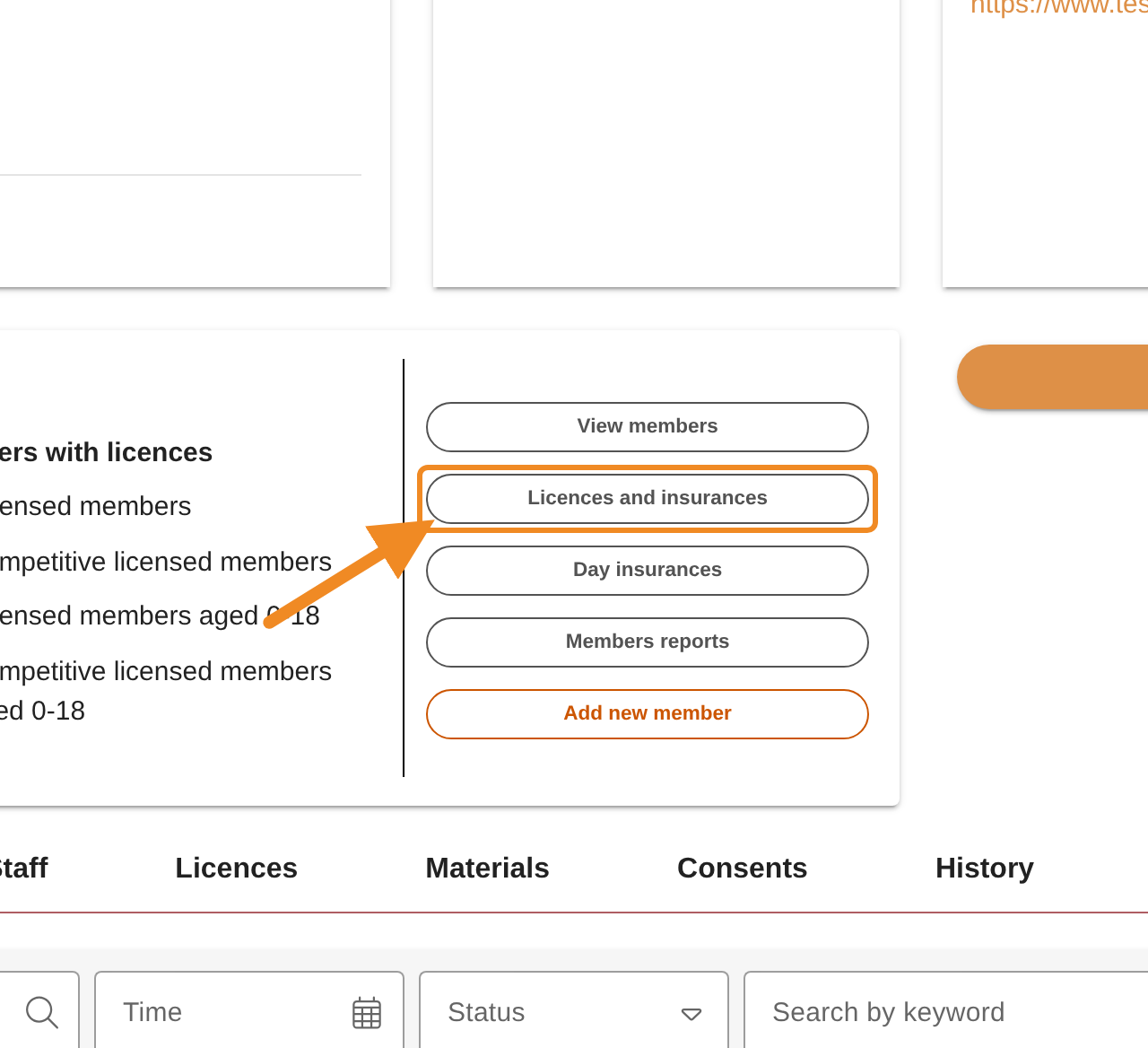
Click “Licences and insurances”. The “Licences and insurances for members” page opens.
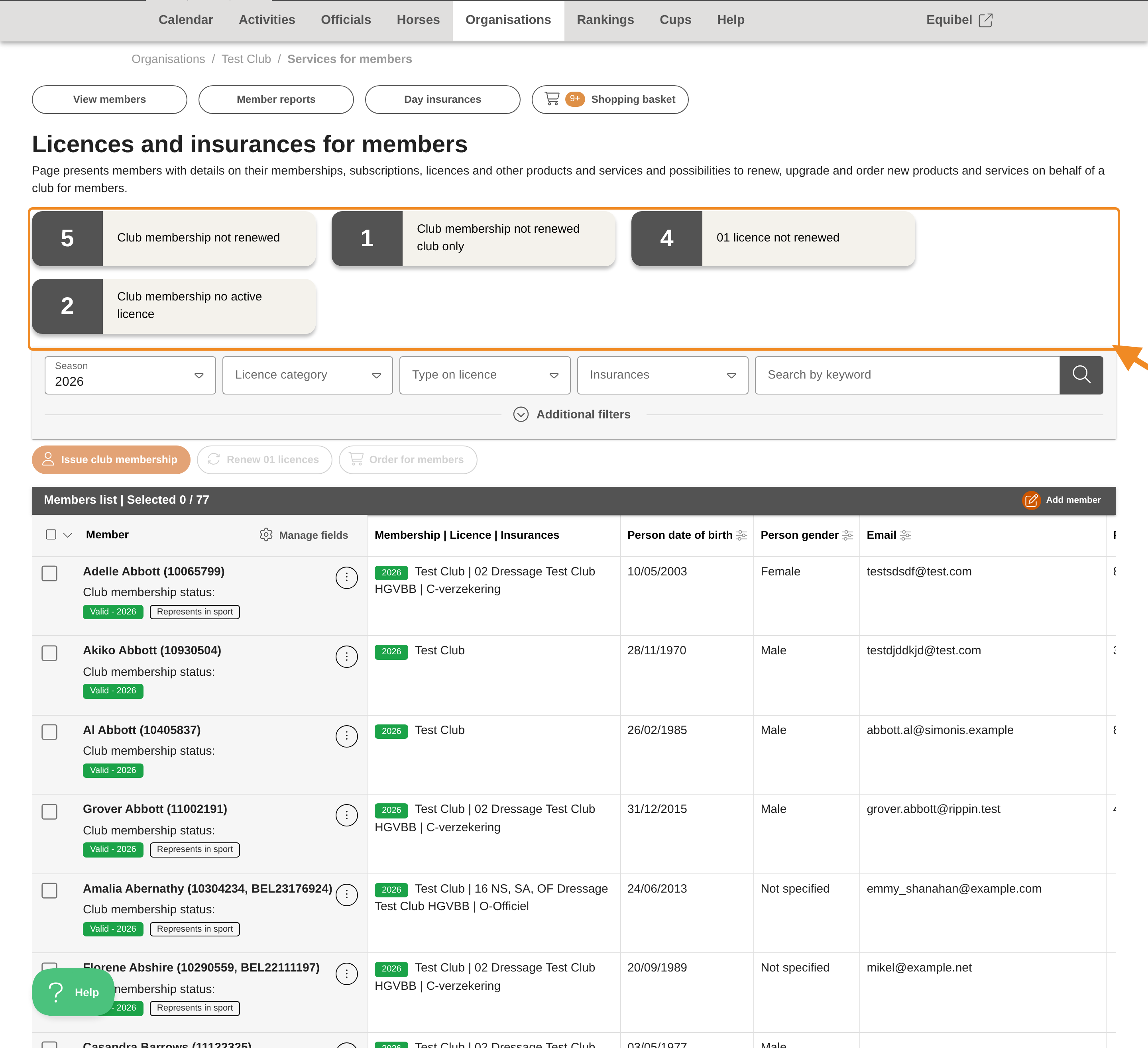
Step 5 — Find the cards at the top
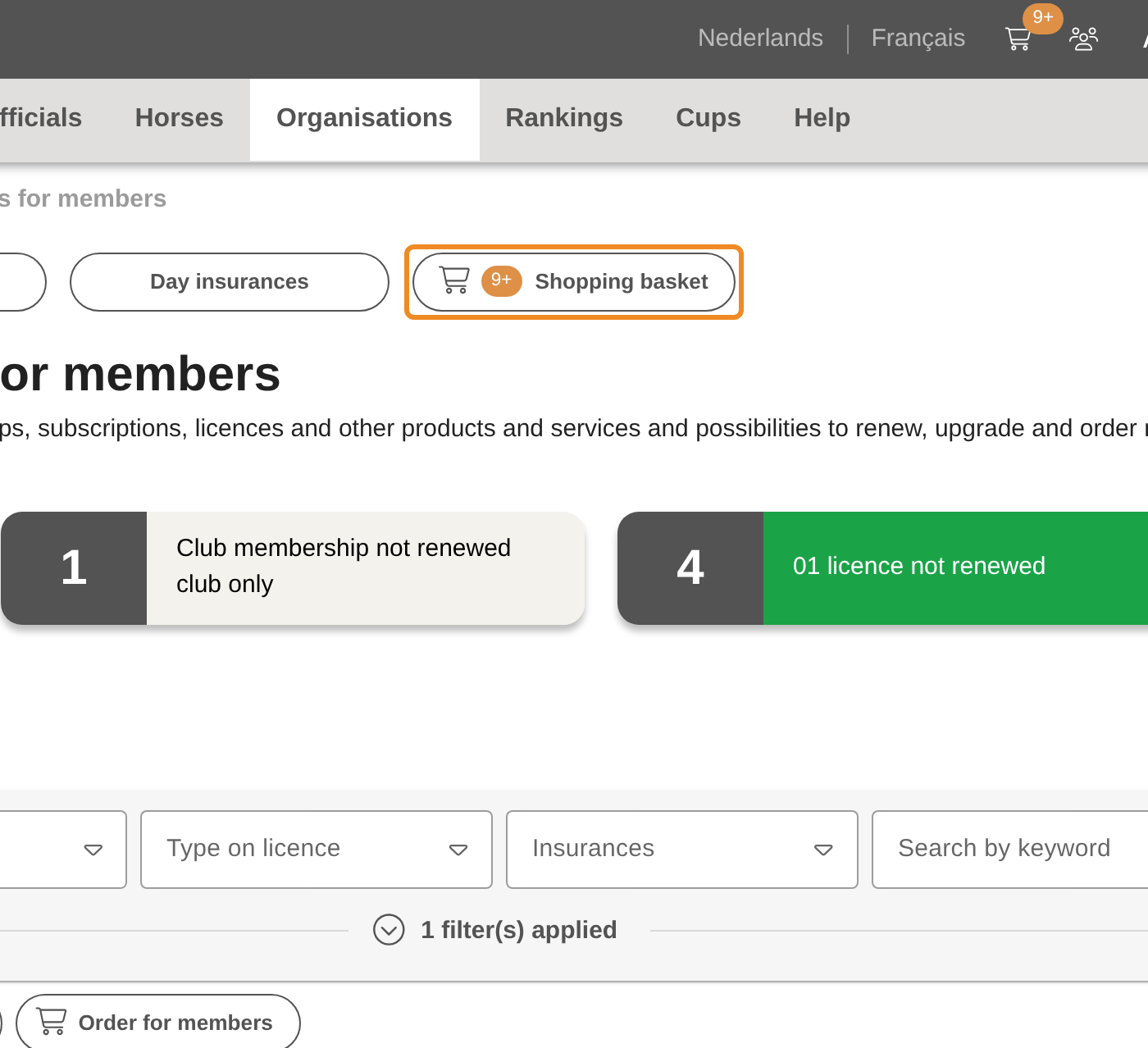
This page lists your club’s members, with their memberships, licences and insurances per year. The cards at the top of the page each count a group of members who need something from your club — for example a renewal. A card appears only when it counts at least one member.
Step 6 — Show the 01 licences that are not renewed
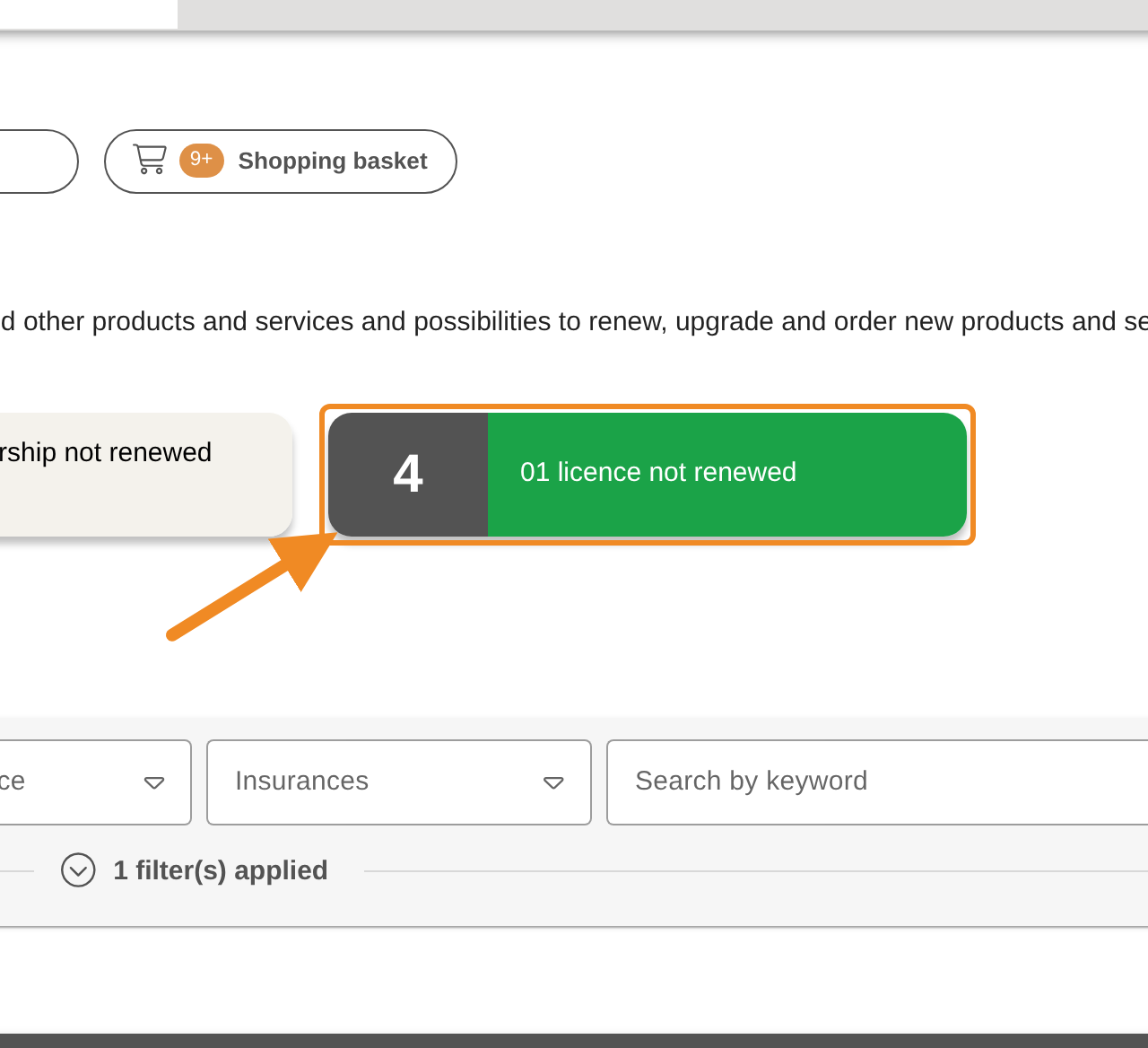
Click “01 licence not renewed”. The card is highlighted and the list shows only the members who:
- held a 01 licence at your club last season;
- have no 01 licence for this season, at any club;
- have not renewed their club membership for this season either.
“Season” switches to last season by itself, because that is the season you renew from. Click the card again, or “Reset filters”, to see all members again.
Step 7 — Renewing other years: use the Season selector
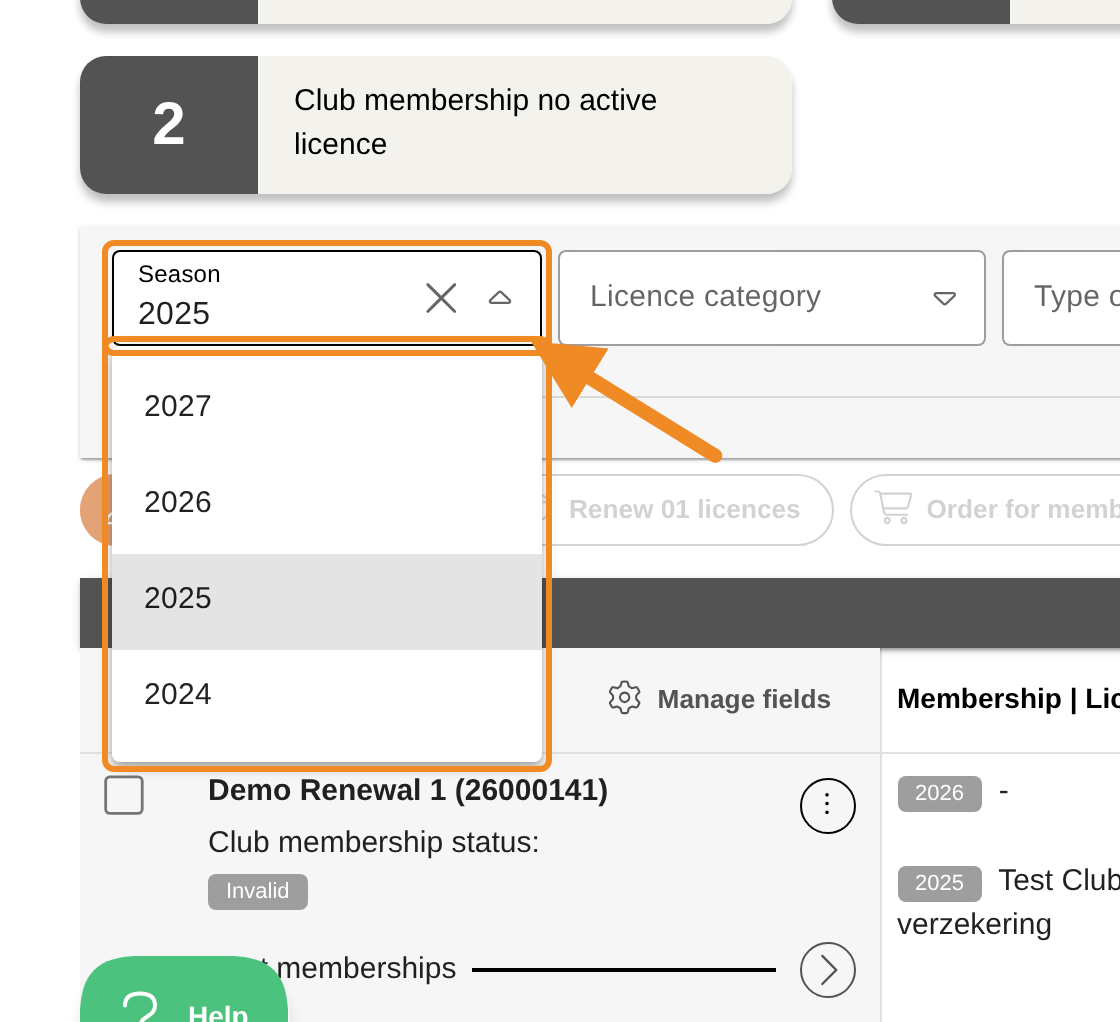
The card always compares last season with this season. To renew between other years — for example from 2026 to 2027, once the federation has opened the 2027 sales — choose the season you renew from under “Season” instead. The list then shows the members your club had in that season. Changing “Season” clears the card.
Use “Season” too for members whose club membership for the new season is already renewed: the card leaves them out.
Step 8 — Tick the members to renew
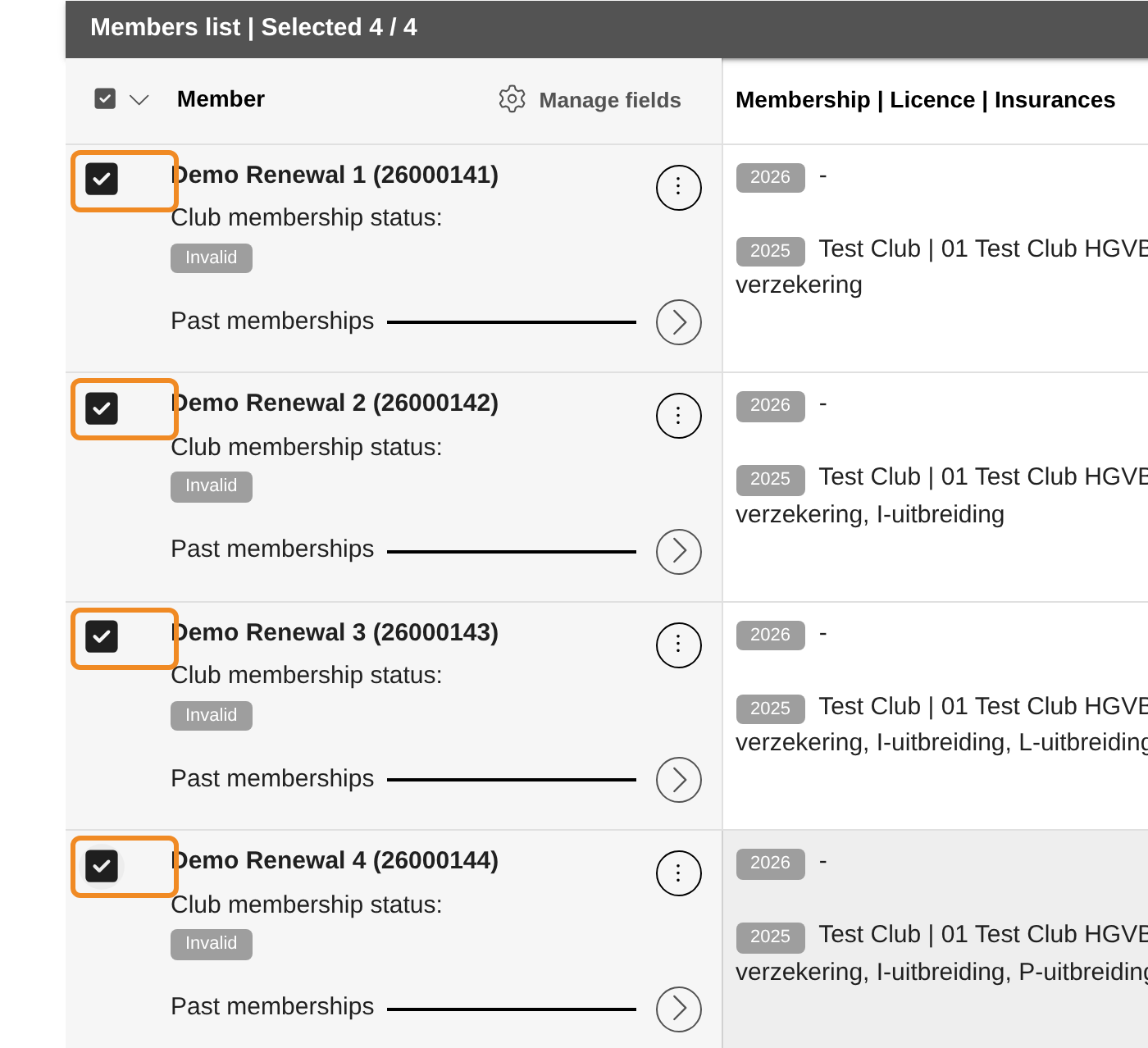
Tick the box in front of each member you want to renew. The bar above the list counts the members you ticked.
To tick every member in the list at once, click the small arrow next to the box above the list and choose “Select all”. This ticks the members shown on the page: if the list ends with “Load more”, click it first until every member is shown.
Step 9 — Start the renewal
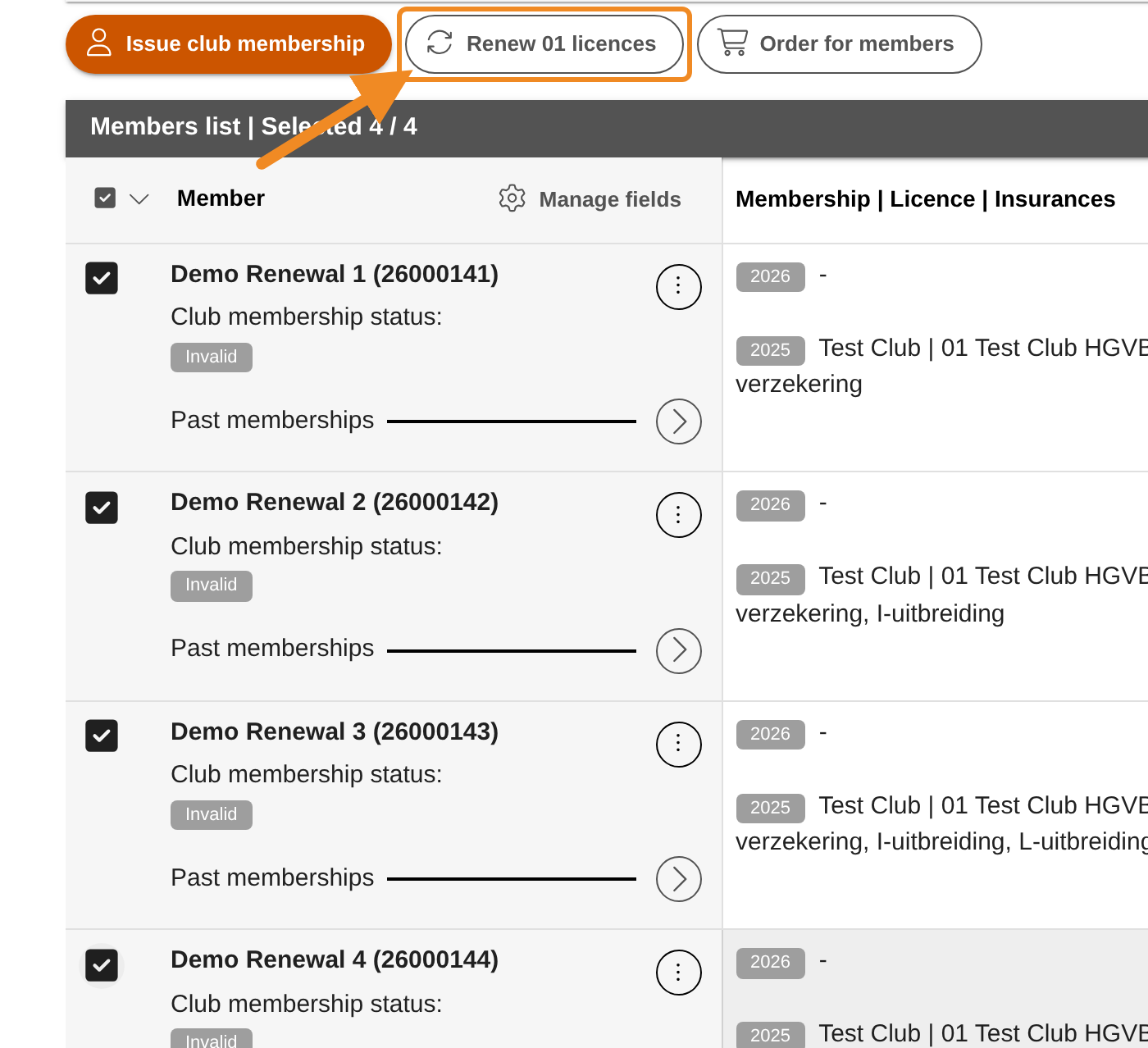
Click “Renew 01 licences”, above the list (the same button is also below it). The “Renew 01 licences and insurances” window opens and names your club.
Step 10 — Choose the seasons
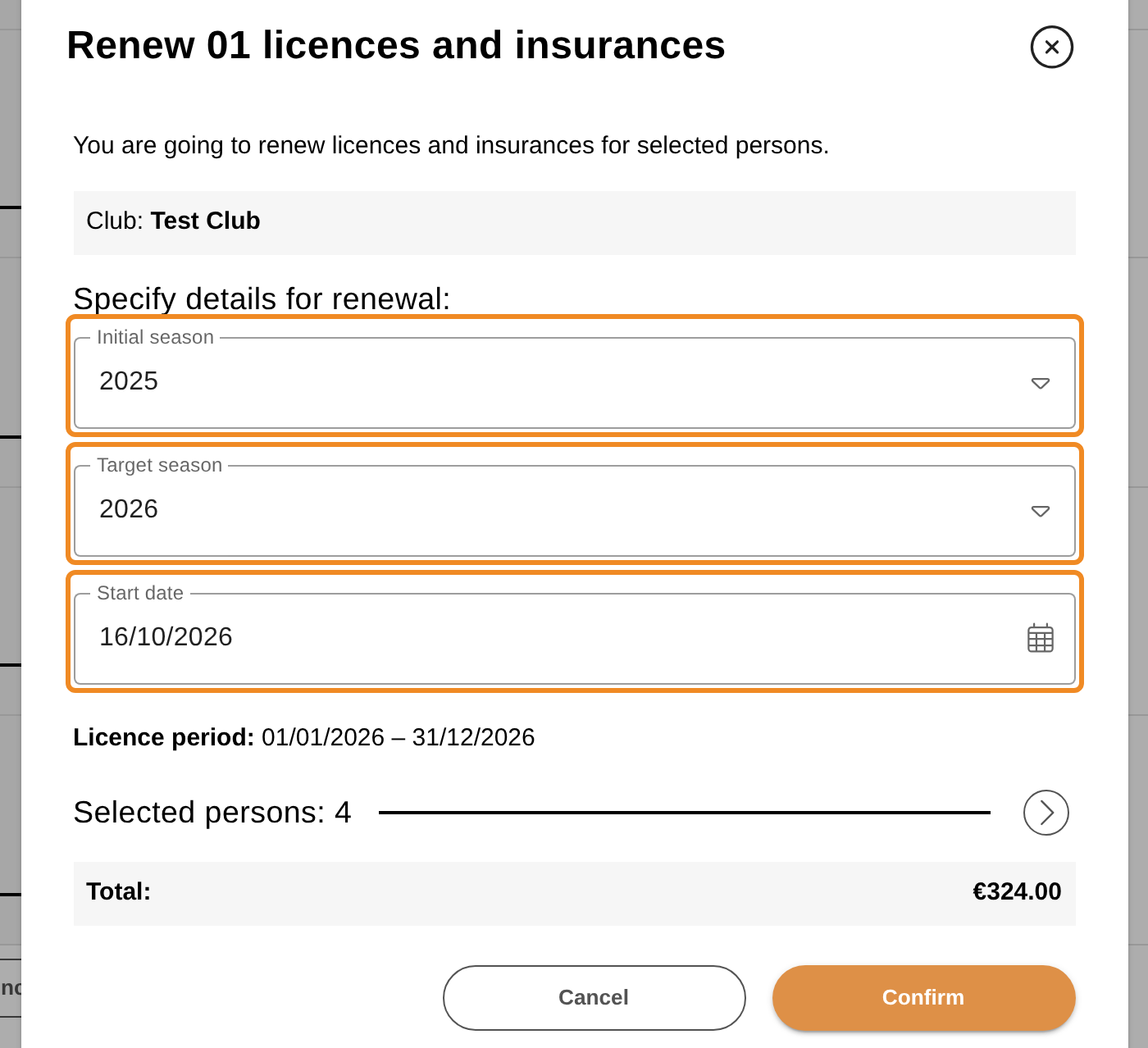
- “Initial season”: the season you renew from — the one that is ending.
- “Target season”: the season you renew for.
- “Start date”: filled in for you — 1 January of the new season, or today when you renew for the current season. Change it only if the licences must start later.
Below the fields, “Licence period:” shows from when to when the new licences are valid. Each time you change a field, the list of members is checked again.
Step 11 — Check each member
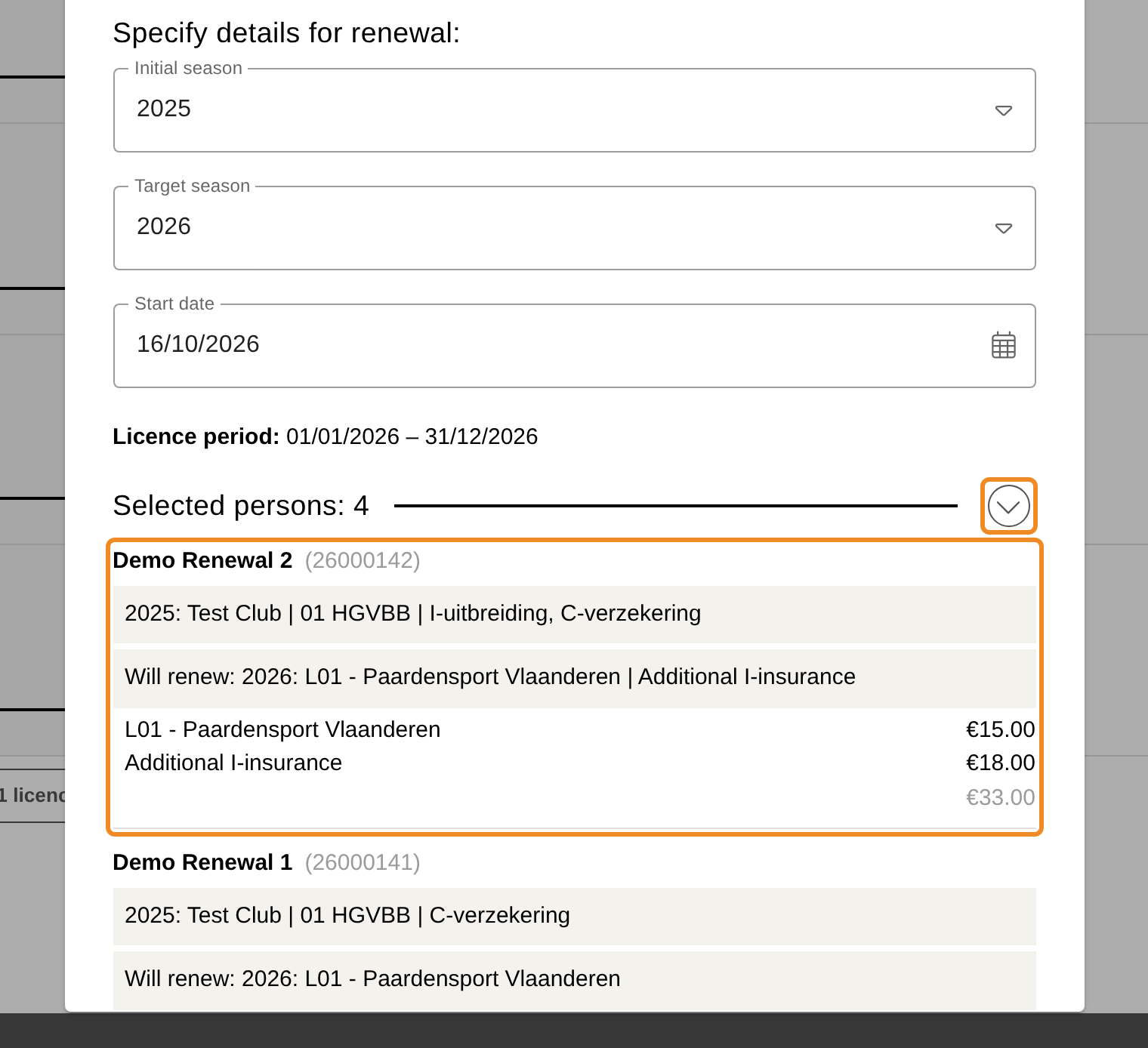
Click the arrow next to “Selected persons:” to open the list. For each member you see:
- what they held in the season you renew from (club, licence and insurances);
- the licence and insurances that will be renewed, with their price.
A member marked “Not eligible” is left out of the renewal, with the reason above it. You cannot add them back. See If something goes wrong below.
Step 12 — Confirm
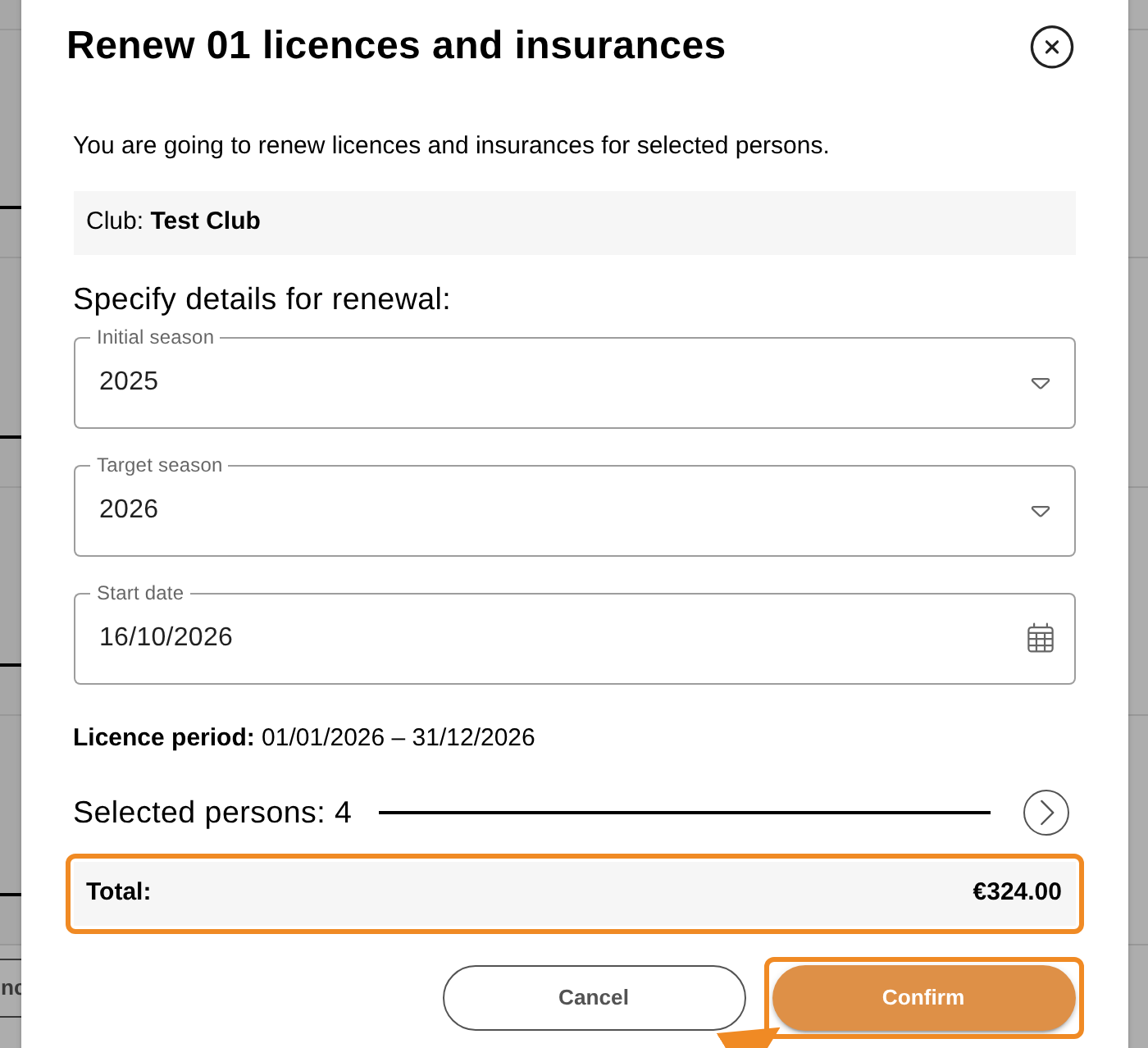
Check the “Total:” your club will pay, then click “Confirm”.
The renewal now runs. It usually takes less than 5 minutes; keep the window open until it is done. The window then shows, for each member, whether the renewal succeeded.
Step 13 — Pay the orders
The renewals are now orders in your club’s shopping basket. At the end of the renewal, click “Go to basket” — or later, “Shopping basket” at the top of the “Licences and insurances for members” page — and pay them. Once they are paid, your club gets a proof of payment. See How to Pay Your Club’s Orders.
Good to know
- The platform chooses the products. For each member, the licence and insurances to renew follow from what the member held in the season you renew from. You do not choose them yourself.
- Members without a club membership for the new season get one in the same renewal. A member whose club membership for the new season already exists keeps it.
- Renewing twice is safe. A member who already has a licence for the new season is left out, so nobody gets a second licence.
- One member at a time: on the “Licences and insurances for members” page, open the menu (⋮) next to a member’s name.
If something goes wrong
| Message | What to do |
|---|---|
| “Licence has already been renewed for the target season or person didn't have any licence last season.” | The member already has a licence for the new season, or had no licence in the season you renew from. Check “Initial season”. |
| “Licence cannot be renewed by club.” | The member renews this licence personally. Your club only issues the club membership: tick the member and click “Issue club membership”. |
| “Your club has overdue orders. Pay them in the club's shopping basket to order again.” | Pay your club’s overdue orders in the shopping basket, then renew again. |
| “Club's seasonal licence for this year is unpaid” | Renew and pay your club’s own membership for that season first. |
| “There are no eligible people for the renew of licences and/or insurances. Please check under people for more details.” | None of the members you ticked can be renewed. Open “Selected persons:” to see why. |
| The new season is not in “Target season” | The federation has not opened the new season’s sales yet. Try again later. |
| I don’t see “Renew 01 licences” | Your role does not include renewing licences. Contact the federation. |
Related articles: How to Renew Your Club’s Membership · How to Pay Your Club’s Orders · How to Register a New Member