
How to Renew Your Club’s Membership
Your club renews its membership of Paardensport Vlaanderen once a year. The renewal form first asks you to check the club’s details, then you choose the year and confirm. Your club pays the membership as an order. As soon as the order is paid, the renewal is approved automatically and your club is a member for that year.
Before you begin
You need:
- the club administrator role for your club;
- no overdue orders or debts for your club (see If something goes wrong);
- about 10 minutes.
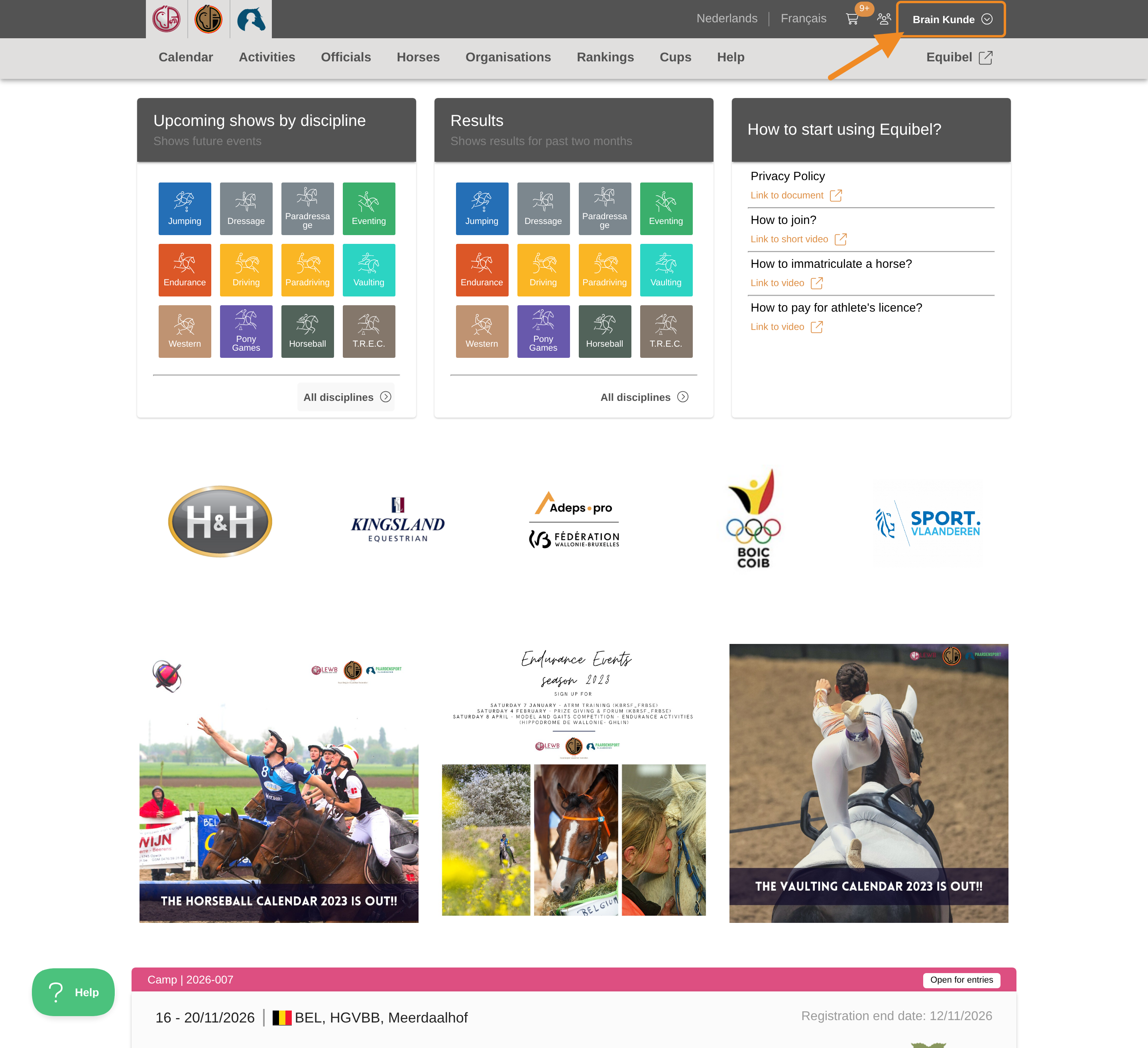
Step 1 — Open your profile menu
Click your profile button in the upper-right corner of any page.
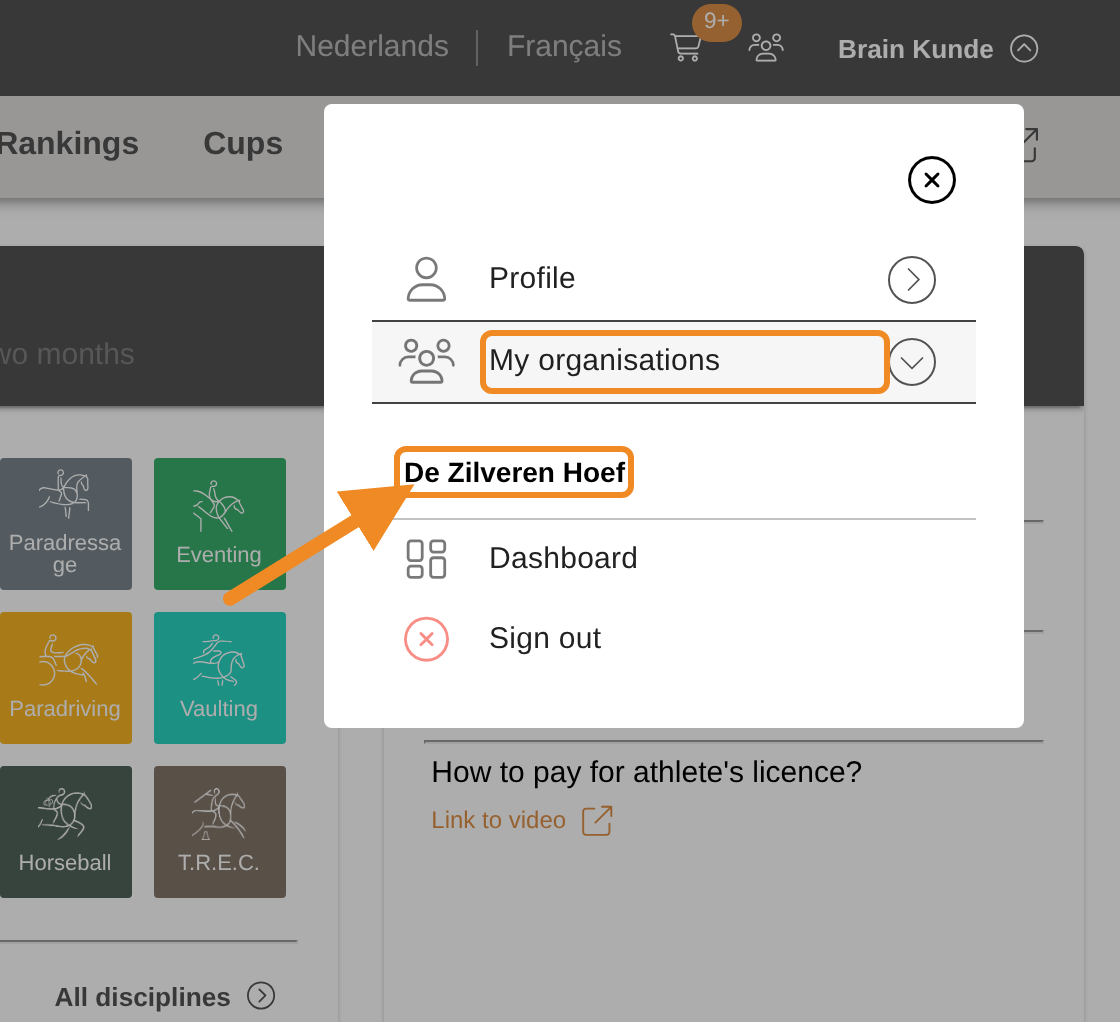
Step 2 — Open your club
Open “My organisations” and select your club.
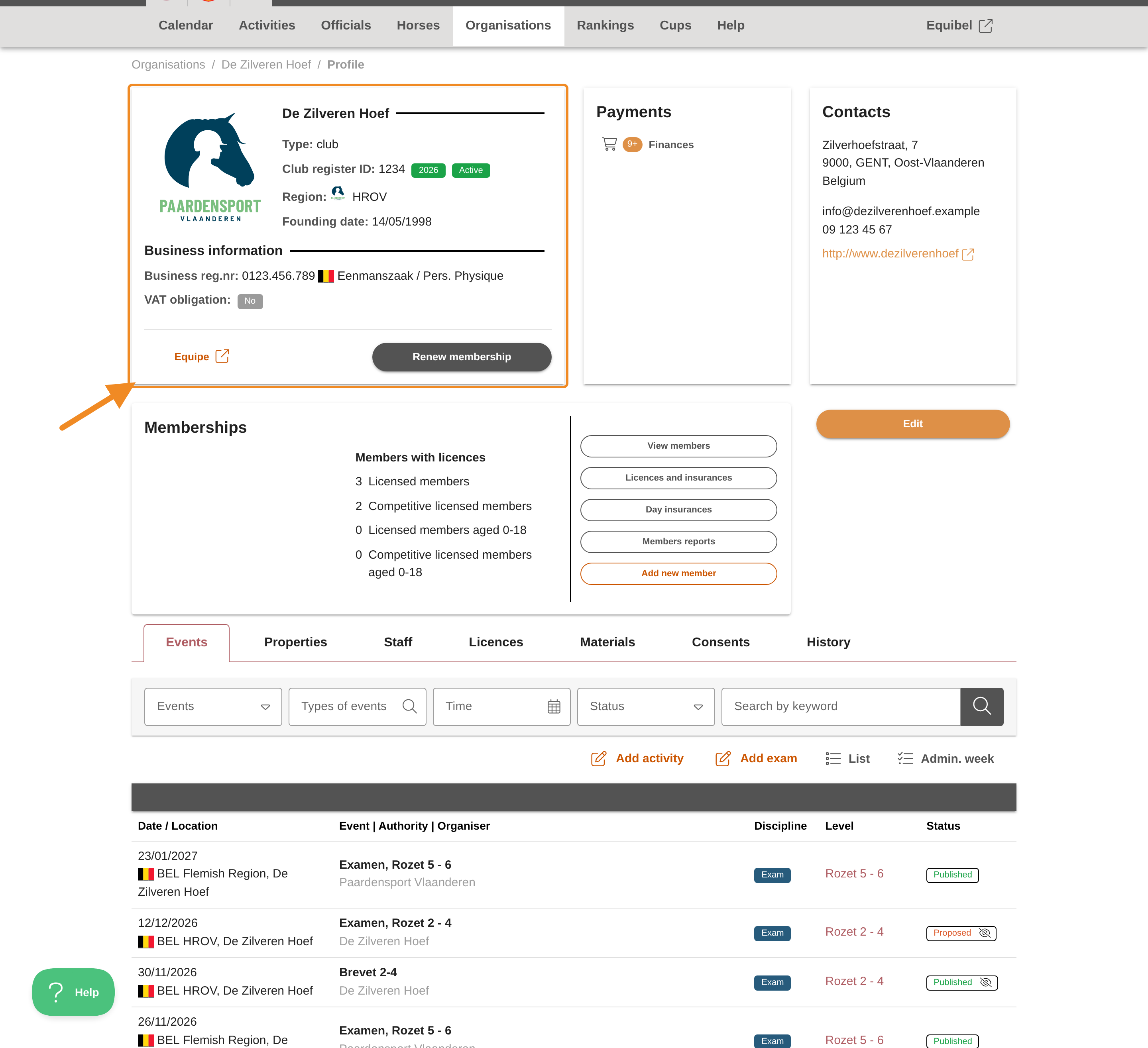
Step 3 — Find the renewal button
On your club page, find “Renew membership” in the box with your club’s details.
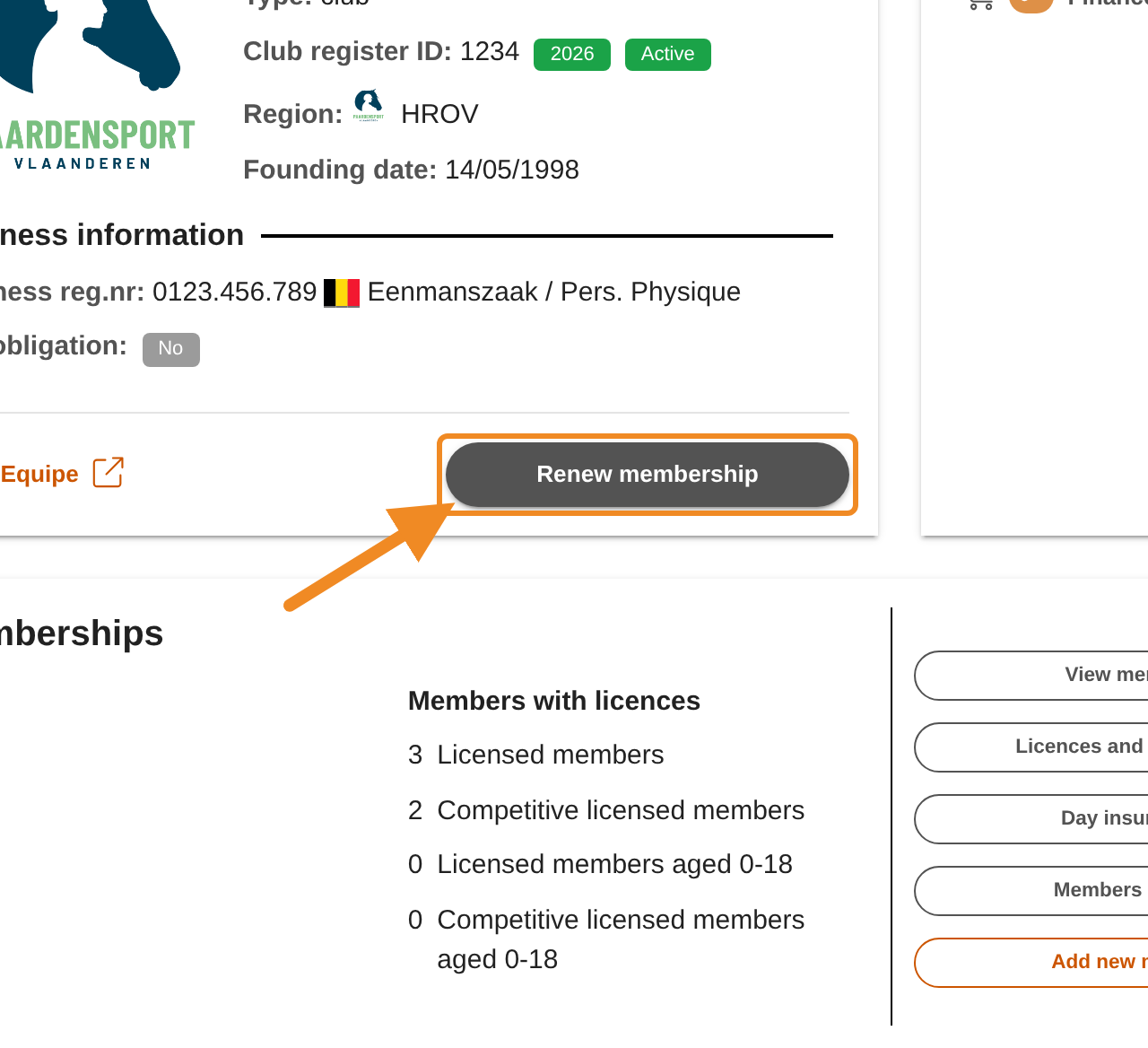
Step 4 — Open the renewal form
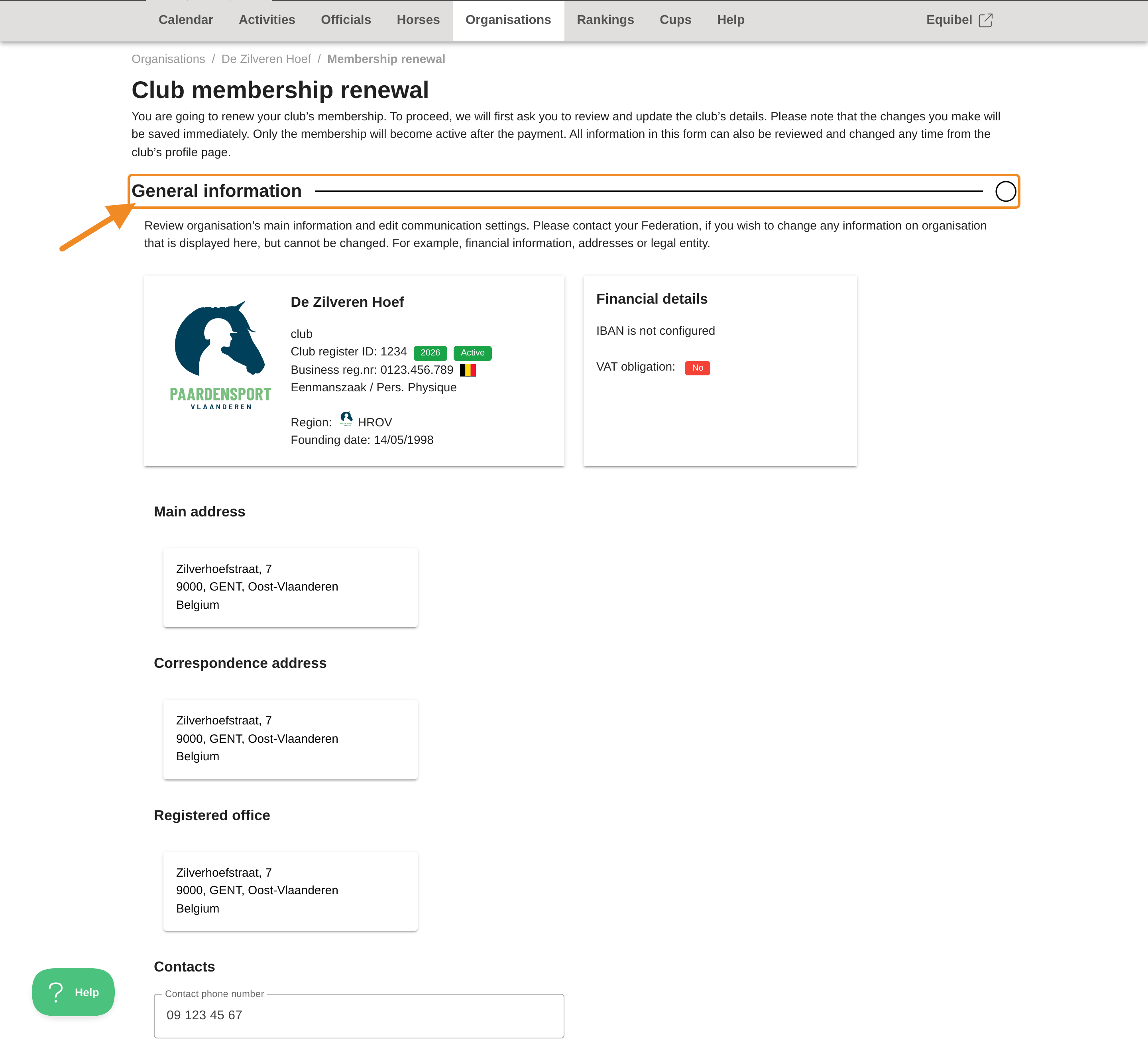
Click “Renew membership”. The “Club membership renewal” page opens. The form has five parts. You go through them one by one: when you finish a part, the next one opens.
Step 5 — Check your club’s general information
Part 1, “General information”, shows your club’s name, register ID, region, financial details and addresses. You cannot change these here. If any of them is wrong, contact the federation.
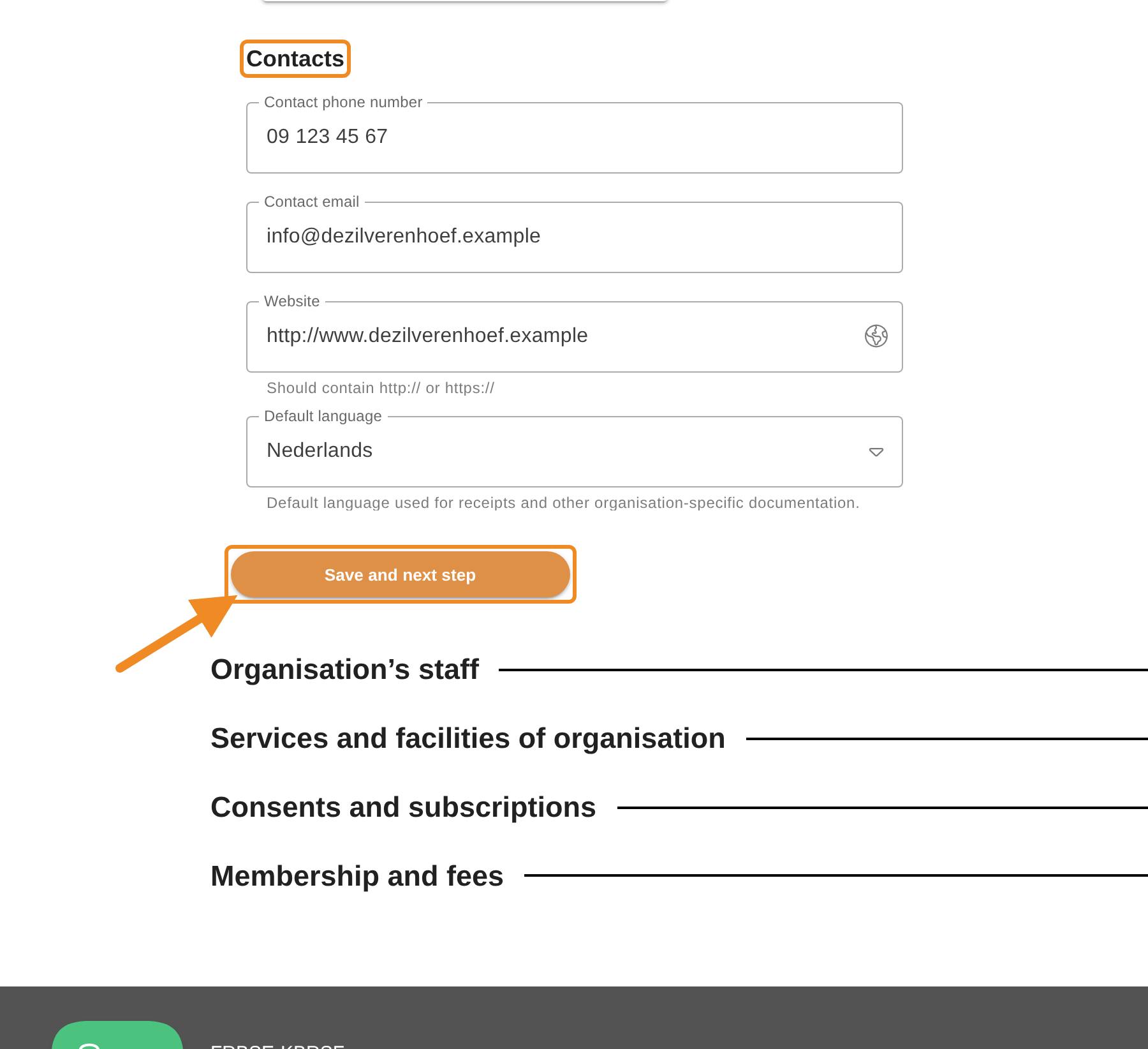
Step 6 — Update the contacts and continue
Under “Contacts”, update the club’s phone number, email address, website and default language if needed. Then click “Save and next step”.
Your changes are saved to the club’s profile immediately, even if you do not finish the renewal.
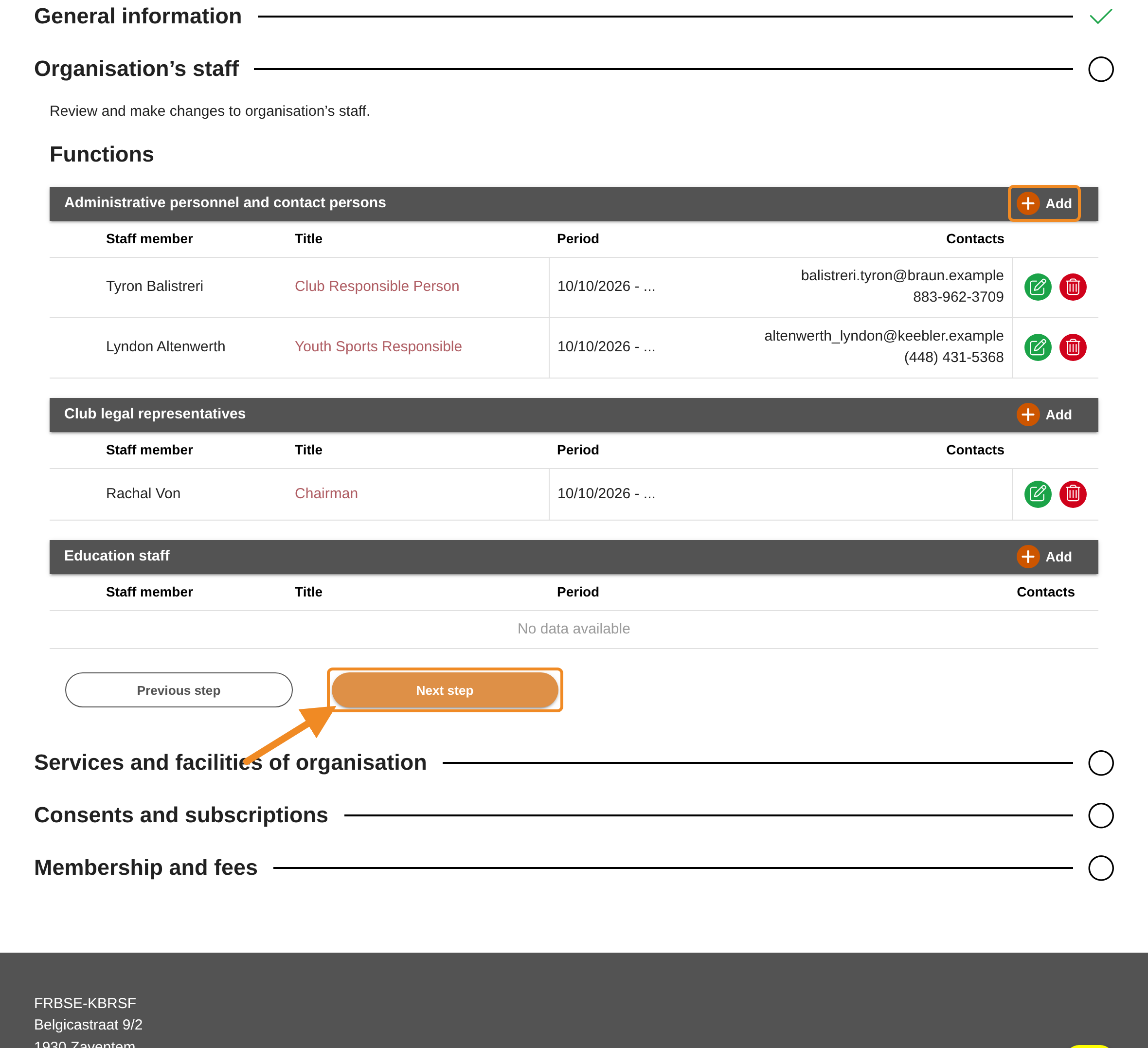
Step 7 — Check your club’s staff
Part 2, “Organisation’s staff”, lists the people with a function in your club, by group.
- To add someone, click “Add” on the bar of the group.
- To change or remove someone, use the icons at the end of their row.
Then click “Next step”.
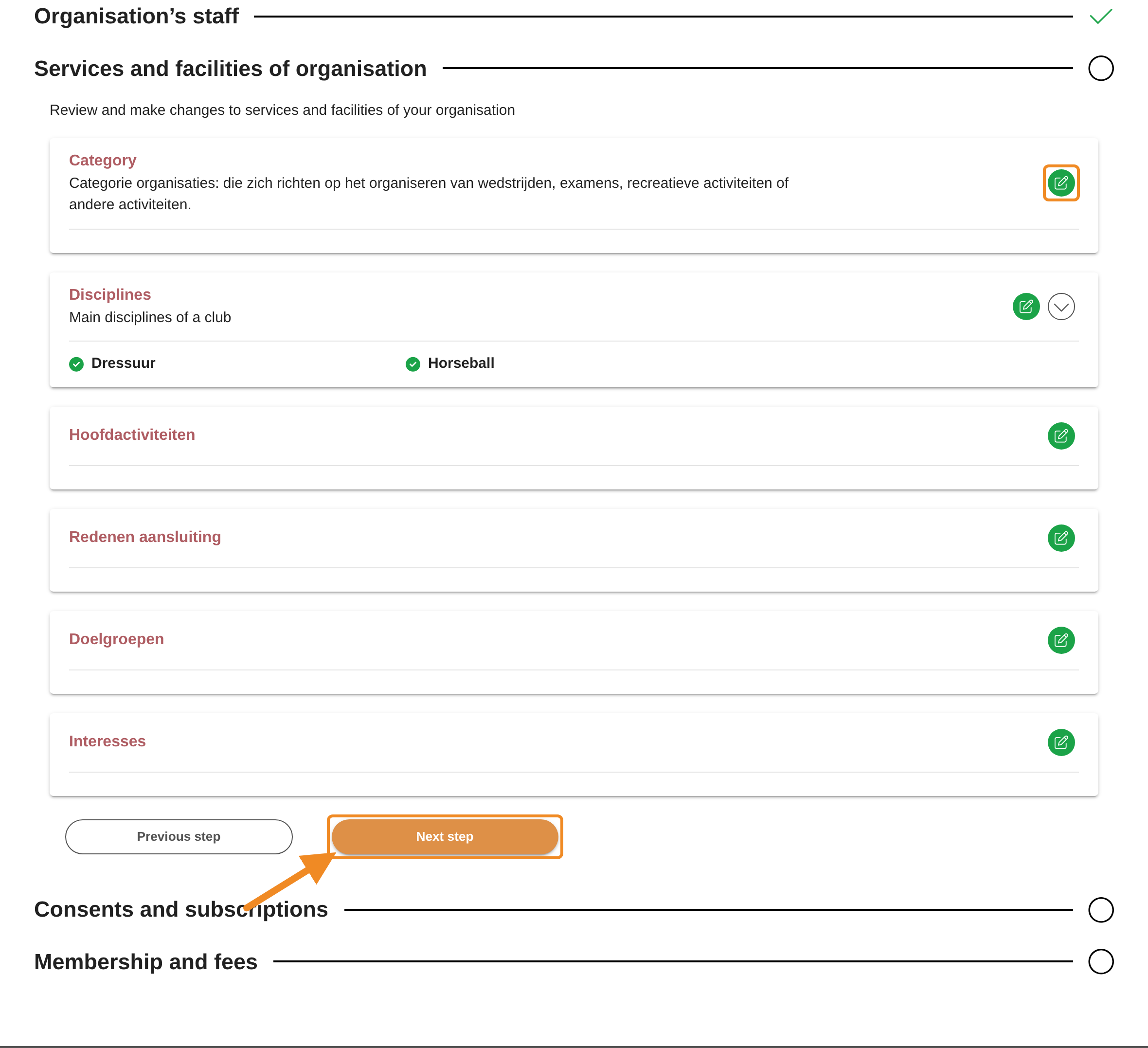
Step 8 — Check your club’s services and facilities
Part 3, “Services and facilities of organisation”, shows what your club offers, by group (for example the disciplines). To change a group, click its pencil icon. Then click “Next step”.
Step 9 — Check your club’s consents
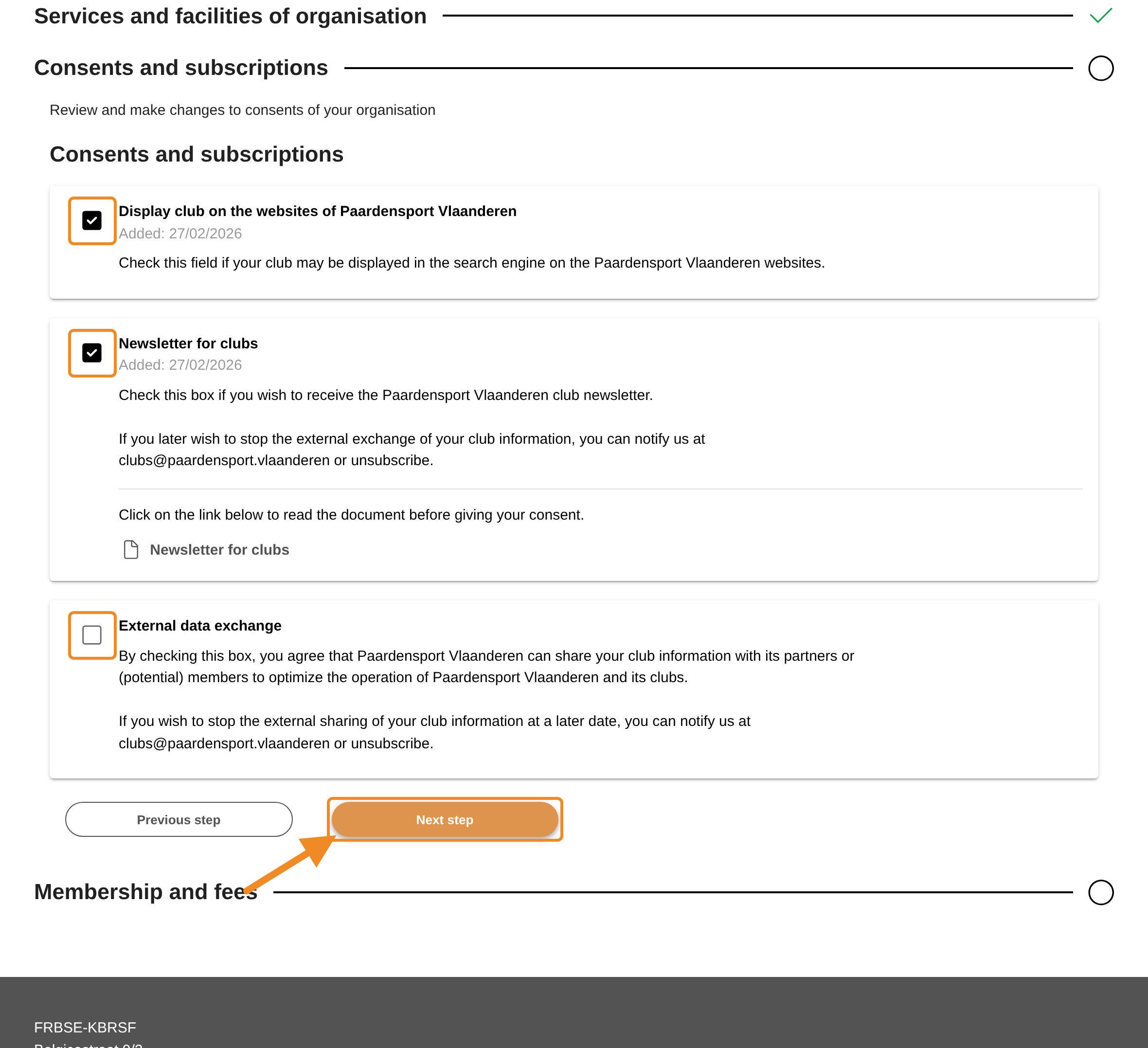
Part 4, “Consents and subscriptions”, lists the consents your club gives to Paardensport Vlaanderen. Tick or untick each one. A change is saved immediately. Then click “Next step”.
Step 10 — Choose the year and confirm
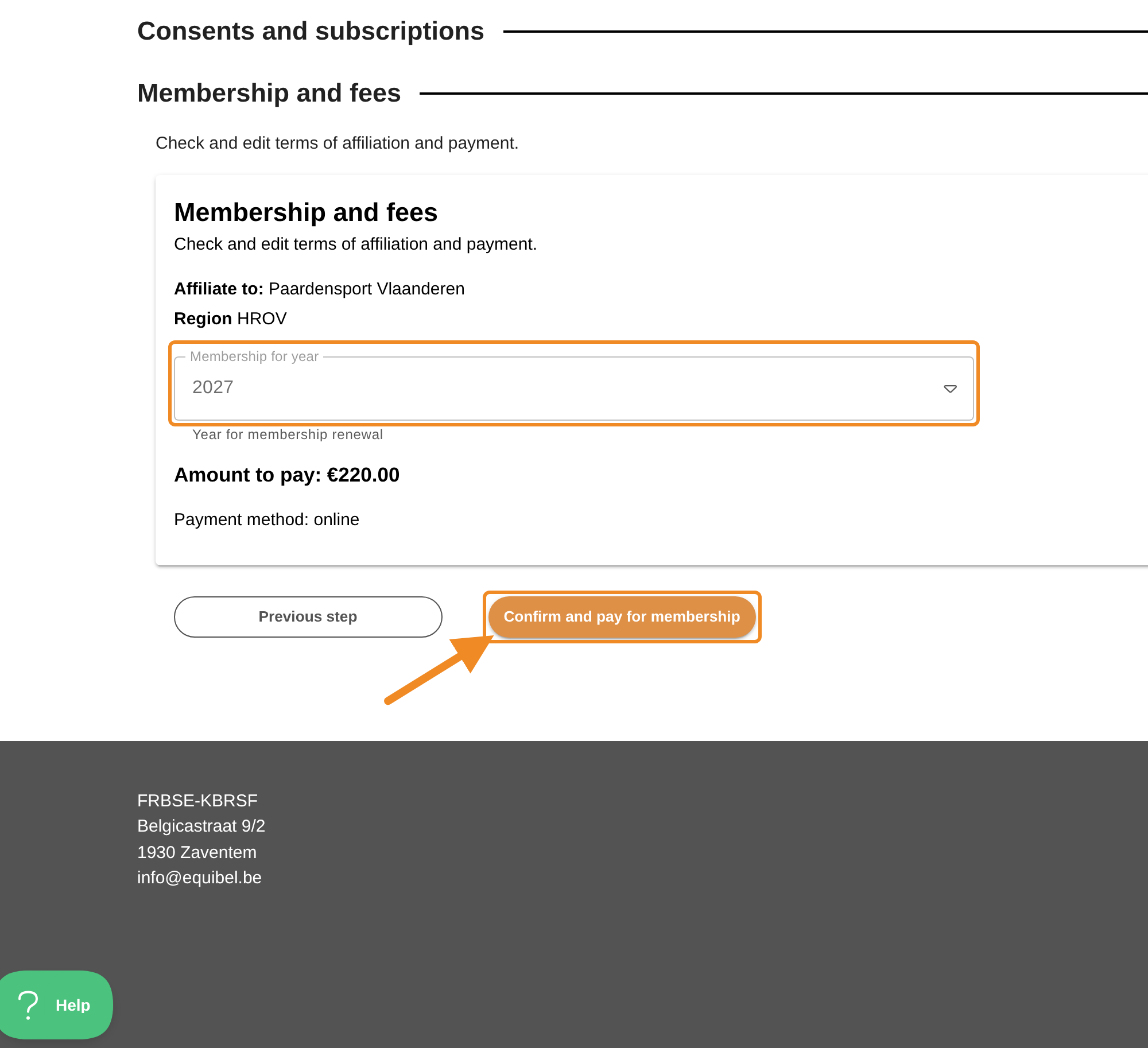
Part 5, “Membership and fees”, shows the federation and region your club is affiliated to, and:
- “Membership for year”: the year you renew for. Only years for which your club is not yet a member are offered. When only one year is possible, it is already filled in.
- the amount after “Amount to pay:”: the membership fee for that year.
Check both. Then click “Confirm and pay for membership”.
Step 11 — Pay the membership order
The “Finances” page of your club opens, with the membership order. Pay it there. See How to Pay Your Club’s Orders.
As soon as the order is paid, the renewal is approved automatically, your club is a member for the year you chose, and your club gets a proof of payment. You do not have to wait for the federation.
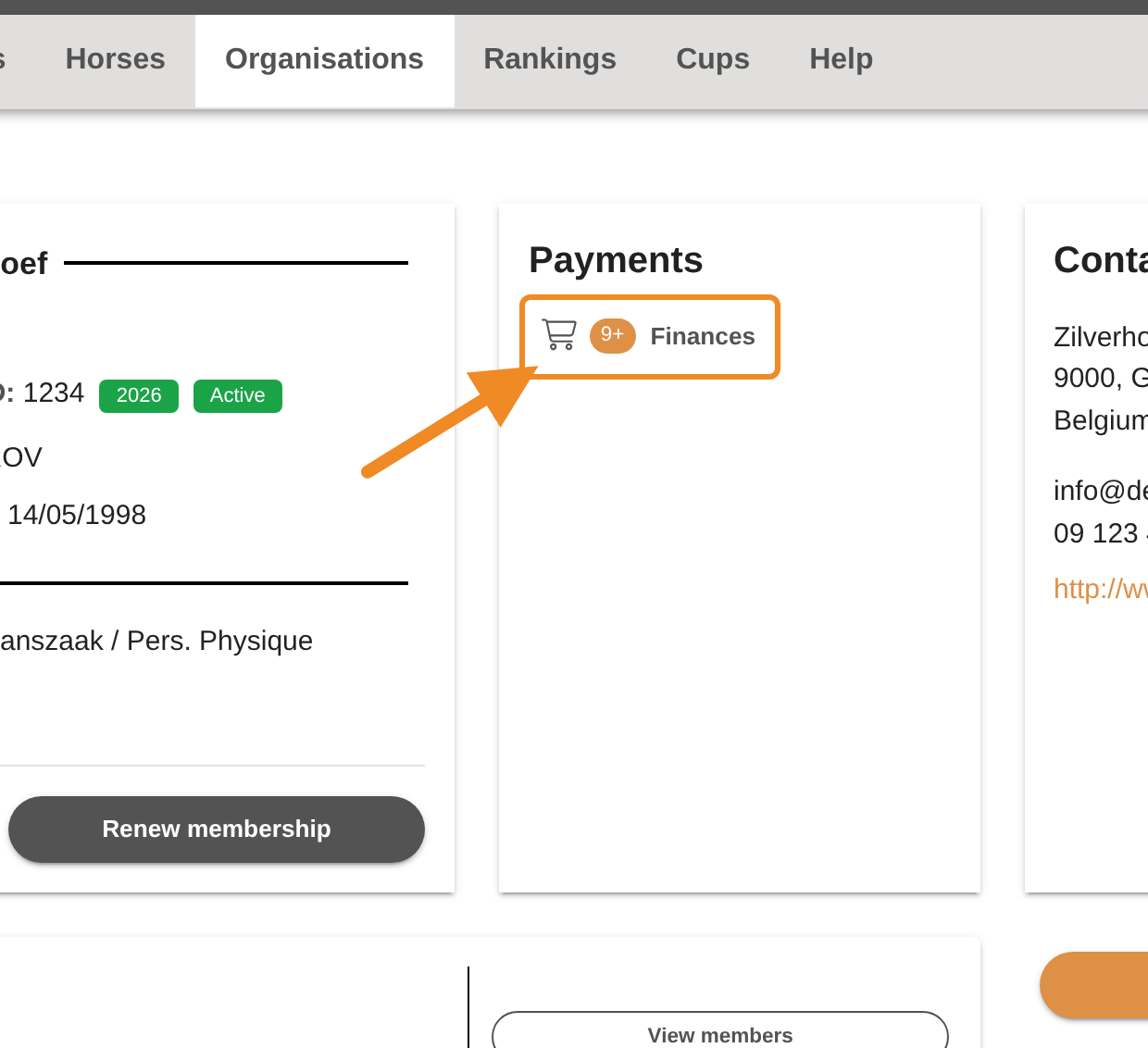
To come back to the order later: on your club page, in the “Payments” section, click “Finances”.
Good to know
- Paying later: until the membership order is paid, your club page shows “Pay for membership” instead of “Renew membership”. Click it to go to the order.
- Where to see the membership: the years your club is a member are on the “Licences” tab of your club page.
- Next year: next year’s membership can be renewed from the date the federation opens it. Until then, only the current year is offered.
- The club’s details in parts 1 to 4 can also be changed at any time from your club page, without renewing.
If something goes wrong
| What you see | What to do |
|---|---|
| There is no “Renew membership” button on my club page | Your club is already a member for every year that can be renewed now, or it has overdue orders or a debt. Pay the overdue orders under “Finances”. If the button does not come back, contact the federation. |
| “Pay for membership” instead of “Renew membership” | A renewal is waiting for payment. Click the button and pay the order. |
| “The club cannot apply to renew its membership until its overdue debts are settled.” | Your club has overdue orders or a debt. Pay the overdue orders under “Finances”, then start again. If the message stays, contact the federation. |
| The amount is not what I expected | The fee is set by the federation. Contact the federation. |
Related articles: How to Pay Your Club’s Orders · How to Check Your Club’s Details