
Unpaid Orders: Reminders and Debts
Your club pays its orders within 30 days of each order. When an order stays unpaid, the system reminds your club administrators by email. An order still unpaid 73 days after it was placed becomes a debt of your club. While your club has a debt, it cannot:
- place new orders: new members, licences and insurances, day insurances;
- renew the club’s membership;
- organise new promotional activities or exam sessions.
All of this works again as soon as the overdue orders are paid. This article shows where to find unpaid orders and debts, and how to clear them.
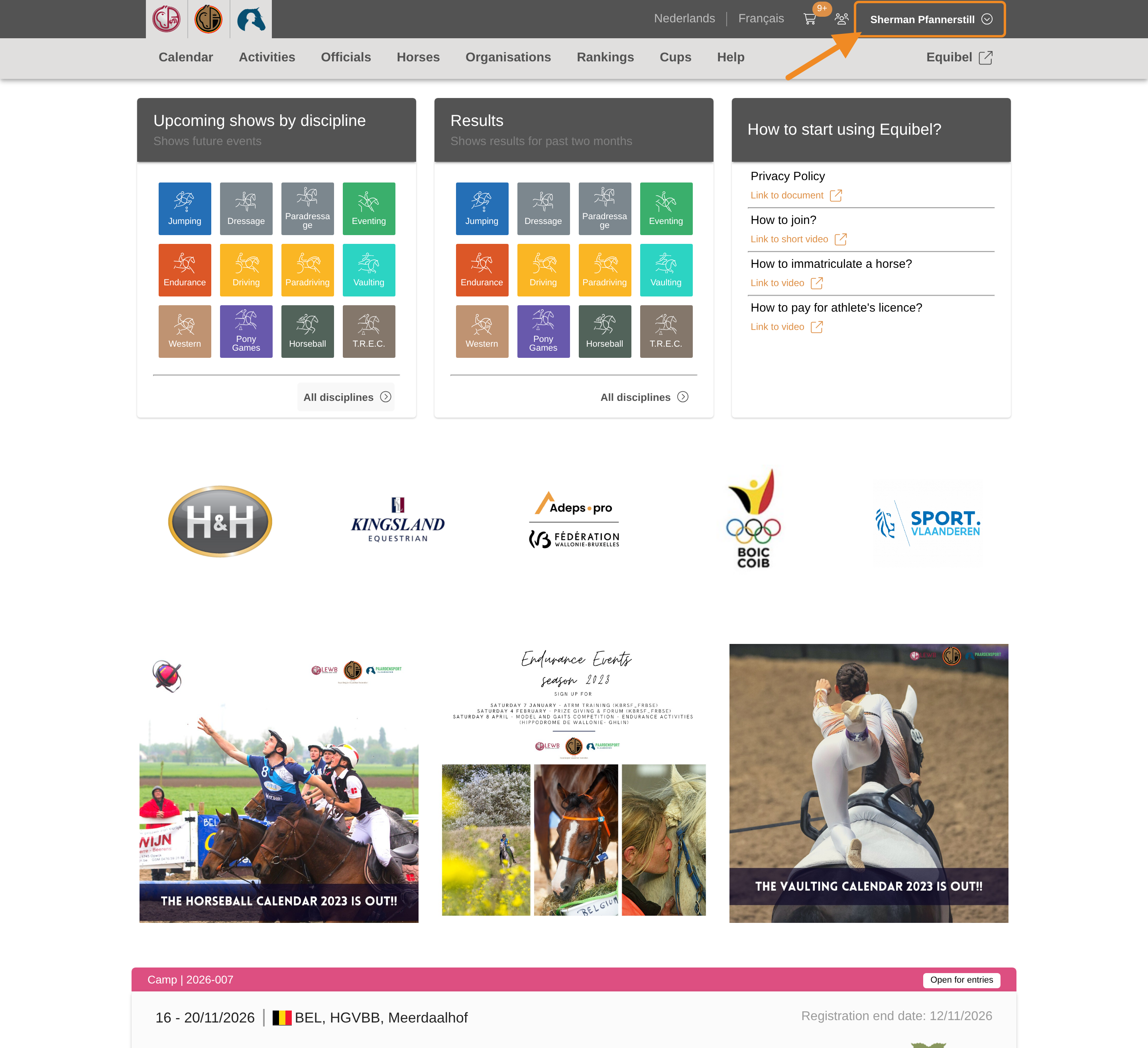
Step 1 — Open your profile menu
Click your profile button in the upper-right corner of any page.
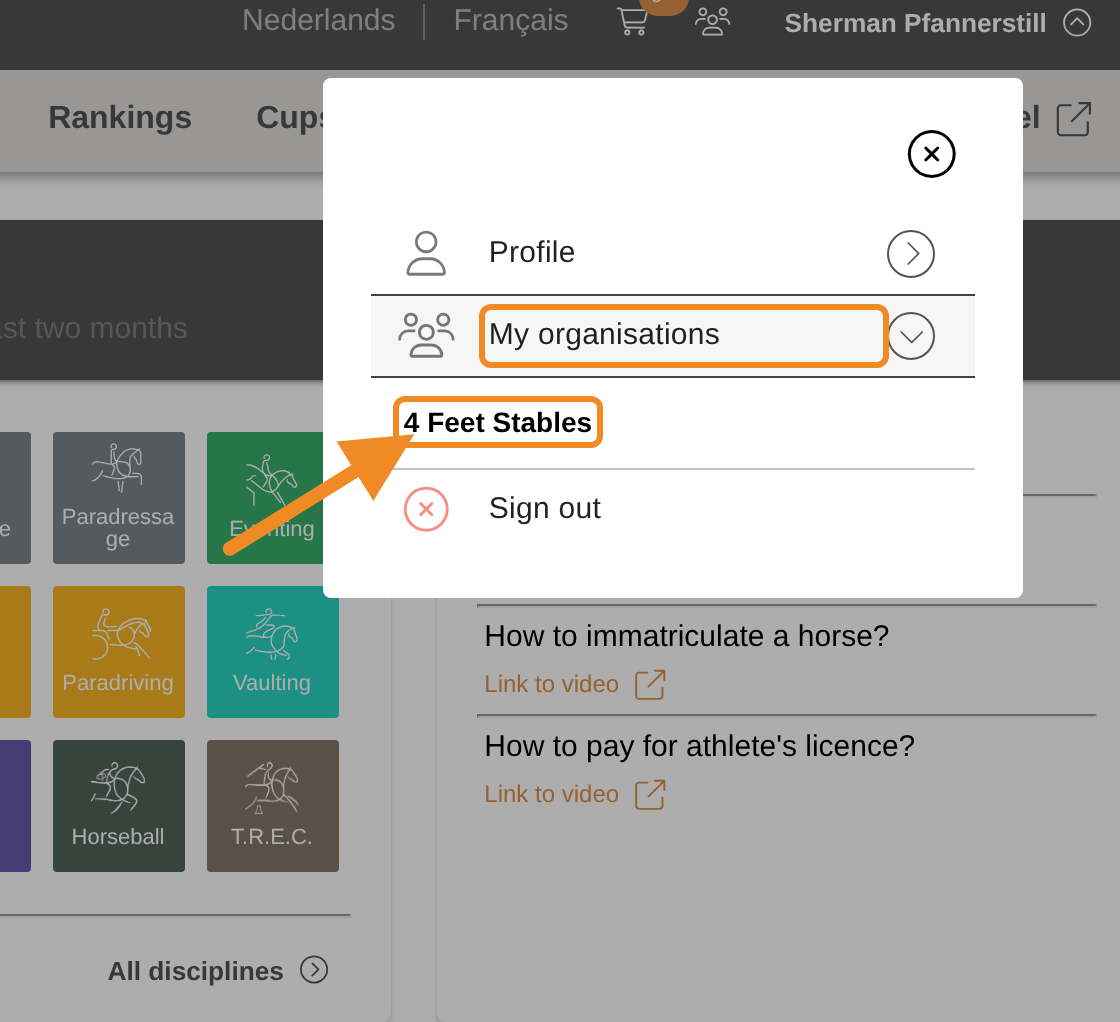
Step 2 — Open your club
Open “My organisations” and select your club.
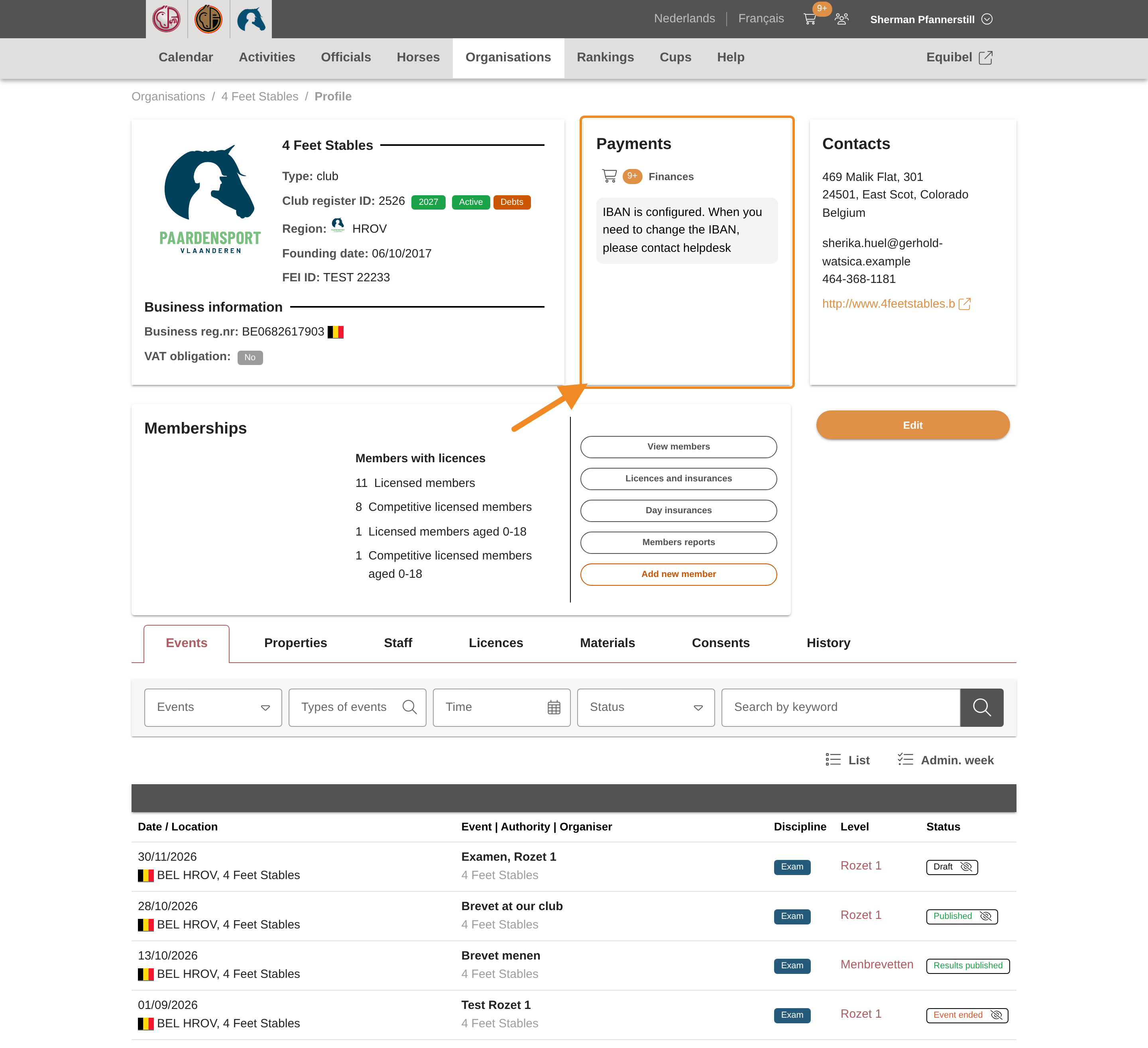
Step 3 — Find the Payments section
On your club page, find the “Payments” section.
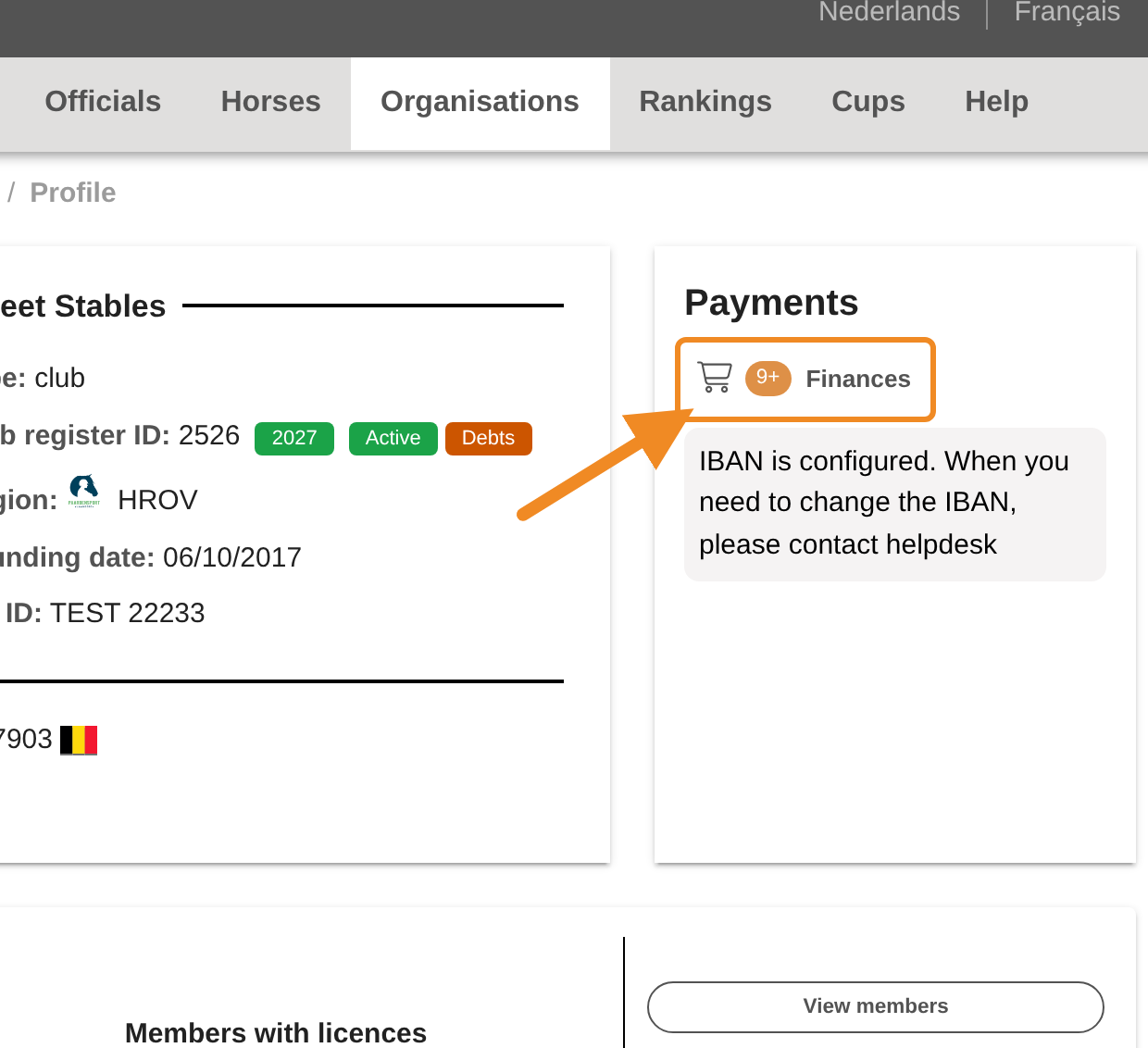
Step 4 — Open the shopping basket
Click “Finances”. Your club’s shopping basket opens.
Step 5 — Find the overdue orders
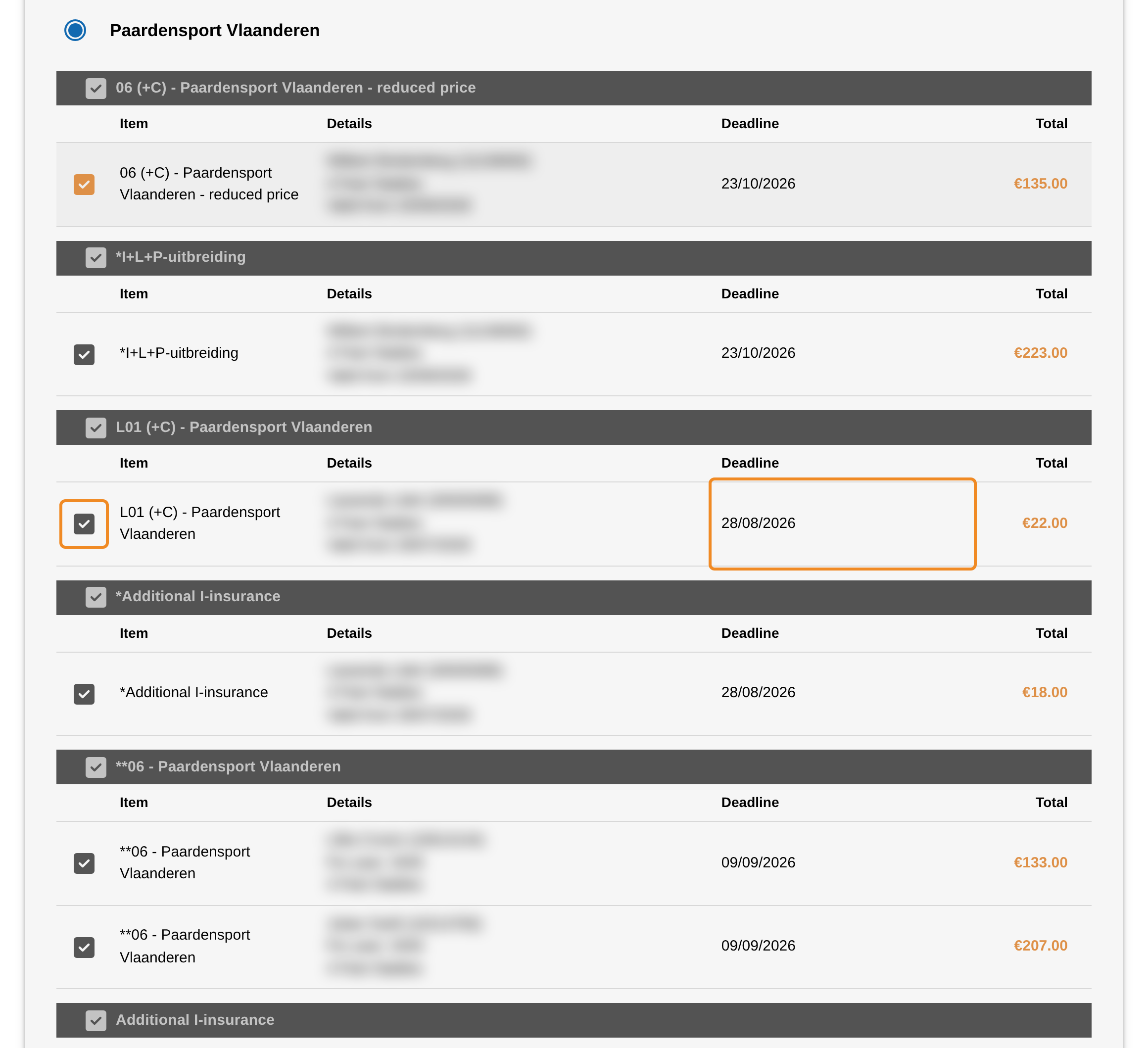
Every order is due 30 days after it was placed: the date is in the “Deadline” column. An order past that date stays ticked — you cannot untick it — and is part of your next payment.
Step 6 — The reminder emails
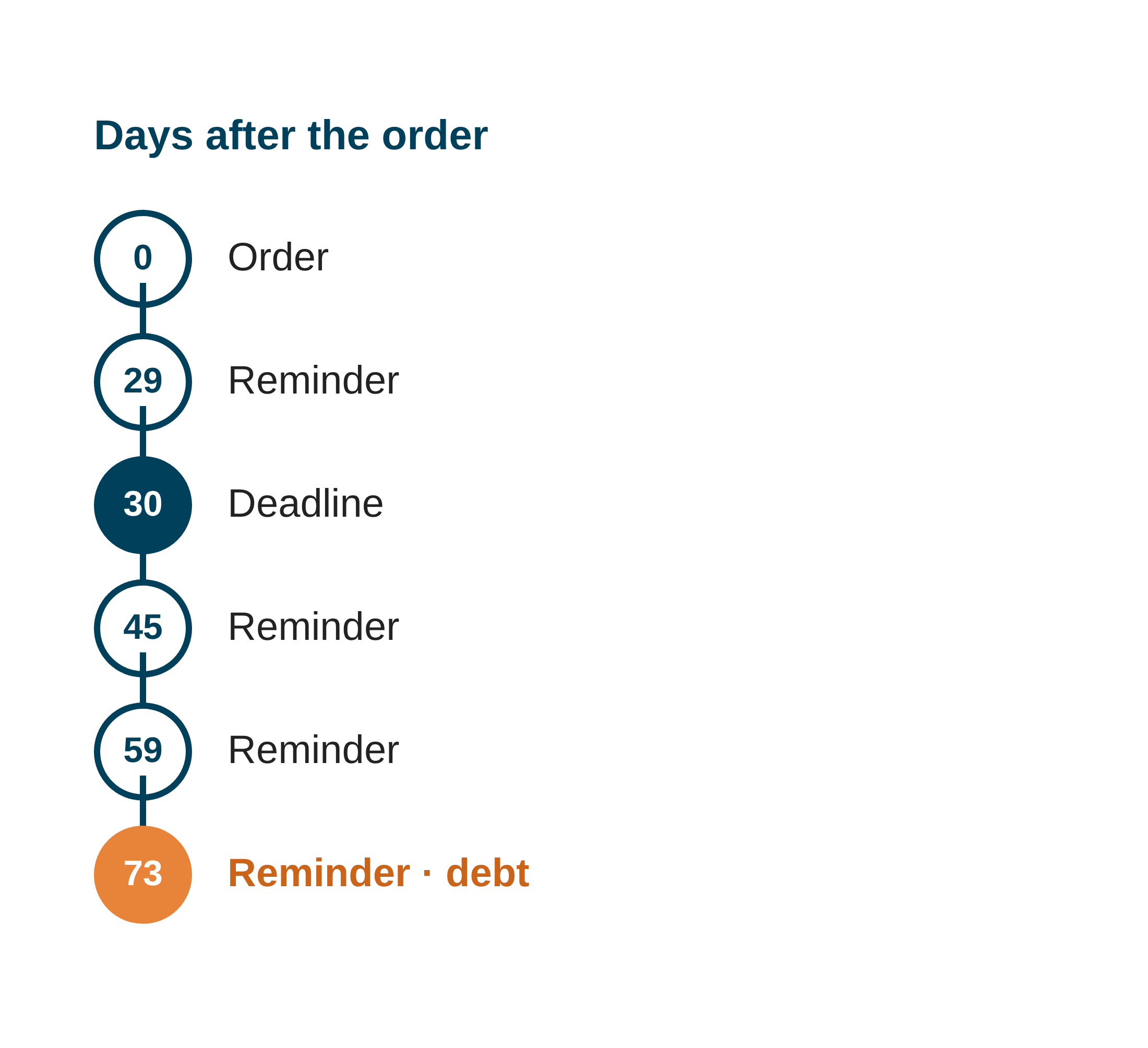
While an order is unpaid, the system sends your club administrators a reminder by email:
| When | Reminder |
|---|---|
| 1 day before the deadline (day 29) | the order is almost due |
| 45 days after the order | first reminder after the deadline |
| 59 days after the order | second reminder |
| 73 days after the order | third reminder — the order now becomes a debt |
Each email lists all your club’s unpaid orders, with their deadlines, and links to the shopping basket. When several orders are unpaid, you get one email, not one per order.
Step 7 — Open the debts
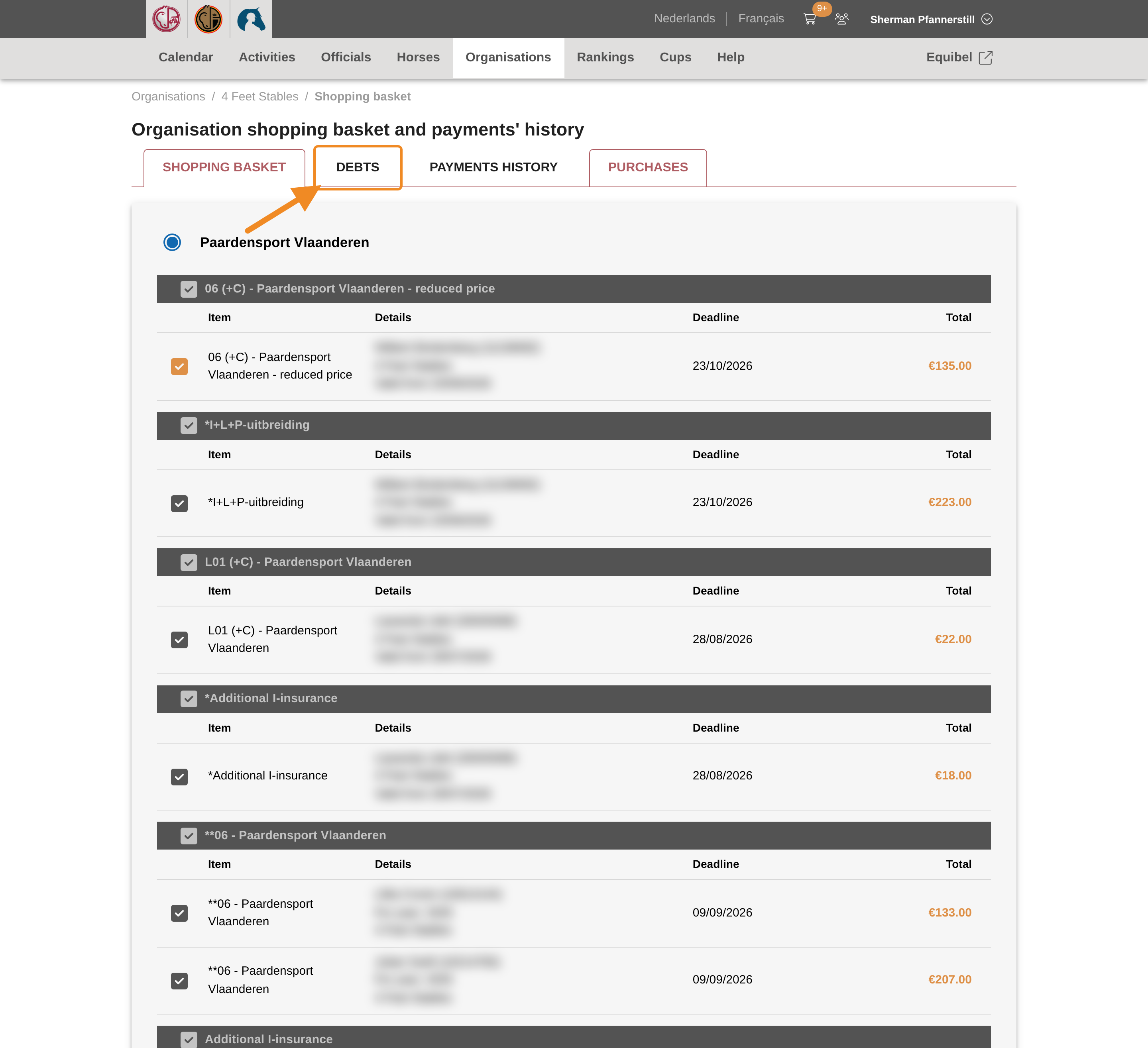
An order still unpaid 73 days after it was placed — 43 days after its deadline — becomes a debt of your club. Open the “DEBTS” tab of the shopping basket to see your club’s debts.
Step 8 — Read a debt
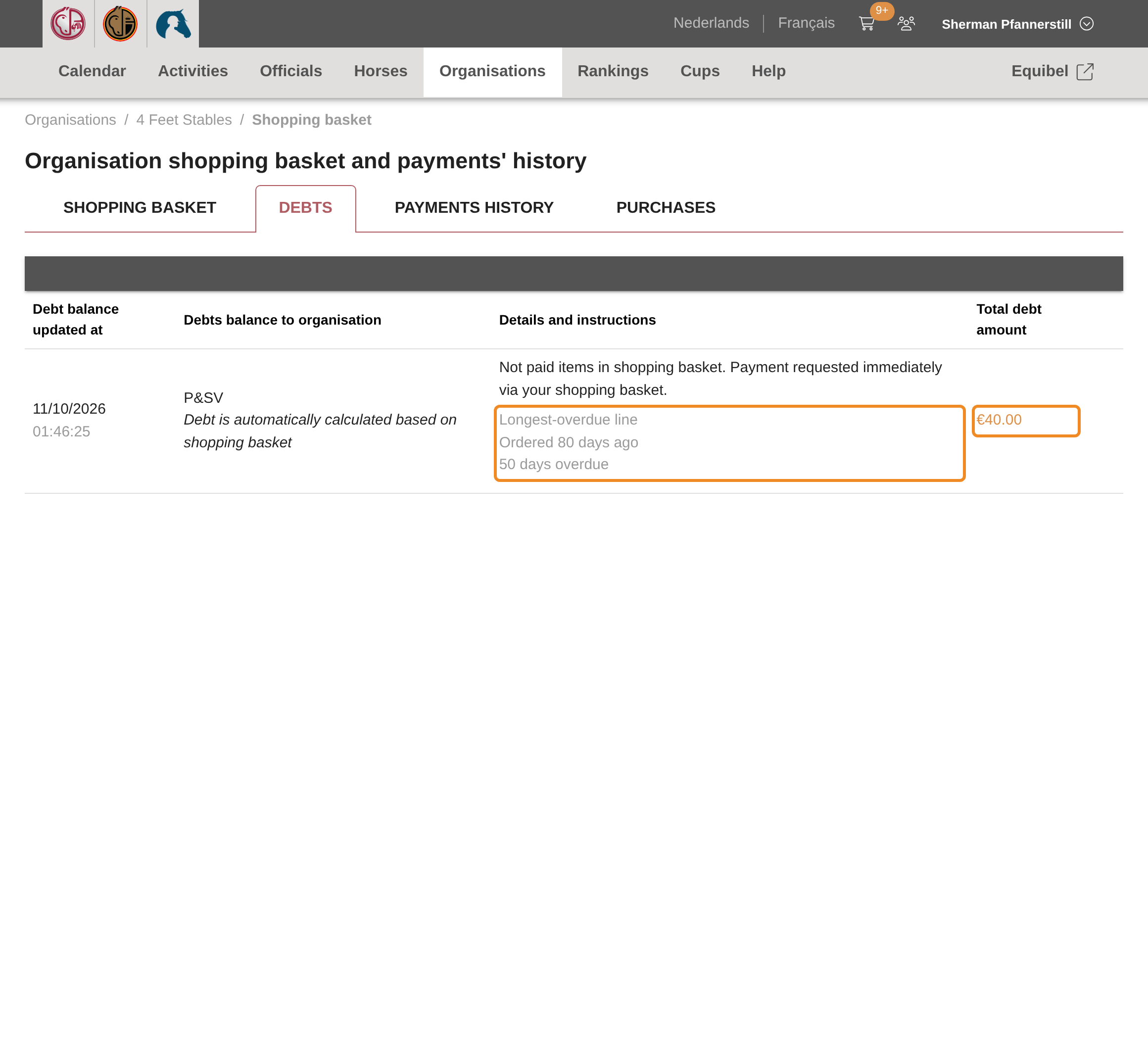
Each row is one debt: whom your club owes, how the debt is cleared, and the amount. A debt made of unpaid orders also says how long ago its oldest order was placed and how many days it is overdue, so you can find that order in the basket.
Step 9 — What a debt blocks
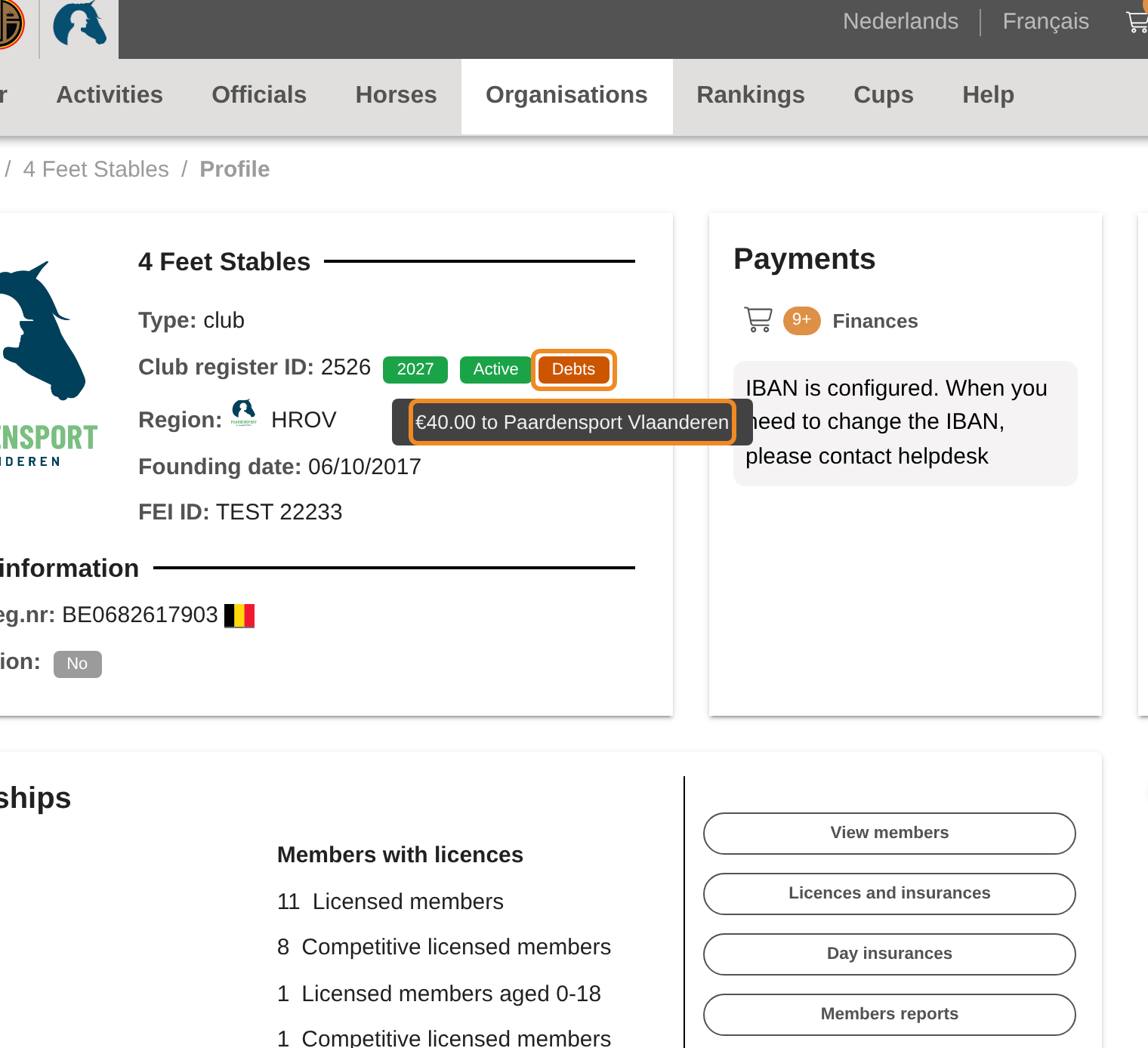
While your club has a debt, a “Debts” badge shows on your club page. Point at it to see the amount and whom it is owed to. Until the debt is paid, your club cannot order, renew its membership or organise new promotional activities and exam sessions, as listed at the top of this article. Activities and exams already published go ahead.
You can still pay your orders, and still send a payment link to someone else.
Step 10 — Clear the debt
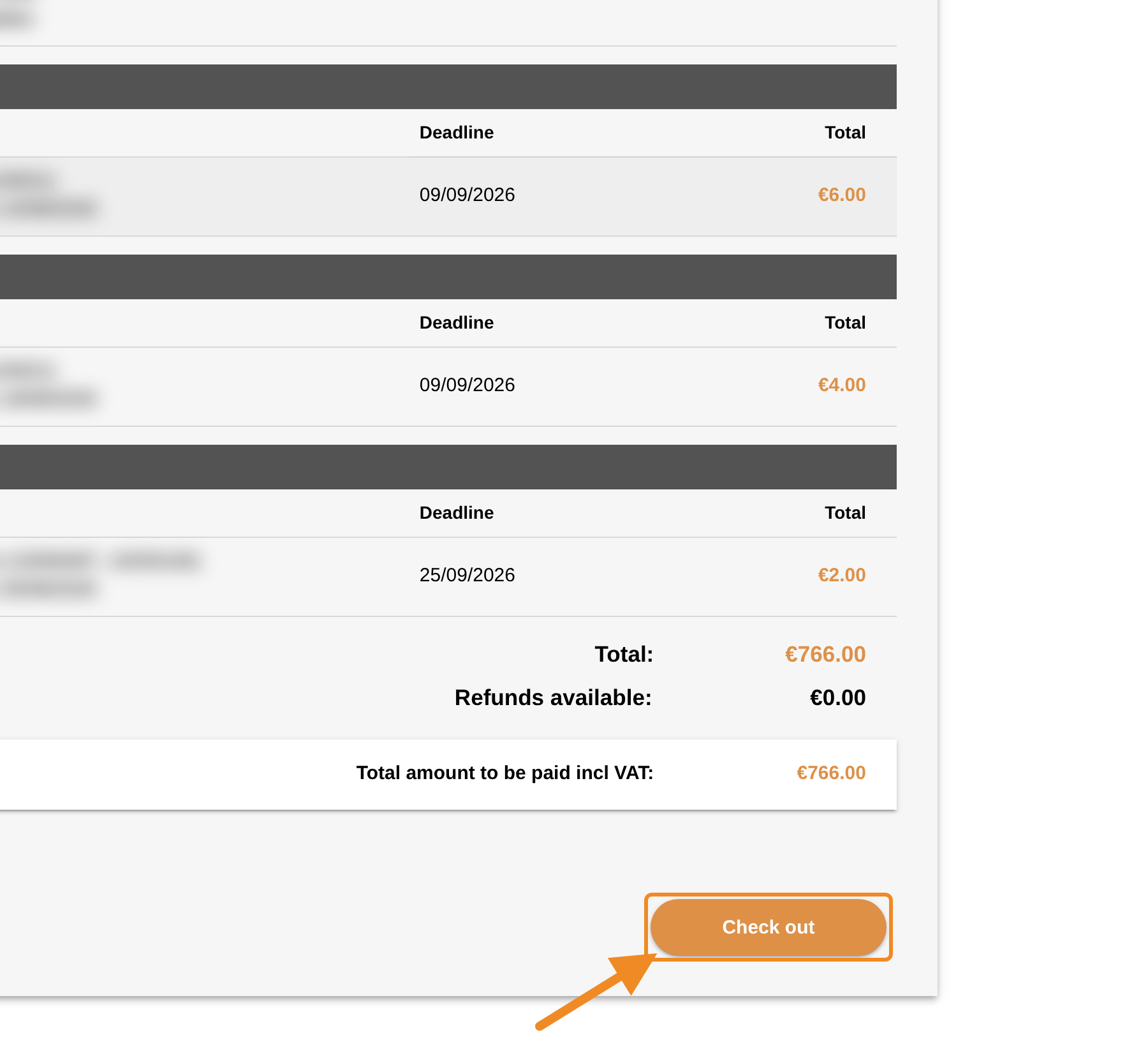
Pay the overdue orders from the shopping basket, as in How to Pay Your Club’s Orders, or let someone else pay them with a payment link. The debt disappears as soon as the orders are paid, the badge goes, and your club can order and renew again.
Good to know
- Pay on time and nothing happens: an order paid within 30 days brings no reminder after the deadline and never becomes a debt.
- A debt the federation recorded: a debt can also be recorded by Paardensport Vlaanderen itself. It then says “Debt is handled and recorded manually by authority”, and only the federation can remove it.
- Paying part of your orders: the debt goes down by what you pay. It is gone only when every overdue order in it is paid.
If something goes wrong
| What you see | What to do |
|---|---|
| You paid, but the debt is still there | Reload the page. If it stays, contact the federation. |
| A debt you do not recognise | Look at its oldest order in the basket. For a debt the federation recorded, contact the federation. |
| A reminder for an order you already paid | The payment may have crossed the email. Check the “Payments history” tab. |
Related articles: How to Pay Your Club’s Orders · How to Let Someone Else Pay with a Payment Link