
How to Order Day Insurance for One Person
Day insurance covers a person who is not insured through a licence, for 1 to 5 days in a row — for example a guest rider at a club activity. Your club orders it, and the person is insured for the chosen days from the moment the order is placed. There is no separate certificate to issue. As with licences and insurances, you do not have to pay upfront: your club pays the order within 30 days.
Ordering for many people at once? See How to Order Day Insurance for a Group (CSV Import).
Before you begin
You need:
- the club administrator role for your club;
- the person’s licence number, or their first name, last name, date of birth and gender;
- the dates the person must be covered (from today, at most 5 days in a row).
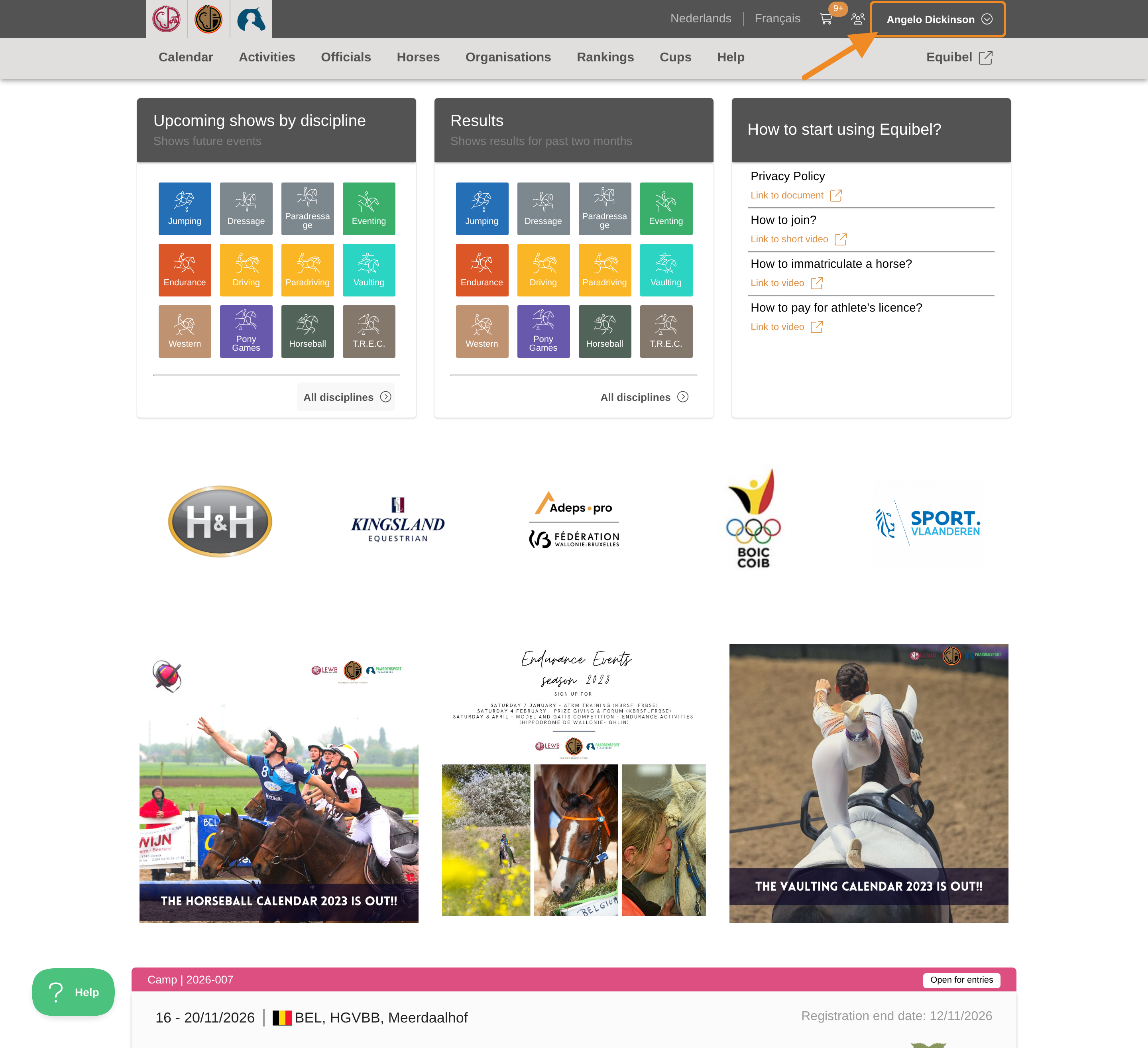
Step 1 — Open your profile menu
Click your profile button in the upper-right corner of any page.
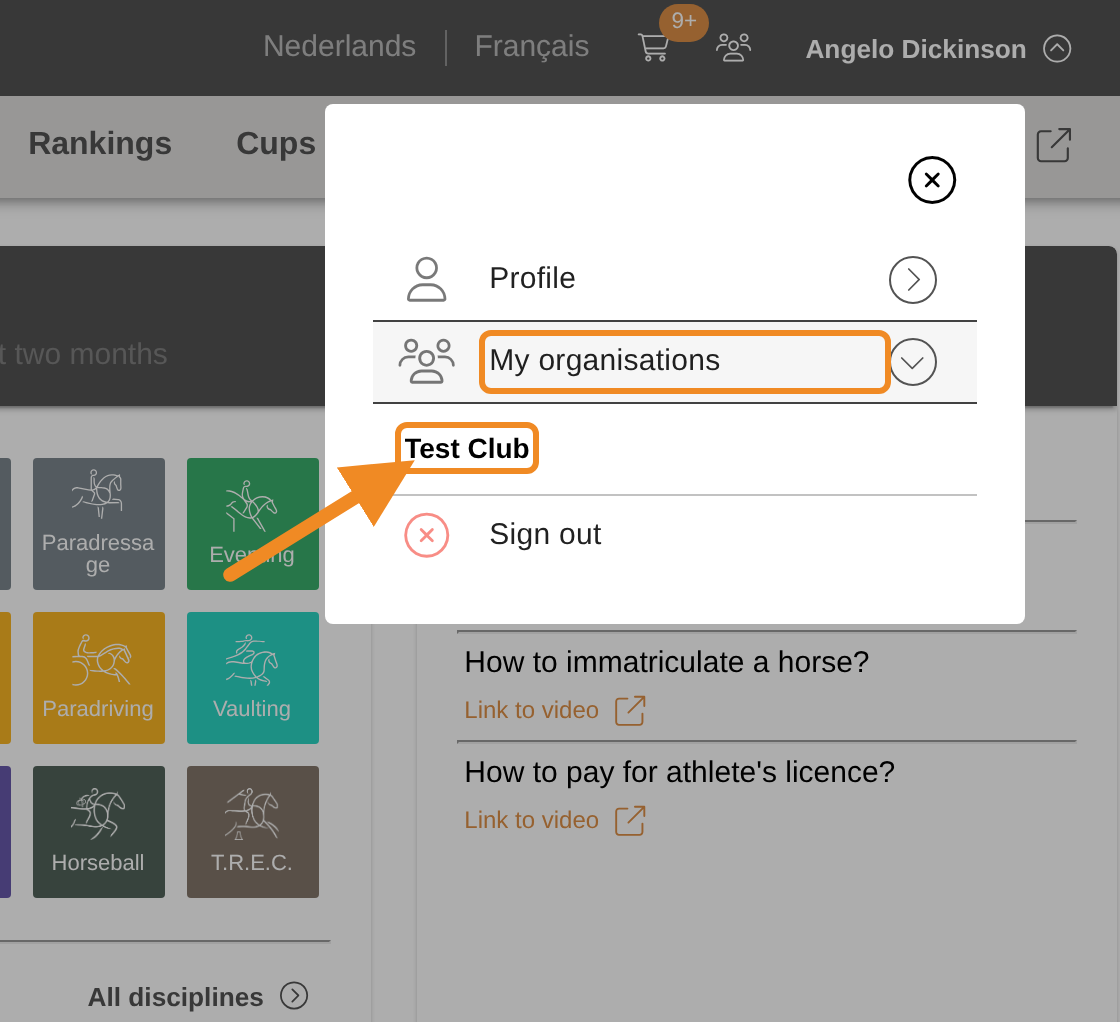
Step 2 — Open your club
Open “My organisations” and select your club.
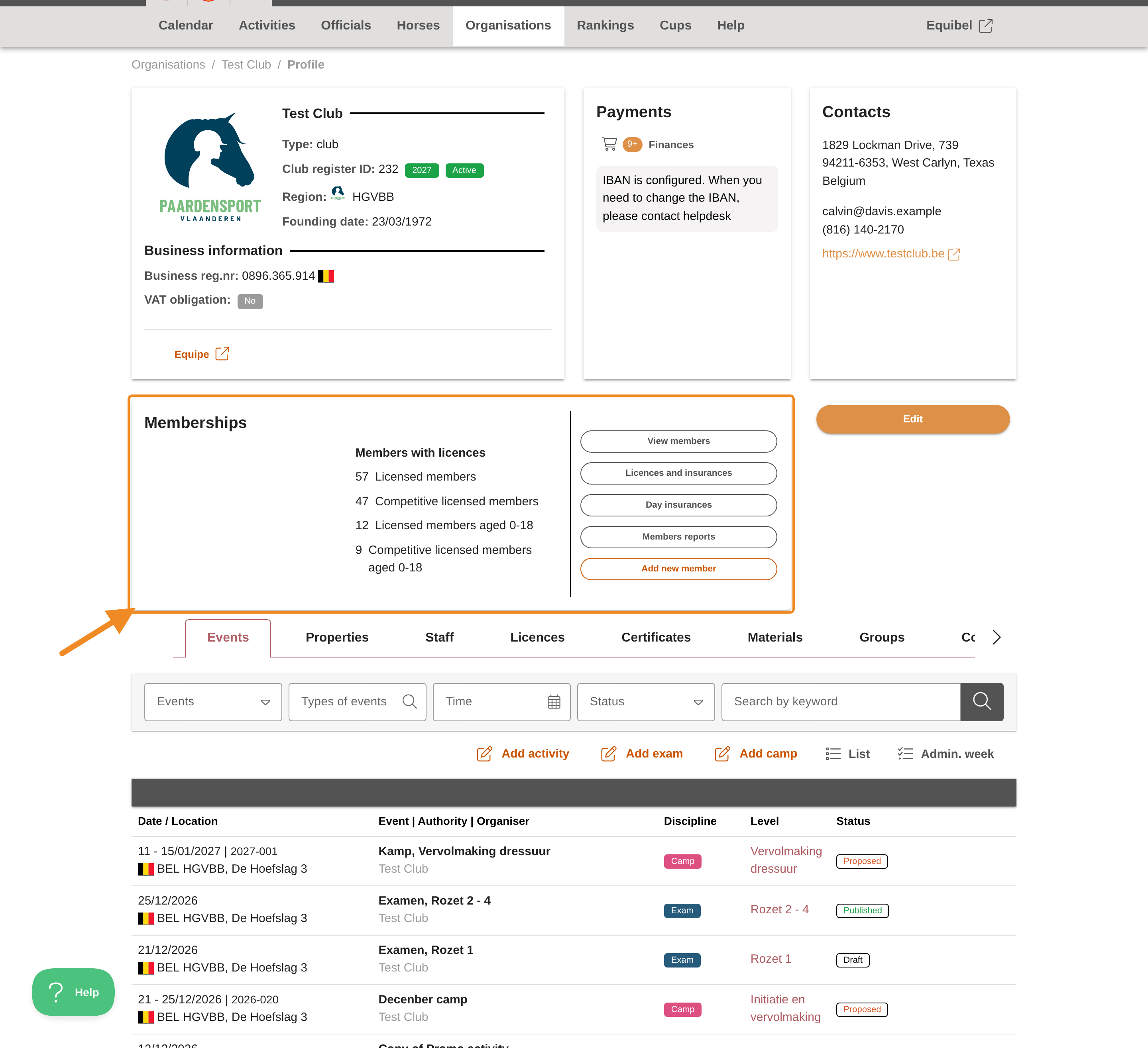
Step 3 — Find the Memberships section
On your club page, find the “Memberships” section.
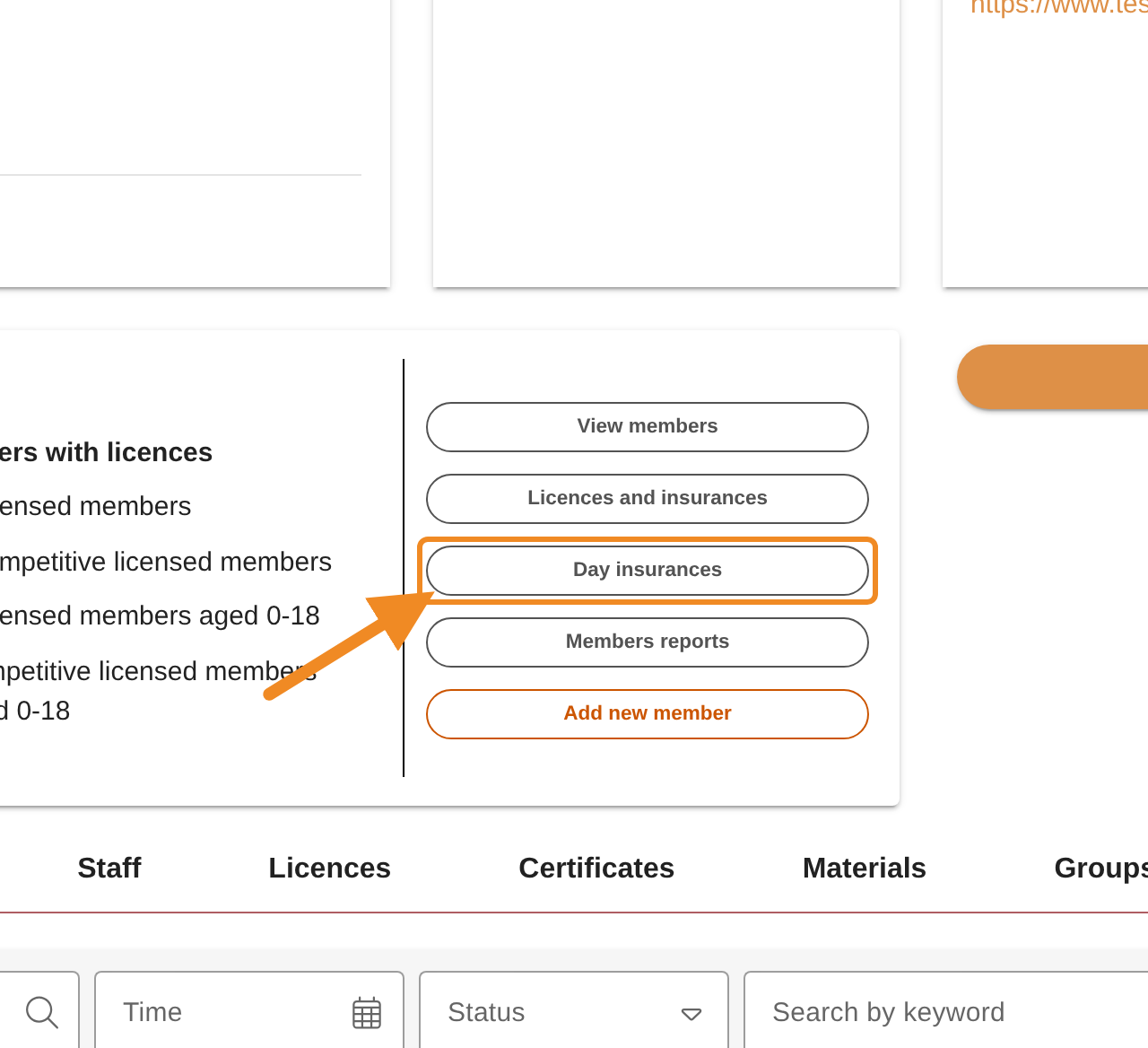
Step 4 — Open your club’s day insurance orders
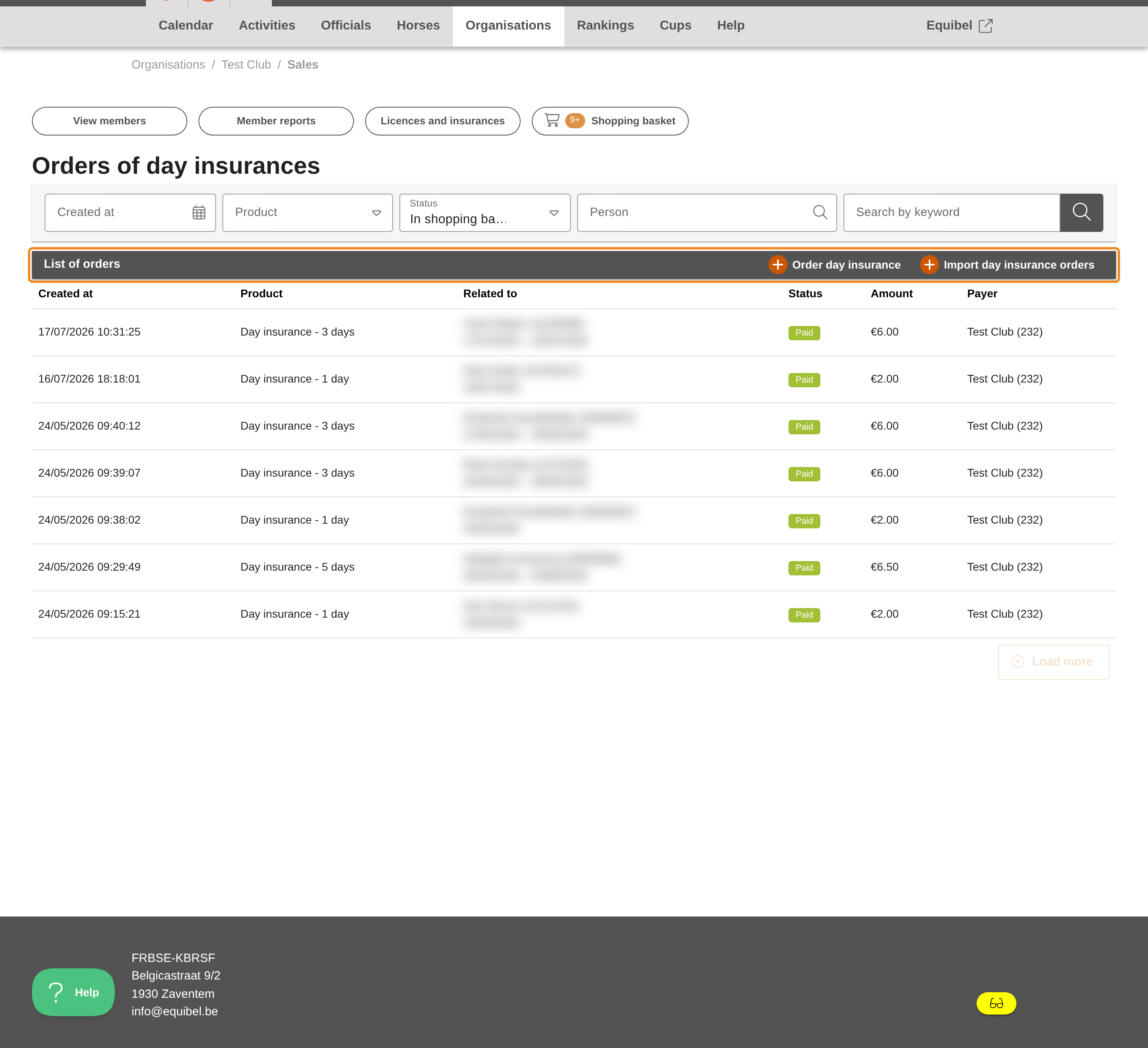
Click “Day insurances”. The “Orders of day insurances” page opens.
Step 5 — Find the list of orders
This page lists the day insurances your club has ordered before. Find the “List of orders” bar.
Step 6 — Open the order form
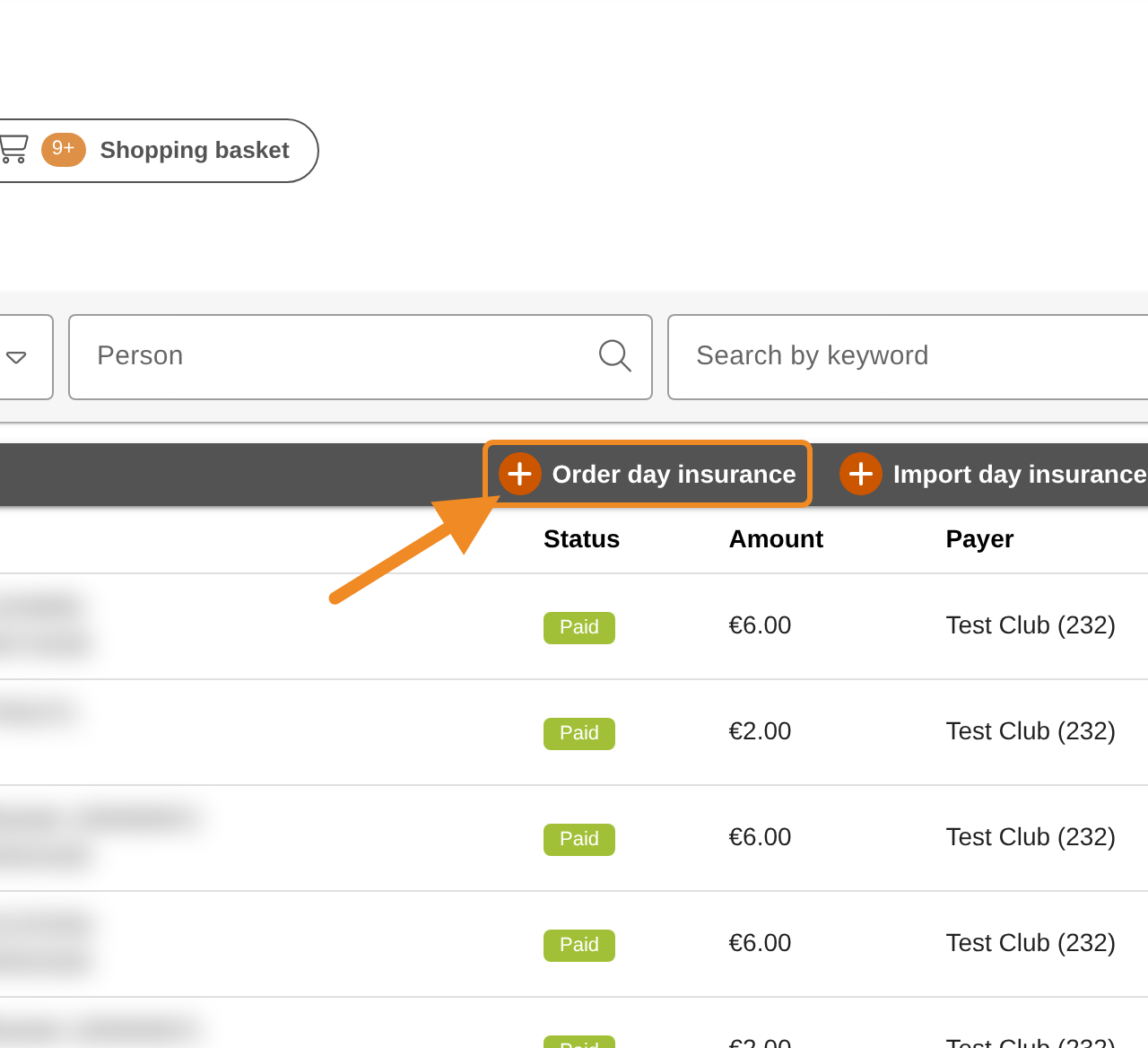
Click “Order day insurance”, on the right of the “List of orders” bar. The form opens.
Step 7 — Say who the insurance is for
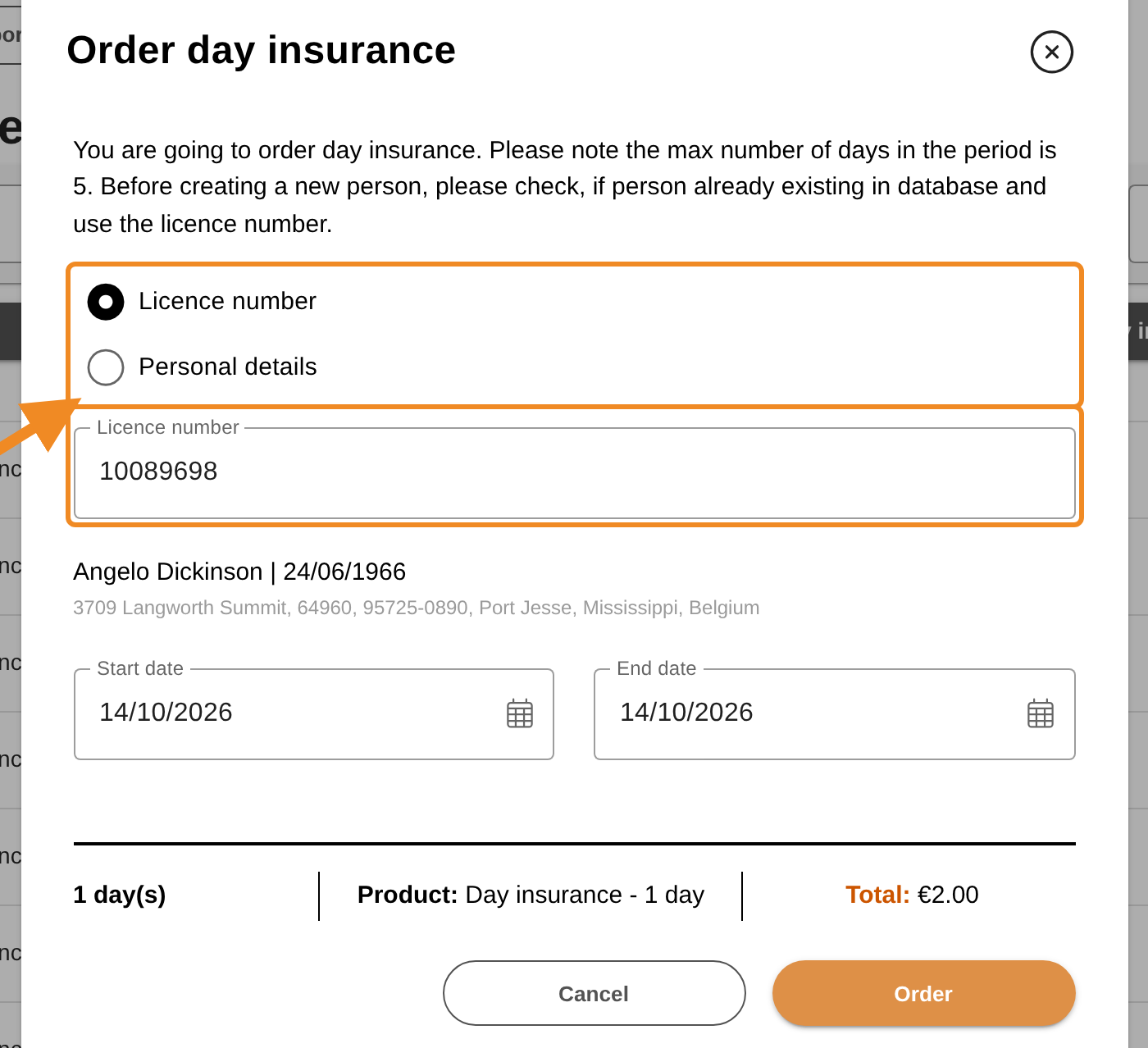
- “Licence number” (the default): enter the person’s licence number.
- “Personal details”: use this only when the person has no licence number. Fill in all four fields: “First name”, “Last name”, “Date of birth” and “Gender”.
When the person is found, their name (and address, if known) appears in the form. Check that it is the right person. A person who is not found by personal details is created when you order — so always try the licence number first, to avoid creating the same person twice.
Step 8 — Choose the dates and order
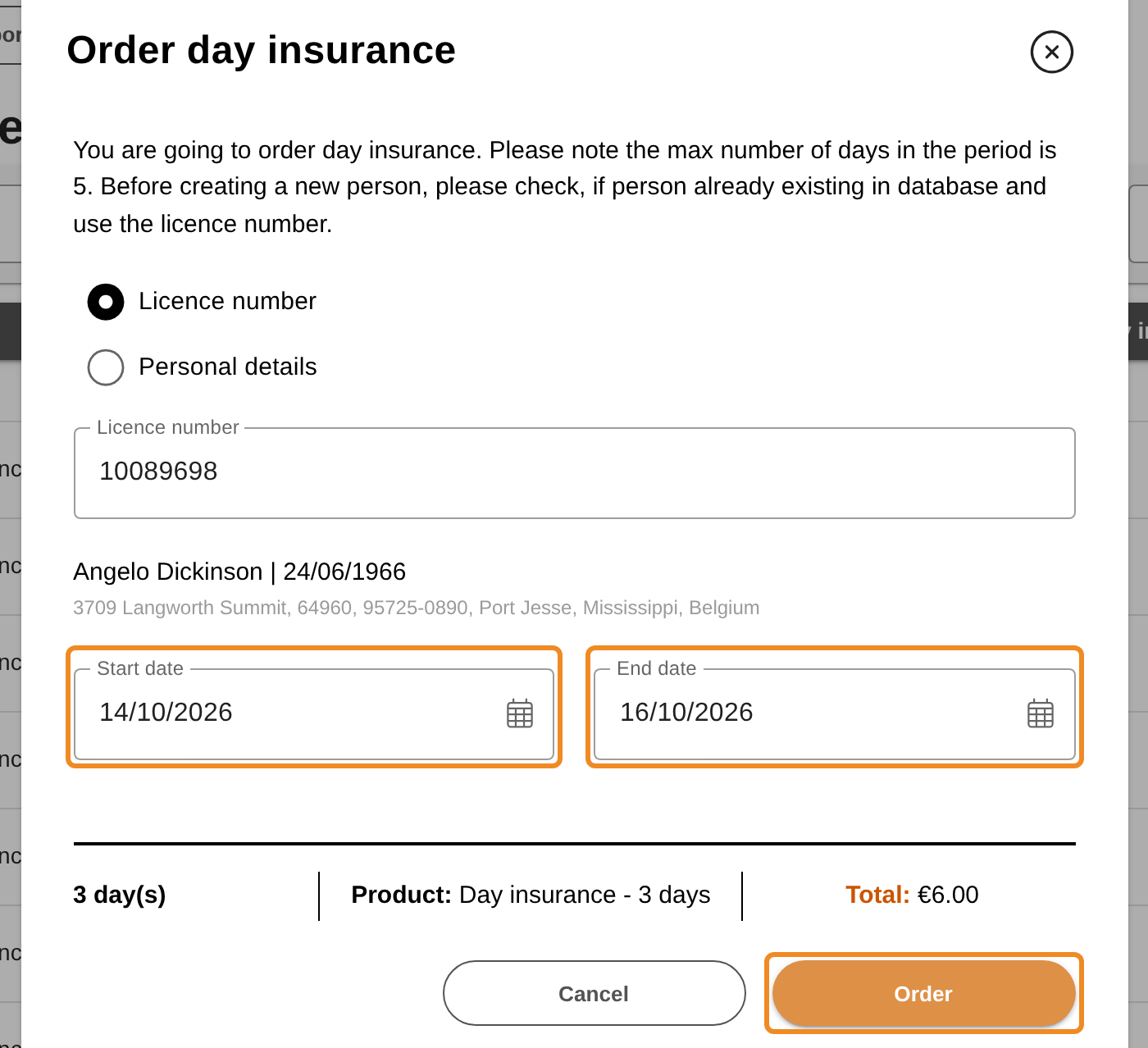
“Start date” and “End date” are both set to today. Change them if needed:
- the start date cannot be in the past;
- the cover is at least 1 day (same start and end date) and at most 5 days in a row.
Below the dates, check the number of days, the “Product” and the “Total” your club will pay. Then click “Order”. The order now appears in the “List of orders”, and the person is insured for the chosen days.
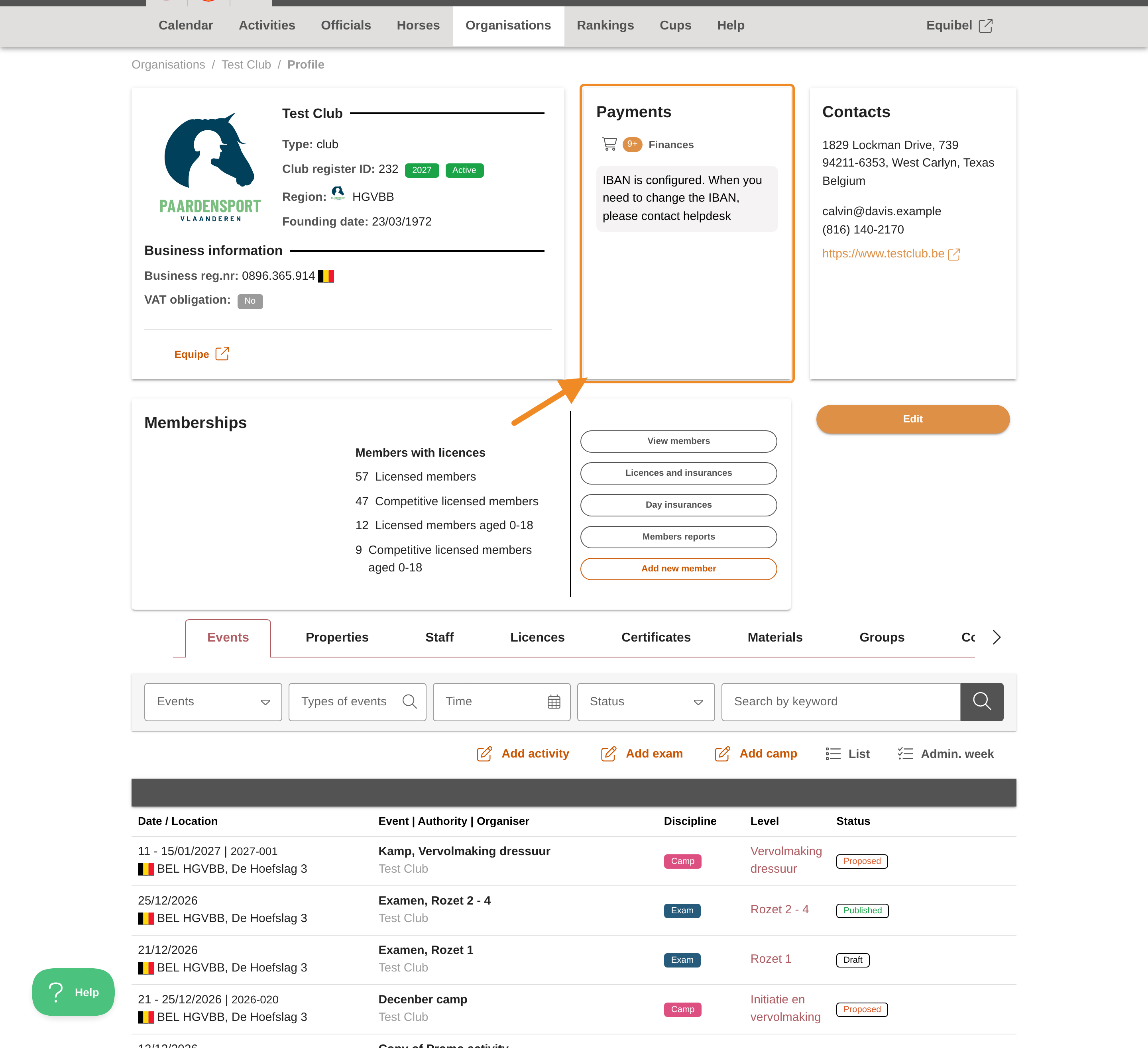
Step 9 — Find the Payments section
To pay the order, go back to your club page and find the “Payments” section.
Step 10 — Pay the order
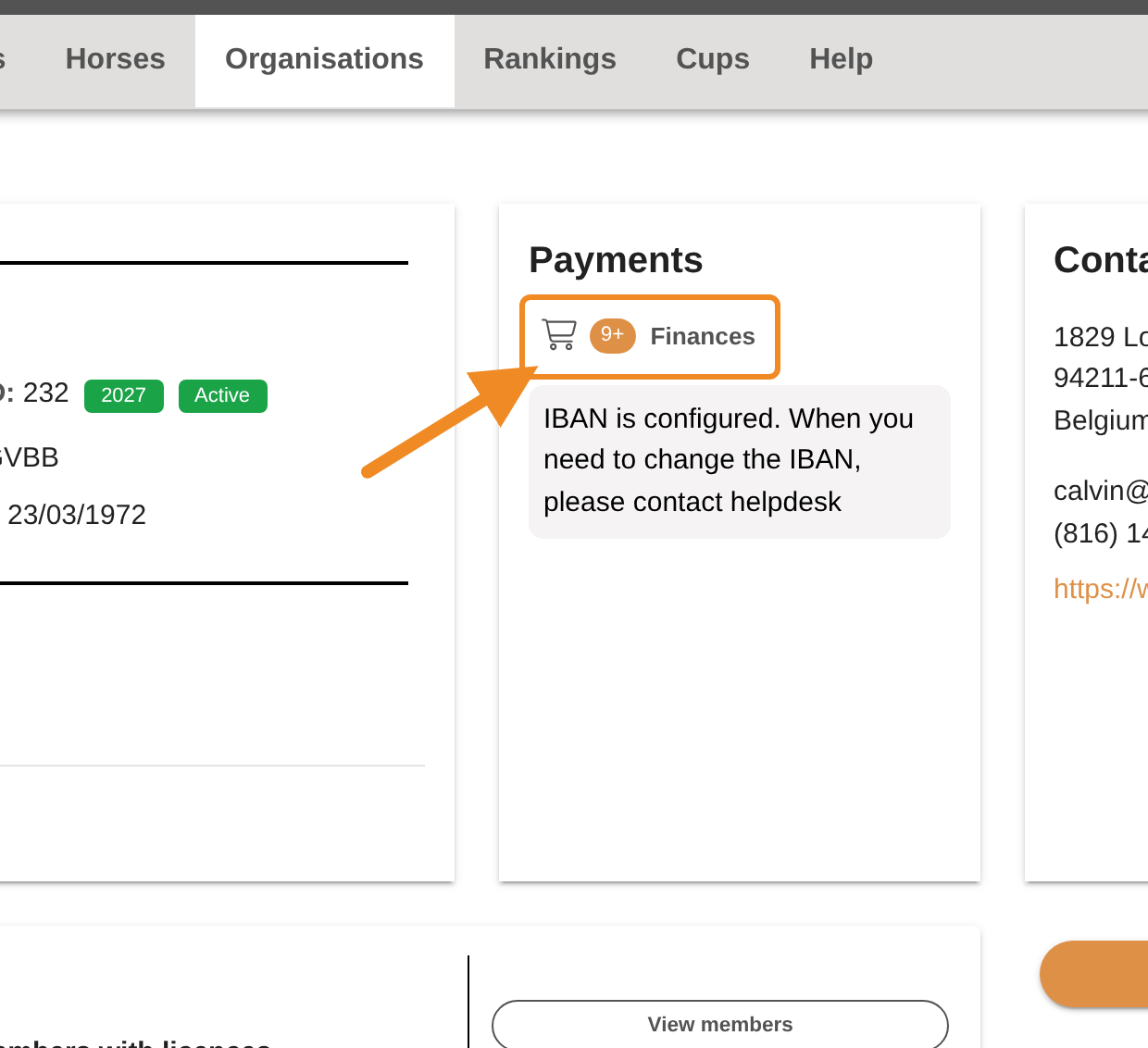
Click “Finances” and pay the day insurance order. You do not have to pay before the insurance starts: as with licences and insurances, your club pays the order within 30 days of ordering. Once it is paid, your club gets a proof of payment. See How to Pay Your Club’s Orders.
Good to know
- Where to find it later: the insurance appears on the person’s profile, on the “Licences” tab, under “Day insurances”.
- Paying on time: an order that is not paid within 30 days becomes an overdue debt of your club, and a club with an overdue debt cannot place new orders until it is paid.
- Cancelling: you can cancel an order that is not paid yet, as long as its start date has not passed. Open “Finances” (in the “Payments” section of your club page) and click the cancel icon on that order (its tooltip reads “Cancel as club administrator”). Your club pays nothing.
- Finding earlier orders: on the “Orders of day insurances” page, filter by “Created at”, “Product”, “Status” or “Person”, or search by name or licence number.
If something goes wrong
| Message | What to do |
|---|---|
| “Start date cannot be in the past” | Choose today or a later date. |
| “No person was found for the given licence number” | Check the number, or use “Personal details” instead. |
| “This person already has competitive insurance covering part of this period” | The person is already insured through their licence for these dates. No day insurance is needed. |
| “A day-insurance order already covers part of this period for this person” | An order already exists for some of these days. Check the “List of orders” first. |
| “No active day-insurance product is configured for this number of days” | Contact the federation. |
| “The club has overdue debts and cannot place new orders until they are settled.” | Pay your club’s overdue orders under “Finances” first. |
| I don’t see “Day insurances” on my club page | Your role does not include ordering day insurance. Contact the federation. |
Related articles: How to Order Day Insurance for a Group (CSV Import) · How to Pay Your Club’s Orders