
How to Request a Brevet Exam
Your club requests a brevet exam by creating an exam session in the system. How it then reaches the calendar depends on the brevets:
- Rozet 1 is your club’s own decision. Your club assigns a qualified teacher and publishes the exam itself.
- Rozet 2 - 4, the driving and the western brevets your club proposes. The club administration of Paardensport Vlaanderen publishes the exam in the calendar, or declines it with a note.
- Rozet 5 - 6 your club does not request: Paardensport Vlaanderen organises these exams itself.
Steps 1 to 13 are the same for every exam.
Before you begin
You need:
- the club administrator role for your club;
- the exam’s date, start time and venue address;
- for Rozet 1: the name of a teacher with a qualifying diploma.
Your club must hold a valid club licence and have no outstanding debts. Otherwise the “Add exam” button is not shown.
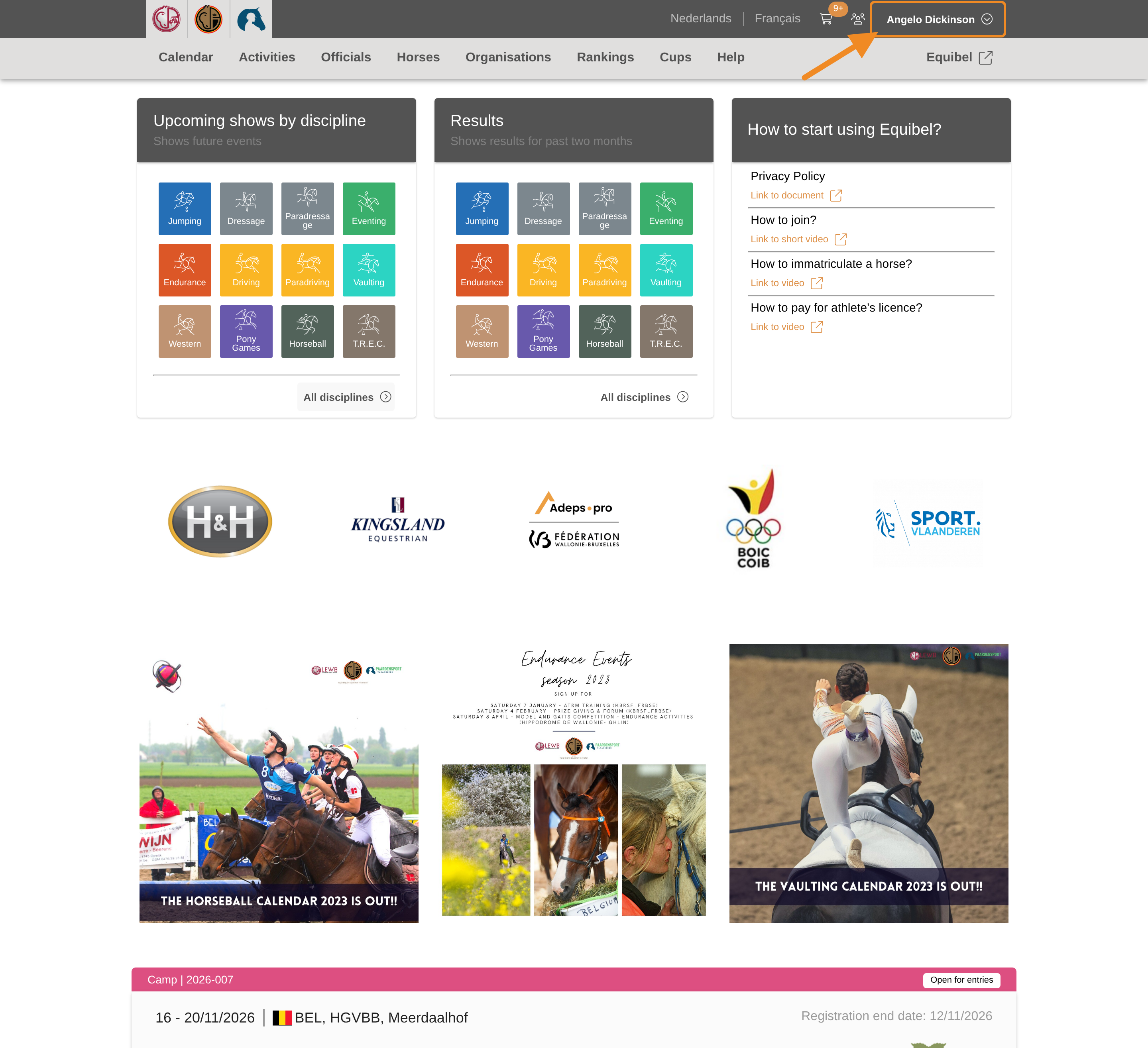
Step 1 — Open your profile menu
Click your profile button in the upper-right corner of any page.
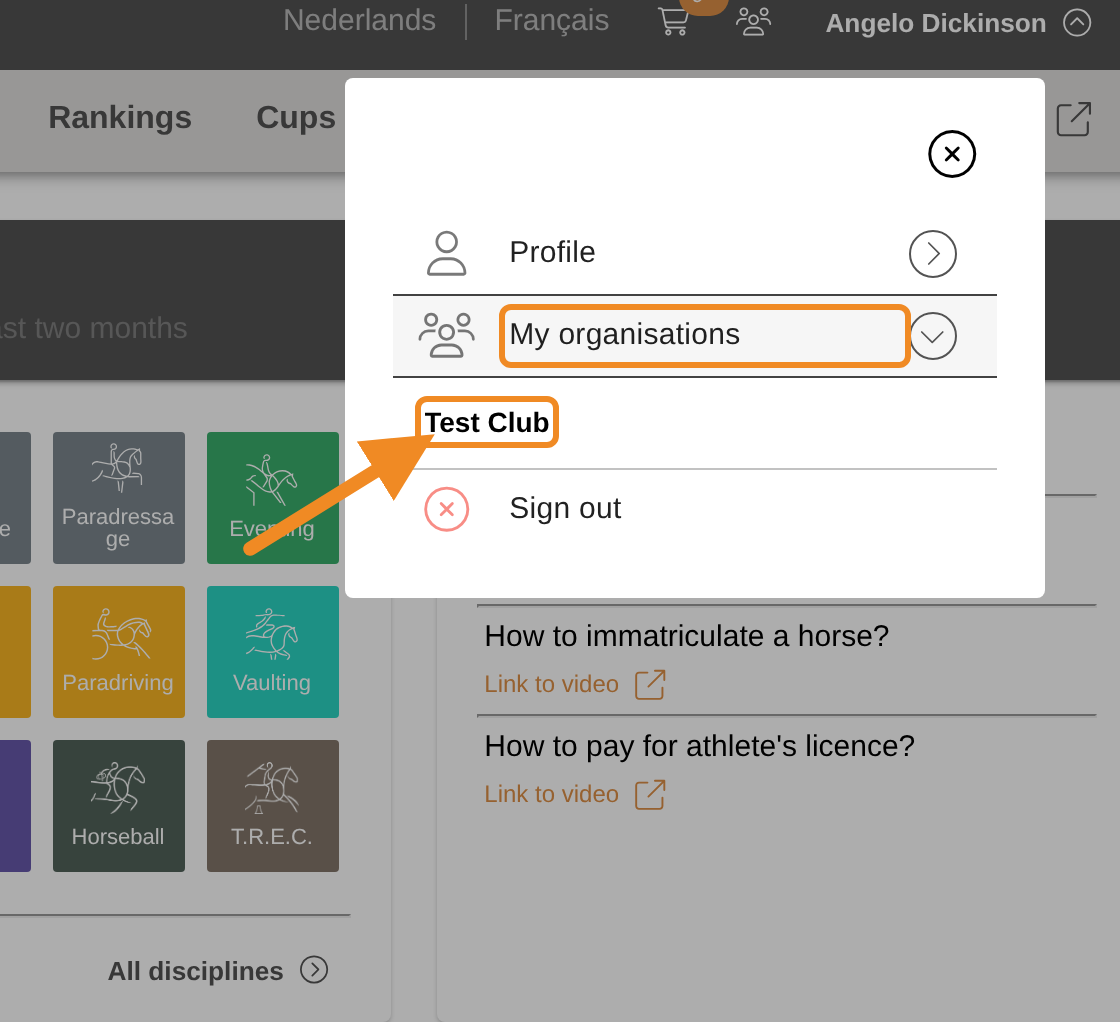
Step 2 — Open your club
Open “My organisations” and select your club.
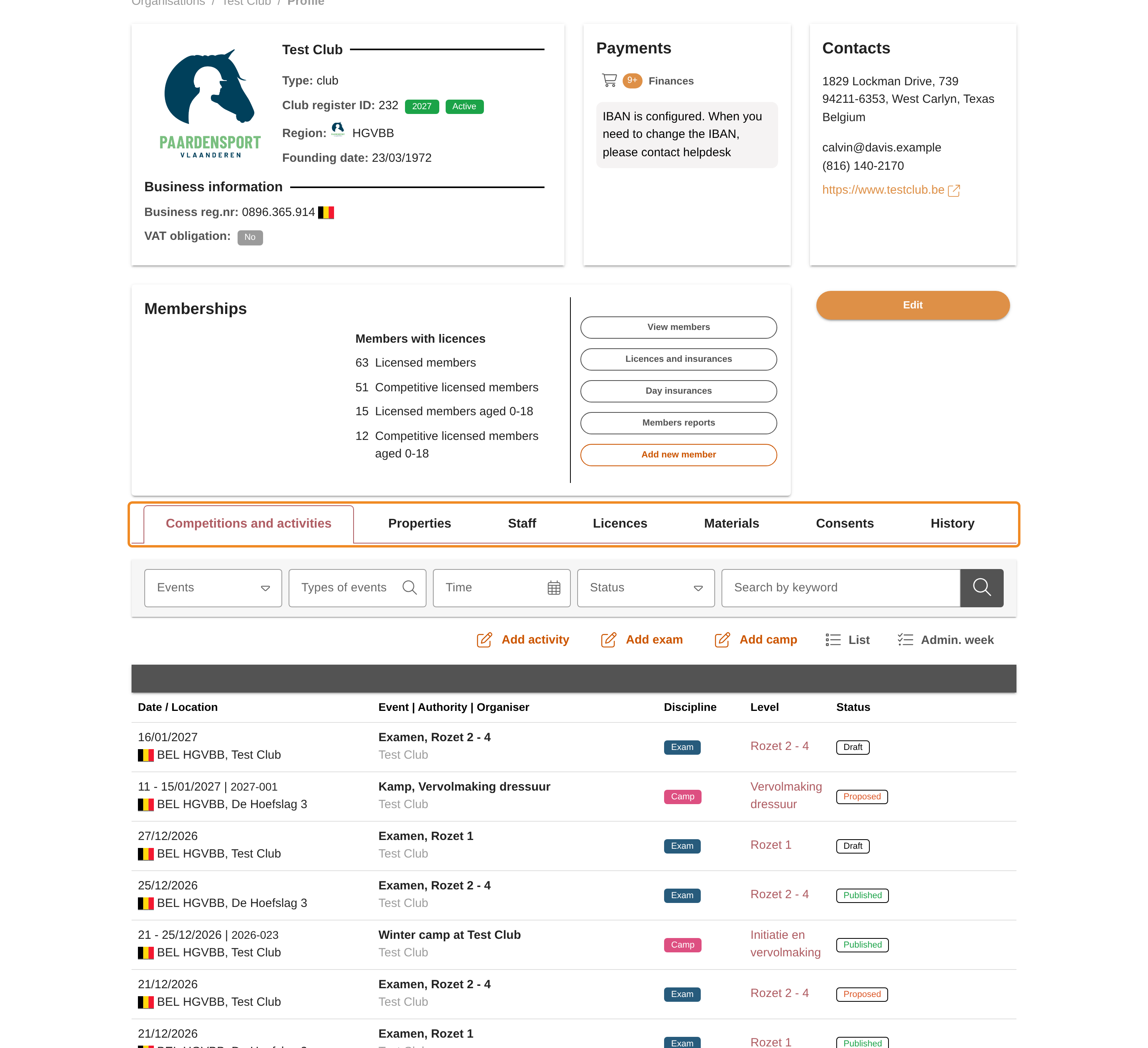
Step 3 — Find the tabs
On your club page, find the tabs below the club’s details.
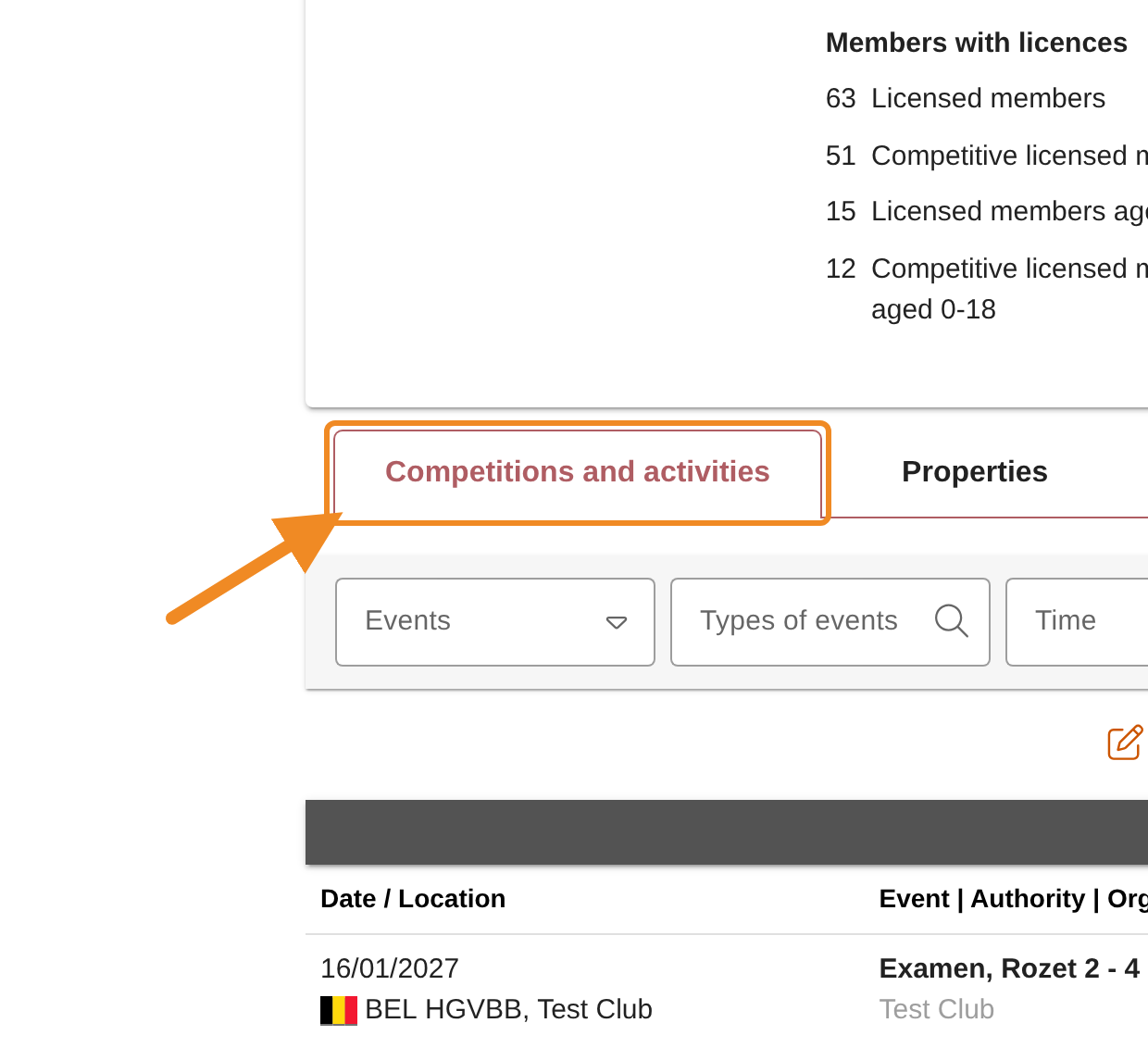
Step 4 — Open the events of your club
Click the “Competitions and activities” tab. It lists your club’s events, activities and exams.
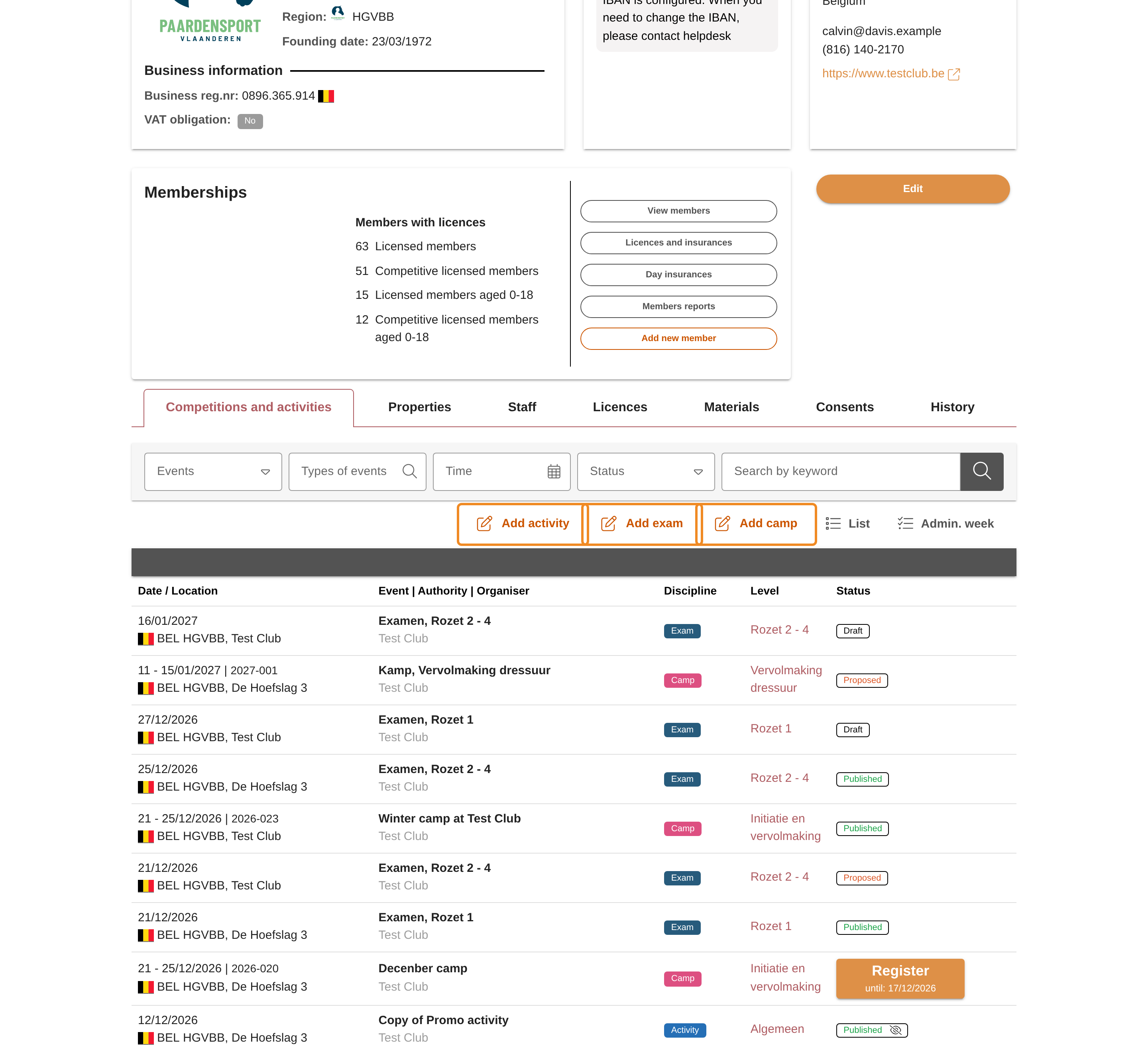
Step 5 — Find the buttons to add an event
At the top of the tab you find the buttons to add an activity, an exam or a camp. You see only the buttons your club may use.
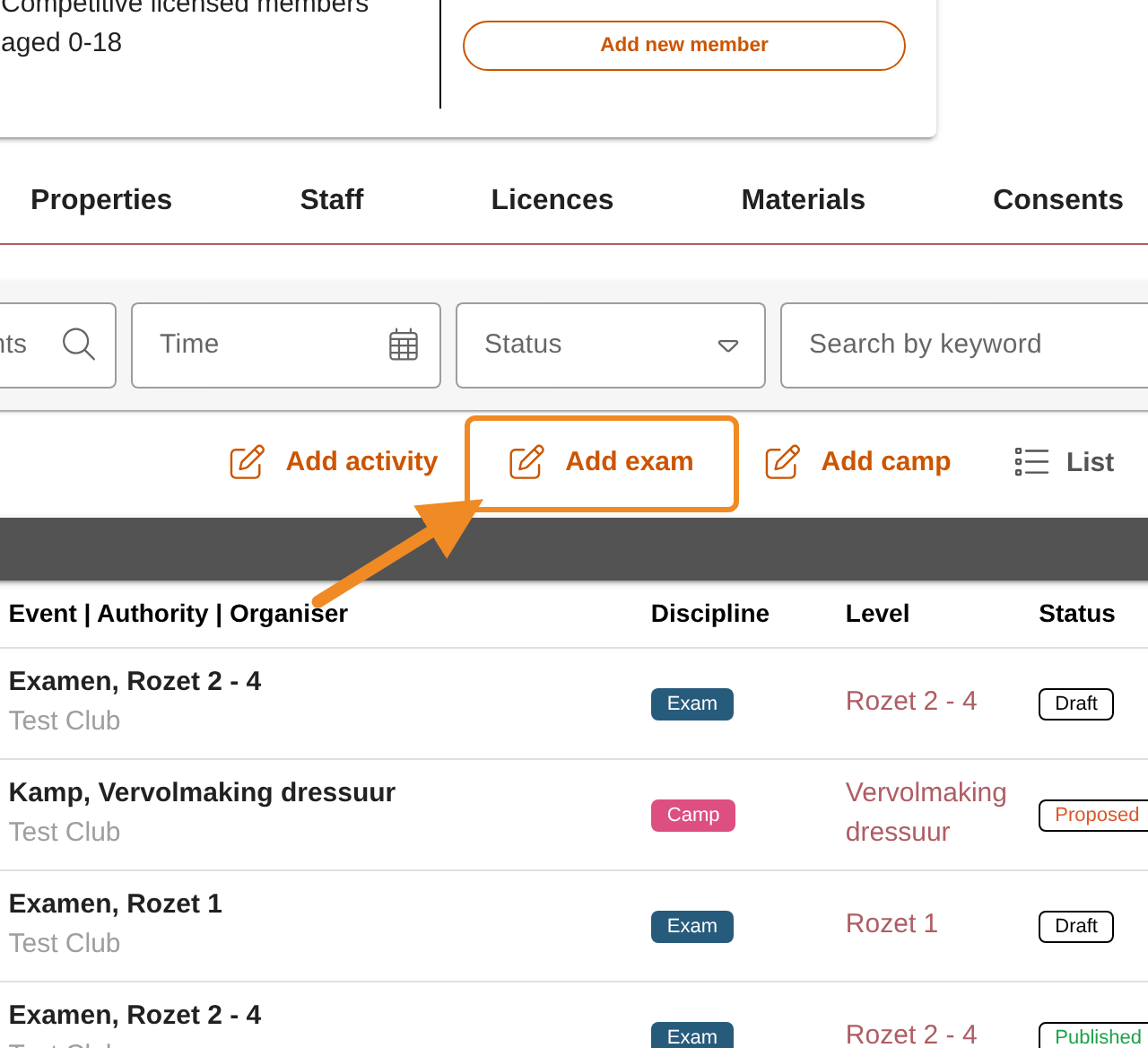
Step 6 — Add an exam
Click “Add exam”. The form for a new exam session opens. Your club is already filled in as the organiser.
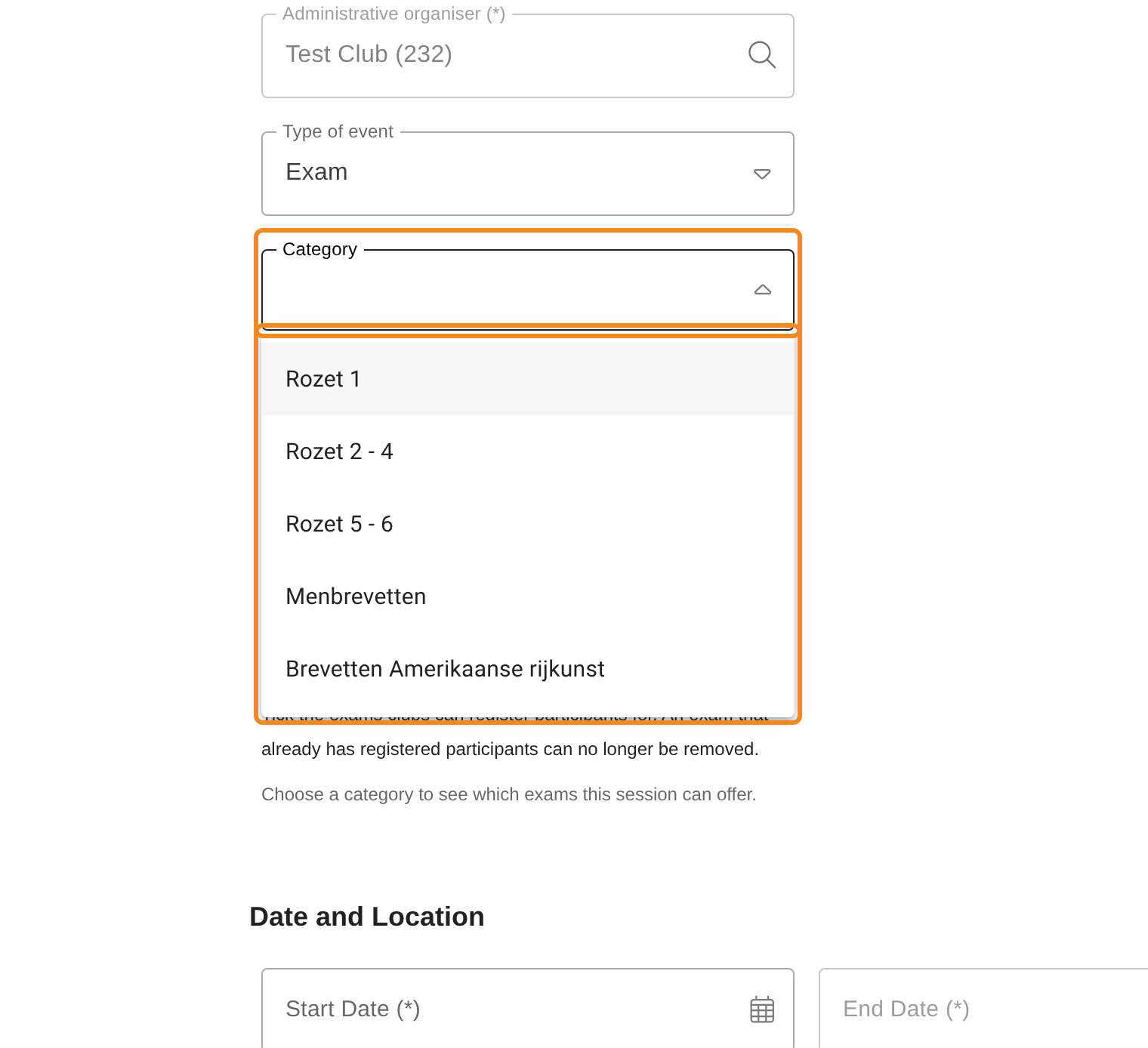
Step 7 — Choose the category
Open “Category” and choose the brevets of this exam, for example Rozet 1 or Rozet 2 - 4. Choose carefully: once the exam is saved, nobody can change its category, not even Paardensport Vlaanderen. One exam session has one category; for brevets of two categories, create two exam sessions.
The form asks for no name and no description. The system names the exam after its category.
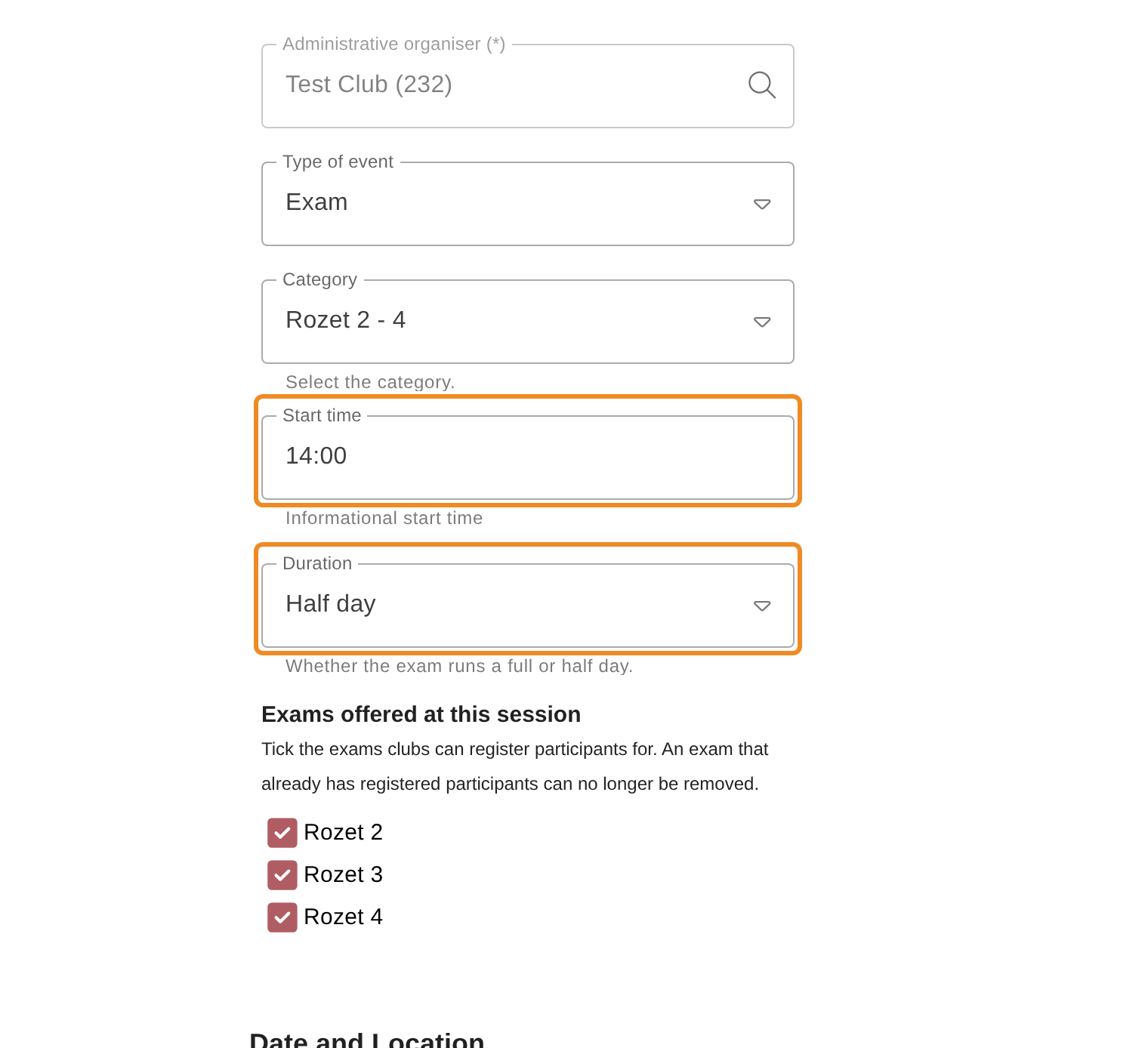
Step 8 — Give the start time and the duration
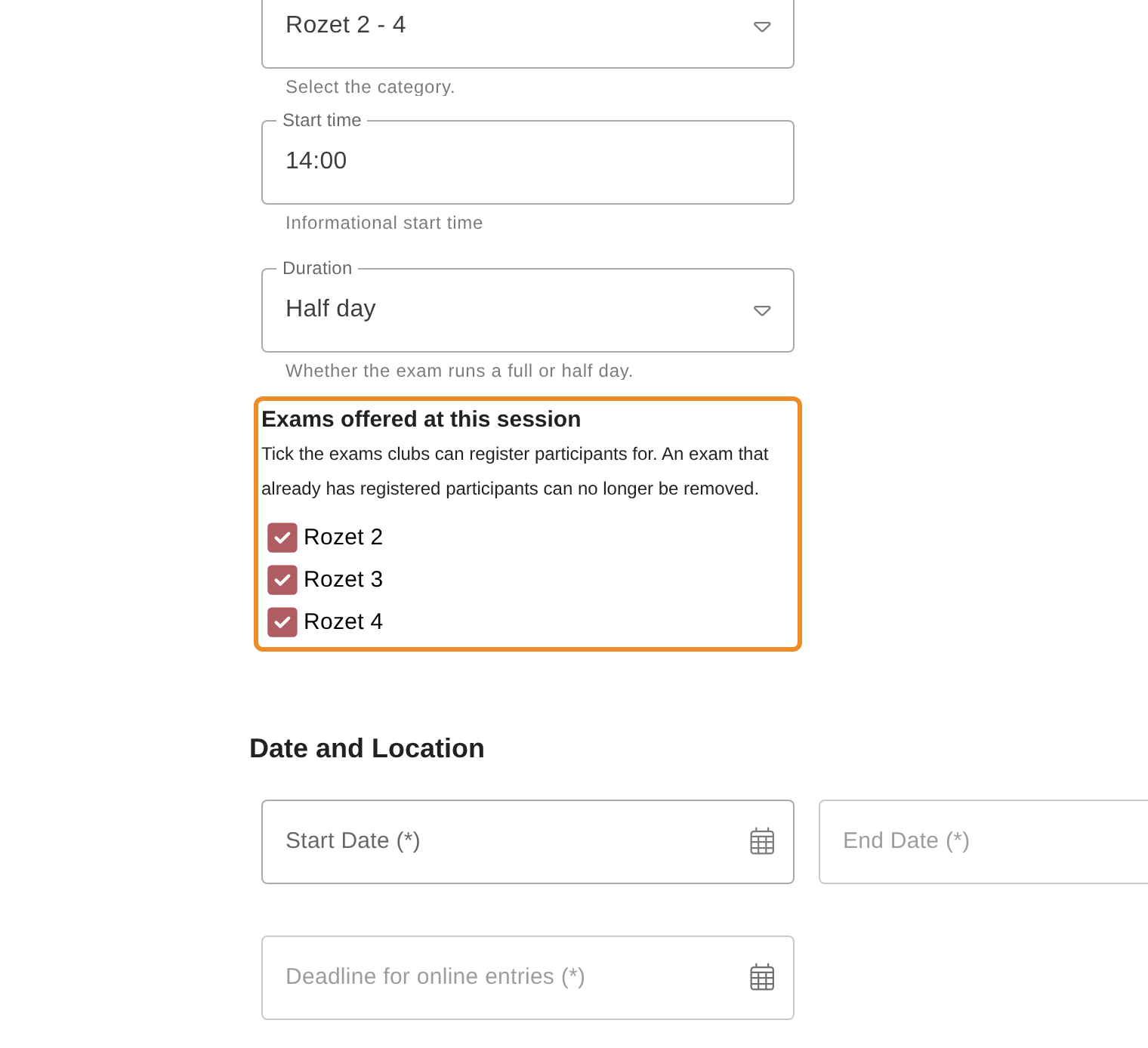
Type the “Start time”, for example 14:00. It is shown to participants as it is typed. Then choose the “Duration”: a full day or a half day.
Step 9 — Check which exams the session offers
Under “Exams offered at this session”, every exam of the category is ticked. Untick the exams your club does not organise this time. At least one must stay ticked. Participants can register only for the exams that are ticked.
Step 10 — Choose the date
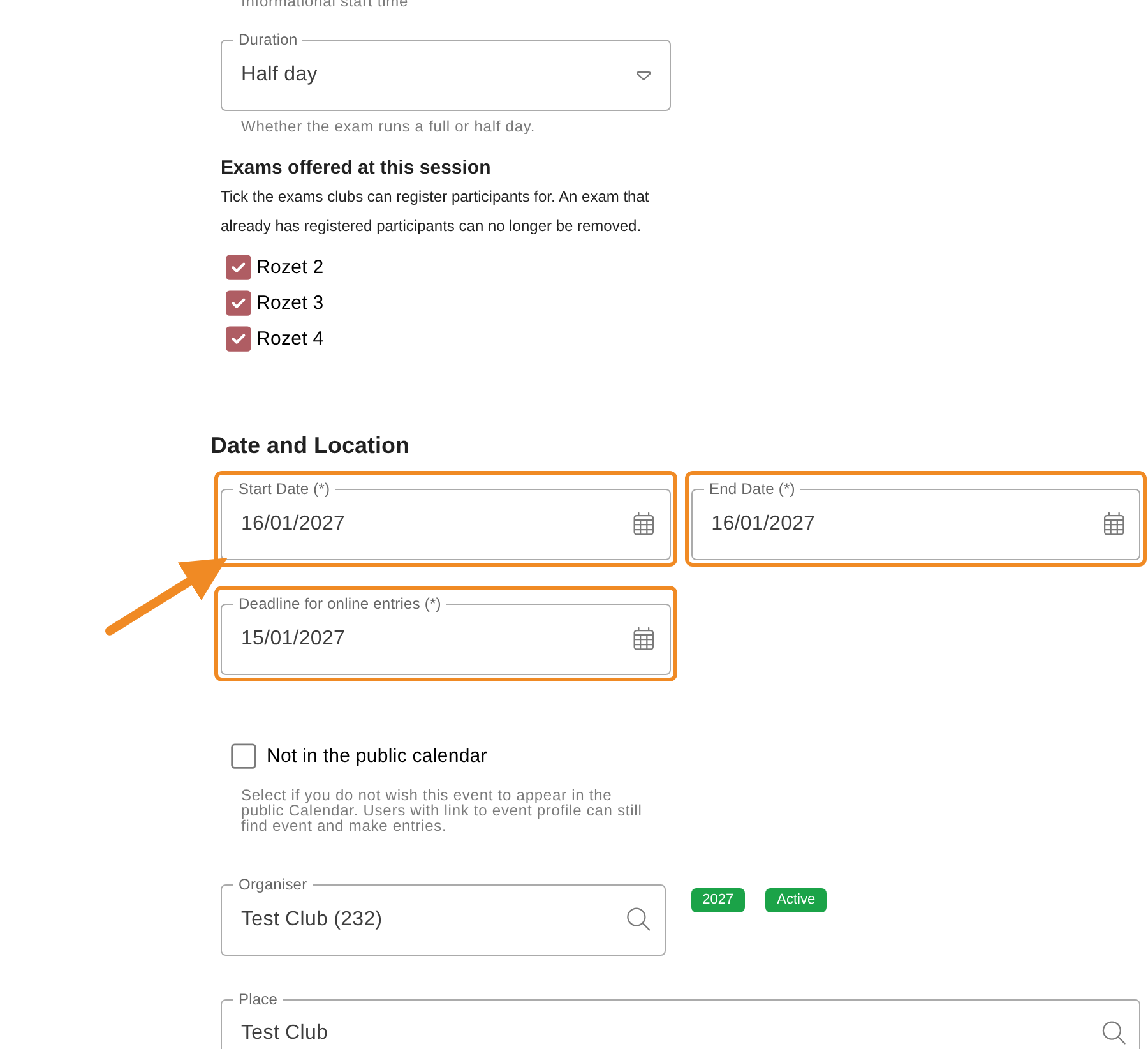
Choose the “Start Date (*)”. The “End Date (*)” takes the same date, and the “Deadline for online entries (*)” becomes the day before: after it, no participant can be registered online.
Request the exam in good time. Rozet 2 - 4, the driving and the western brevets are proposed at least two months before their date: a later proposal is refused. For Rozet 1, a date in the future is enough.
Step 11 — Give the venue
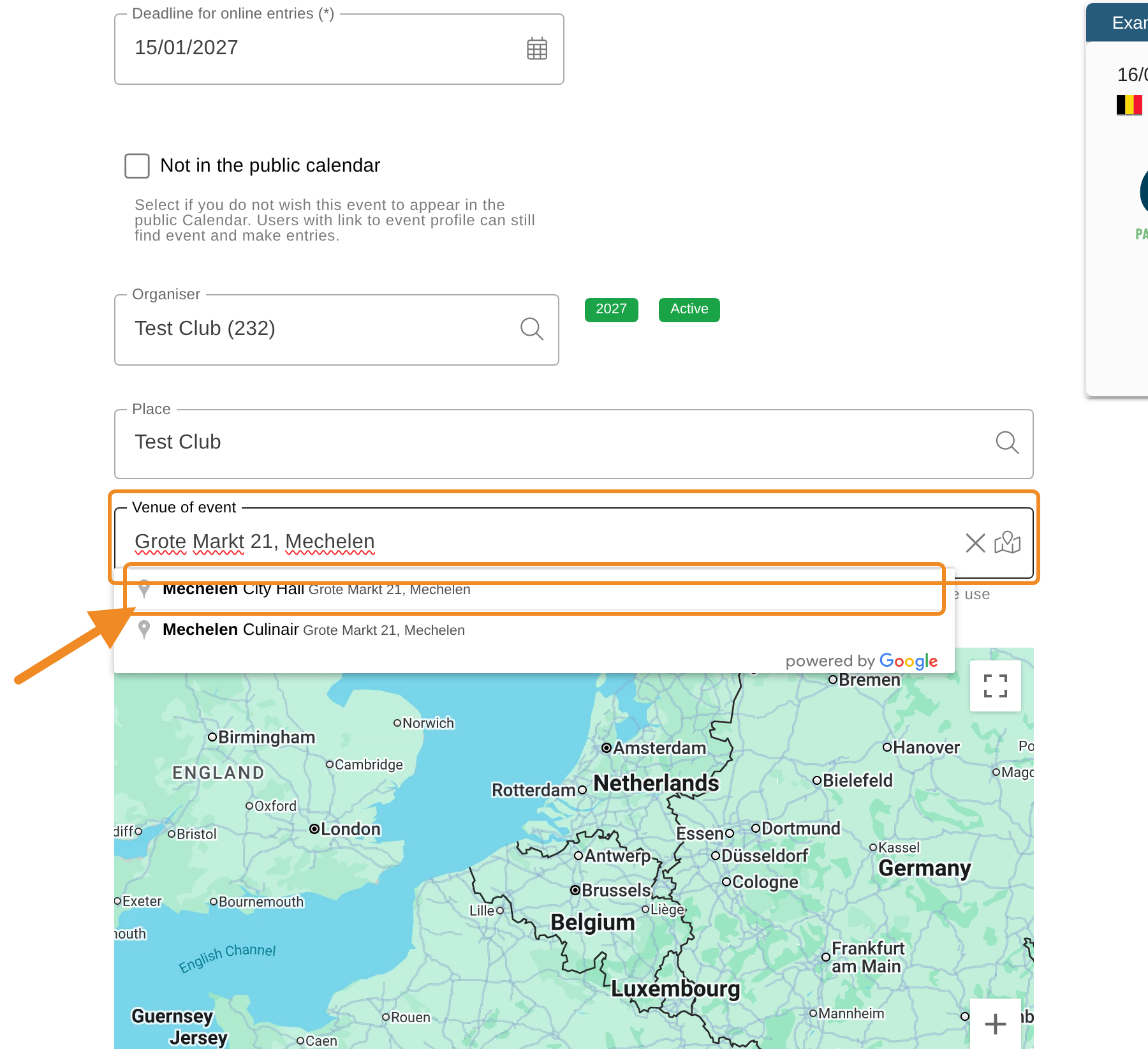
The “Place / venue (*)” is filled in with your club’s name; change it if the exam takes place elsewhere. Under “Venue of event”, type the address of the venue and choose it from the list that appears. The map then shows a pin where the exam takes place. You can drag the pin to the exact spot.
An exam cannot be saved without a pin on the map. If the list does not offer your address, choose the nearest one and drag the pin.
Step 12 — Check the contact details
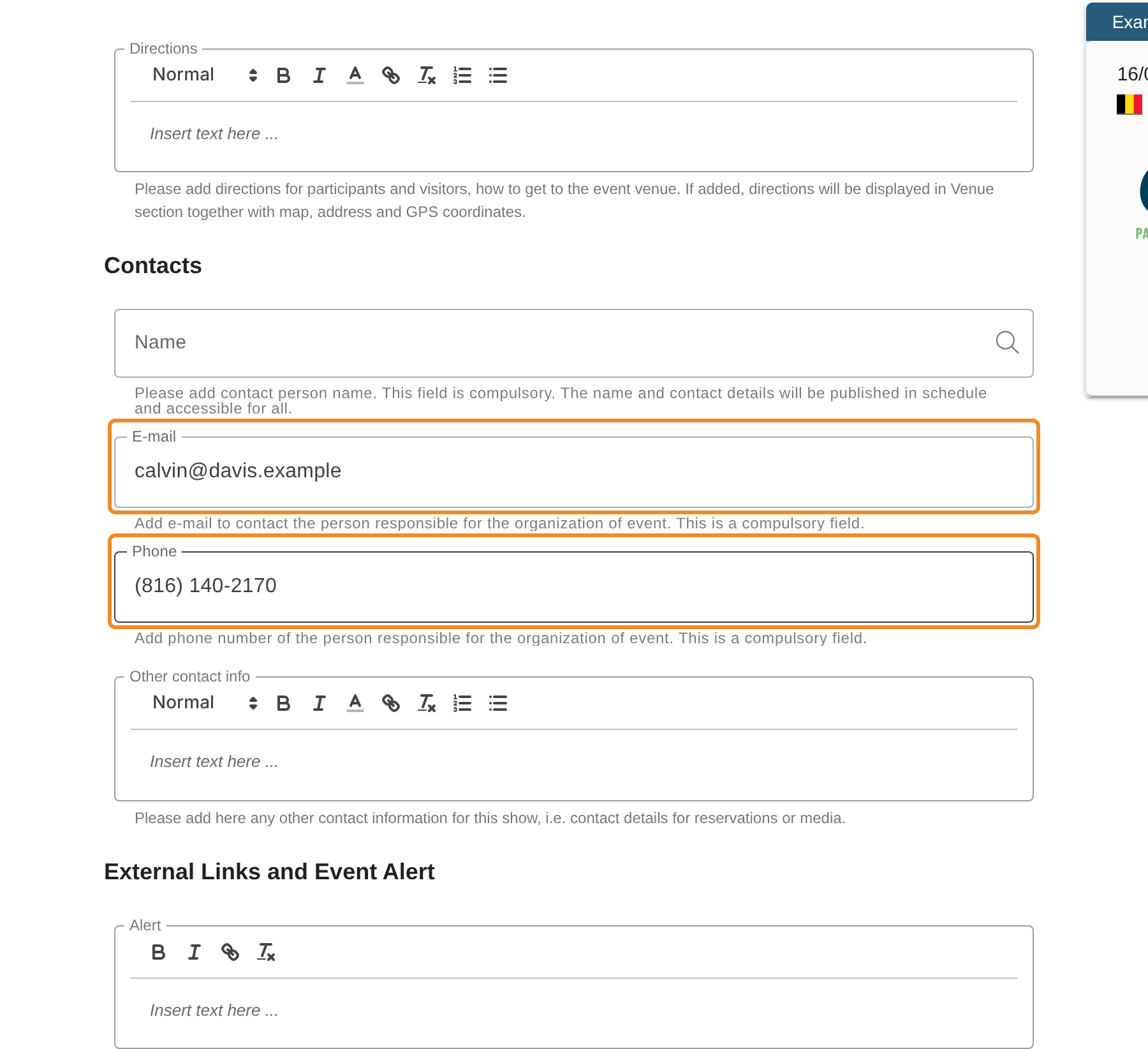
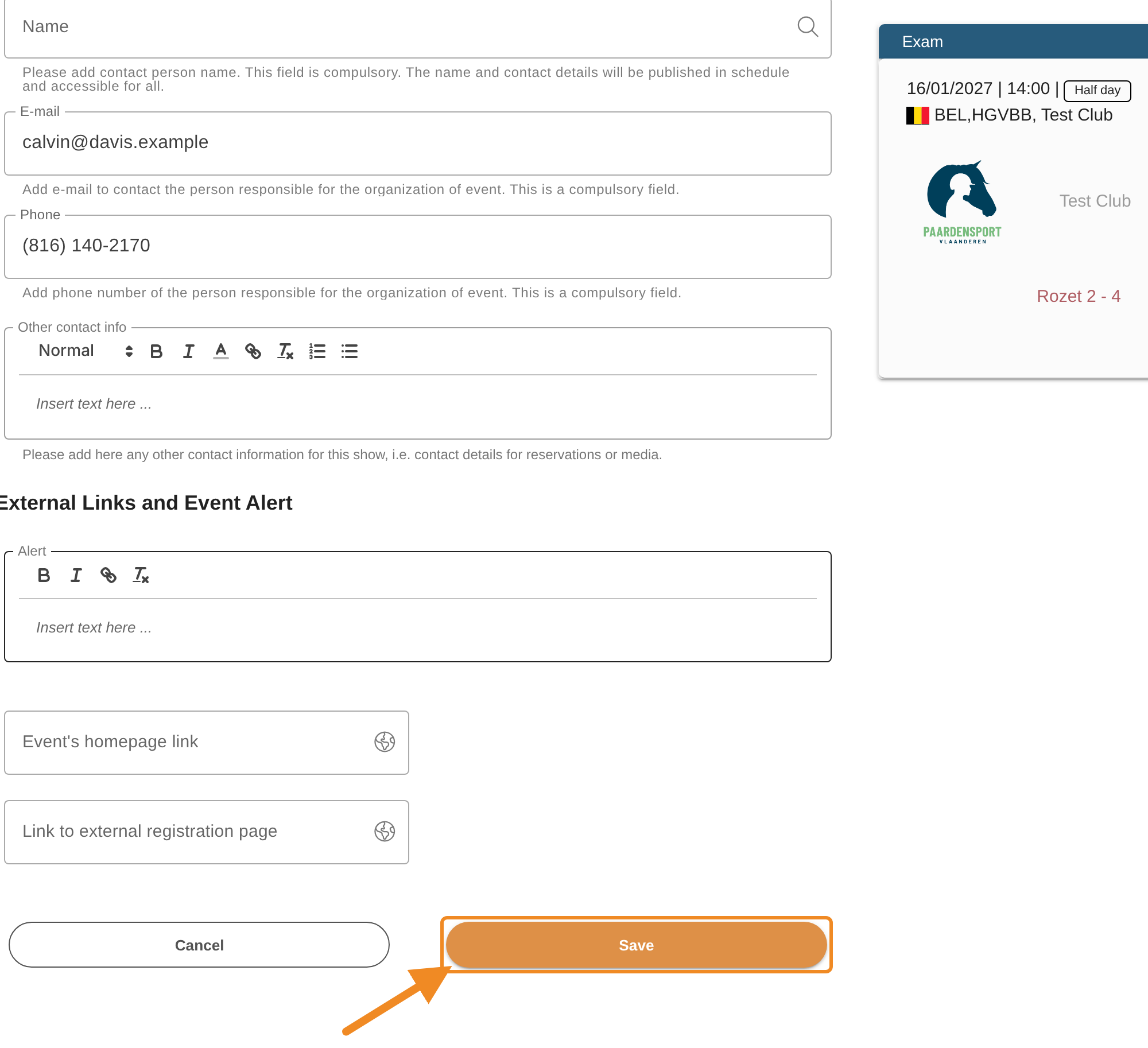
Under “Contacts”, the “E-mail” and “Phone” come from your club’s details. Change them if participants should contact someone else. An exam needs both. You can also add a contact person’s name.
Step 13 — Save the exam
Click “Save”. The system names the exam after its category, for example Examen, Rozet 1, and saves it with the status “Draft”. The exam’s page opens. Nobody outside your club sees it yet.
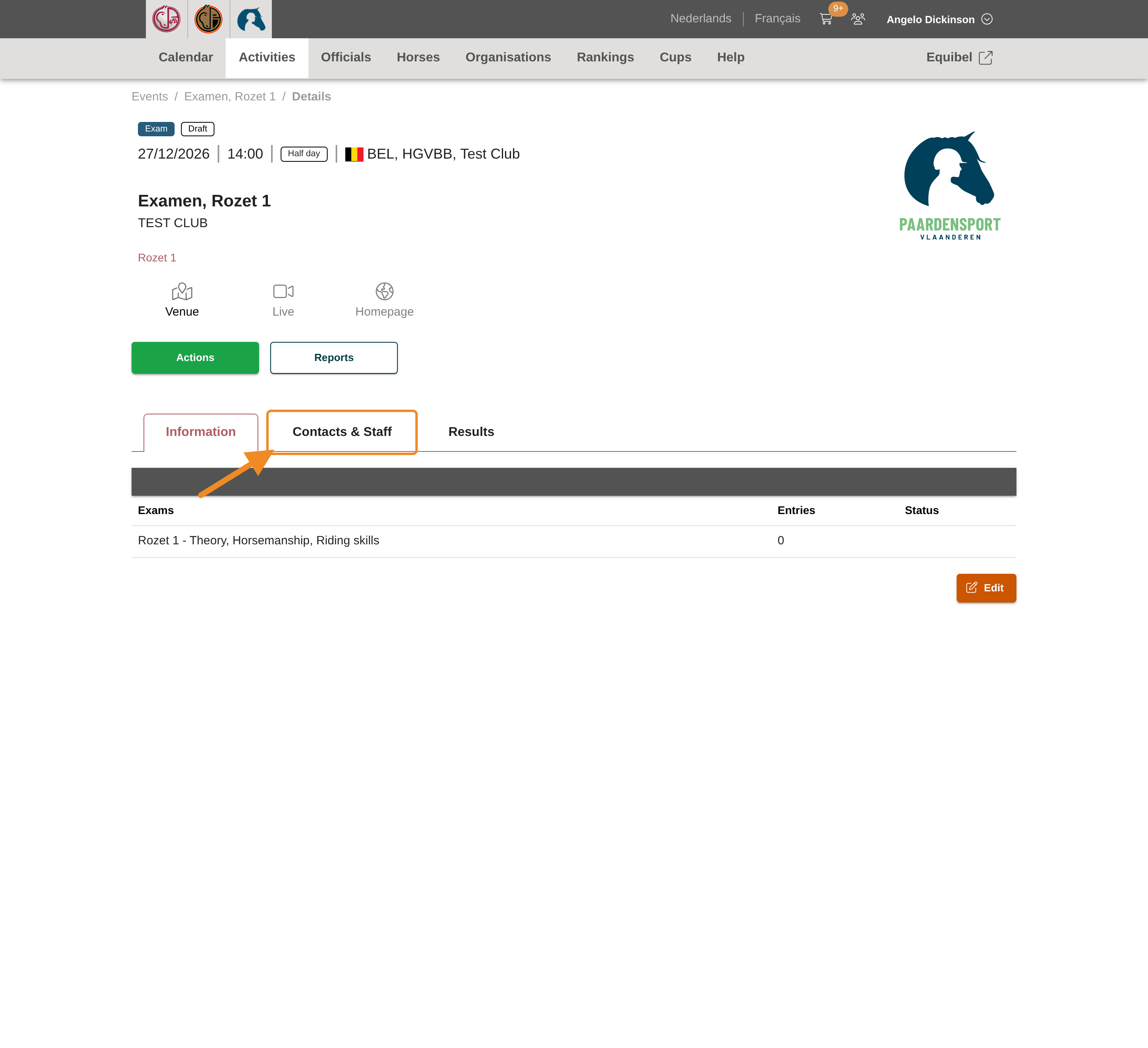
Rozet 1 — Step 14 — Open the staff of the exam
A Rozet 1 exam can only be published once a qualified teacher is assigned to it. On the exam’s page, open the “Contacts & Staff” tab.
For any other exam, go on with step 18: Paardensport Vlaanderen assigns the officials.
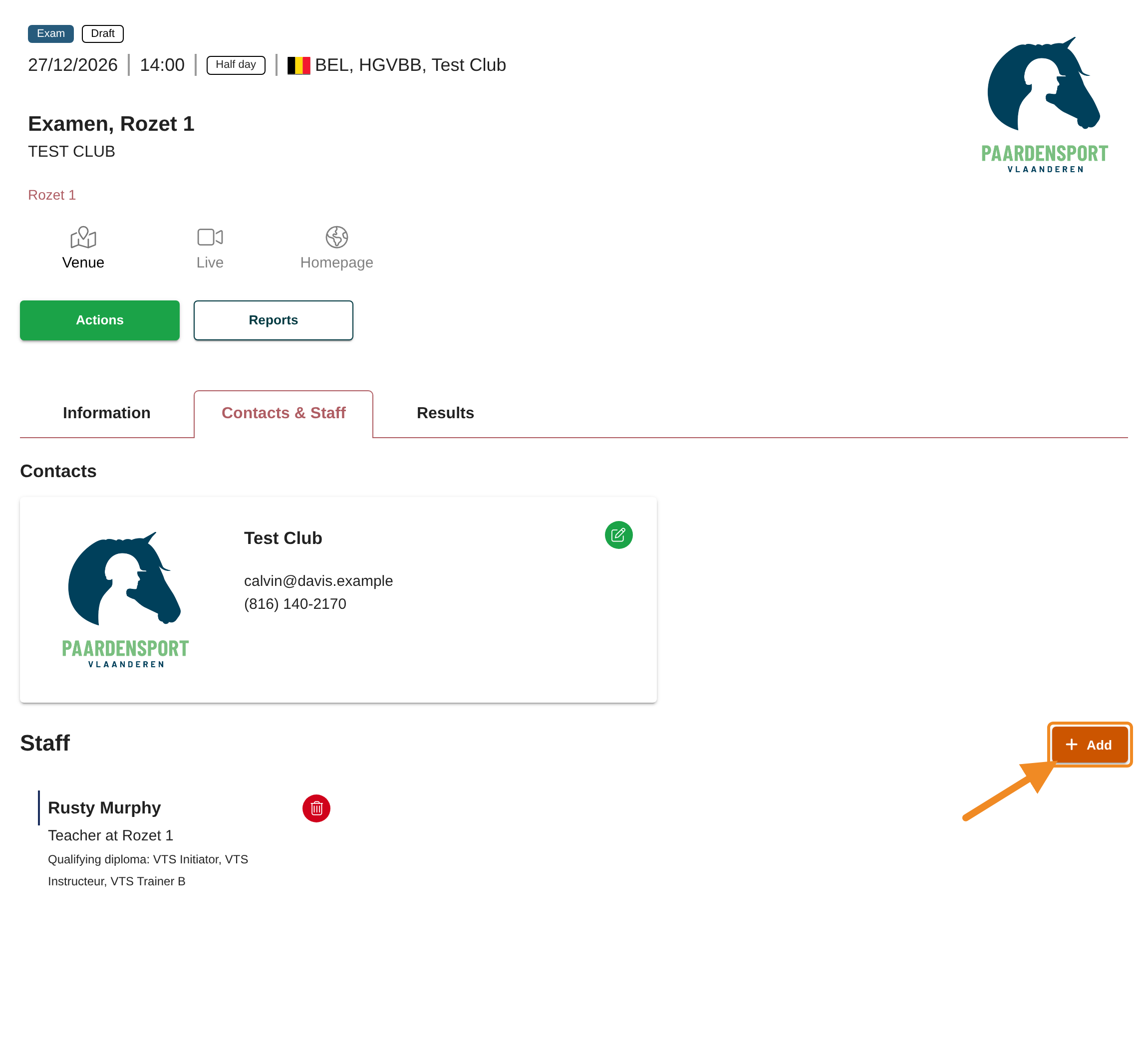
Rozet 1 — Step 15 — Add a staff member
Under “Staff”, click “Add”.
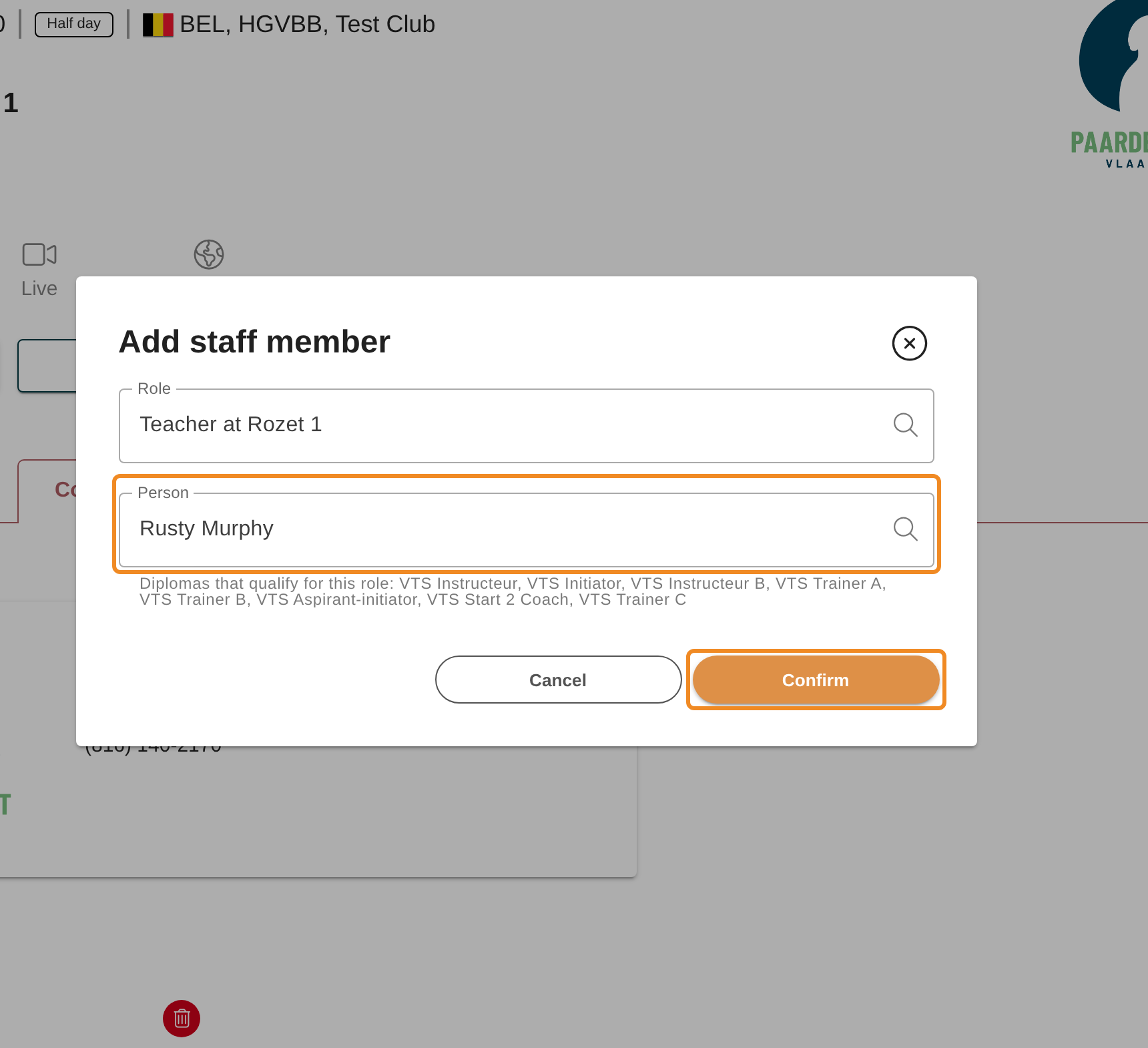
Rozet 1 — Step 16 — Choose the teacher
The “Add staff member” window opens with the teacher role already chosen under “Role”. Below it, the window lists the diplomas that qualify for that role. Type the teacher’s name under “Person” and choose them from the list. Then click “Confirm”.
Rozet 1 — Step 17 — Check the teacher
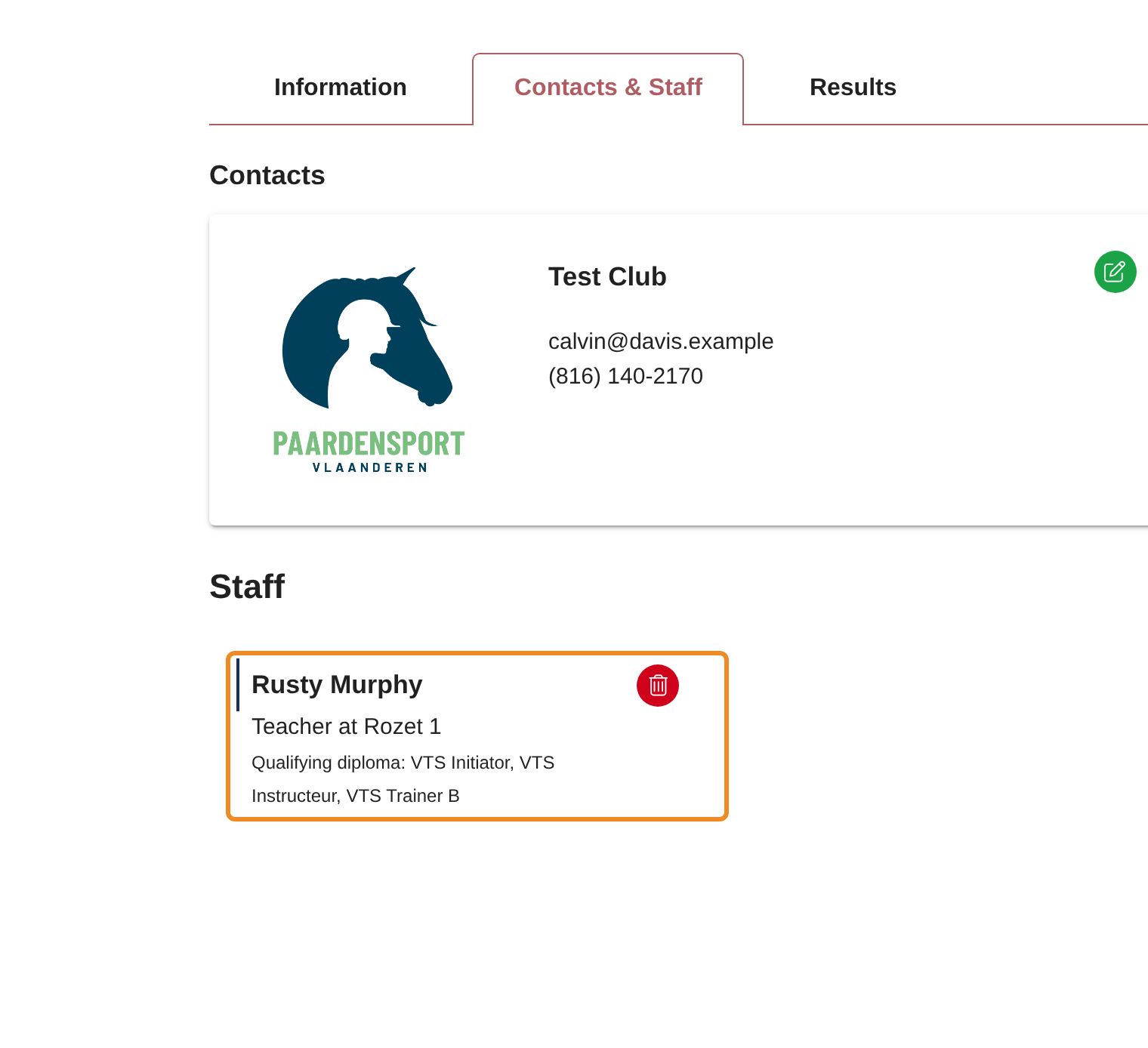
The teacher is listed under “Staff”, with the diploma that qualifies them. A person who holds no qualifying diploma cannot be chosen: the window says so, and “Confirm” stays unavailable.
Step 18 — Open the actions
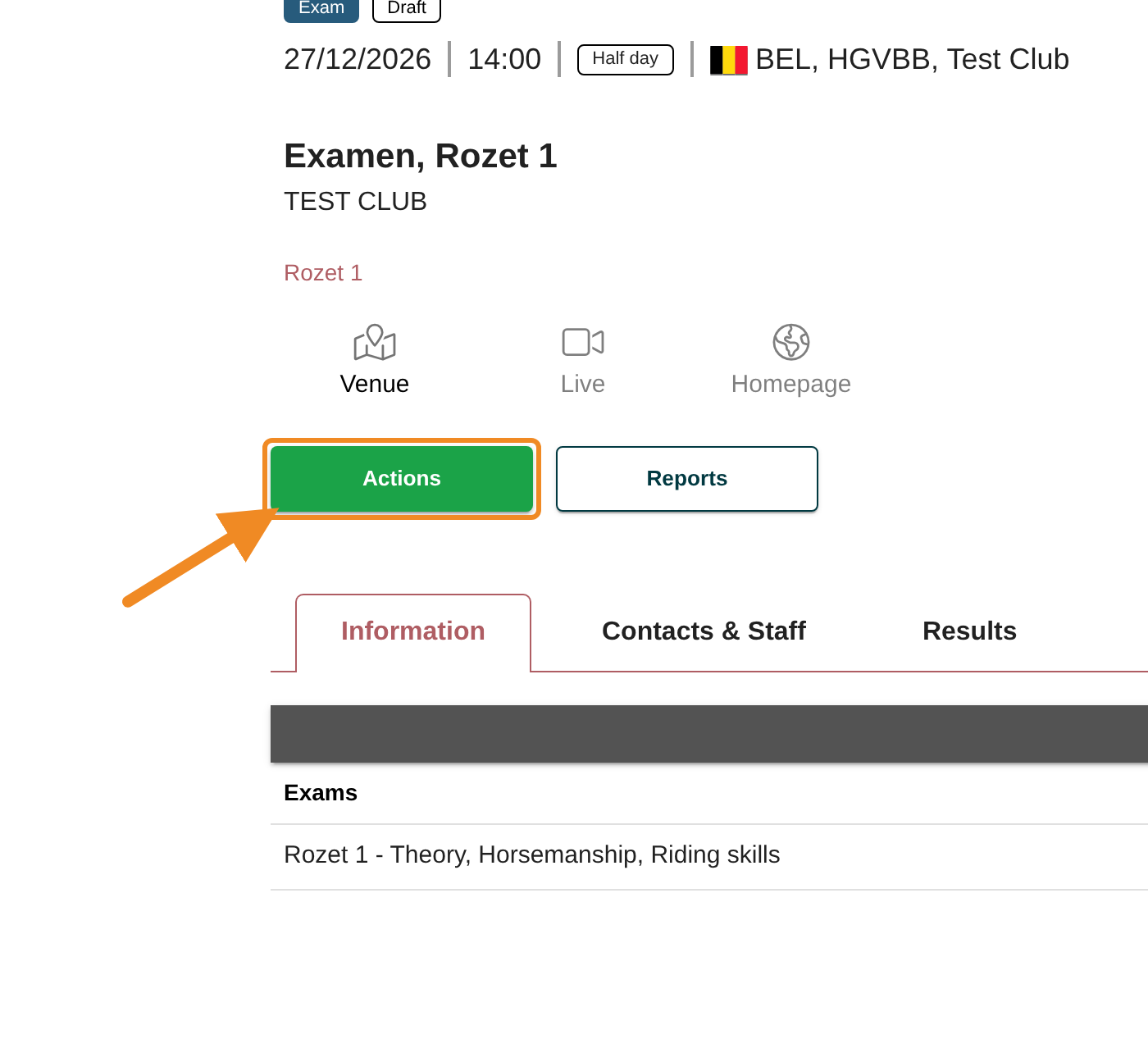
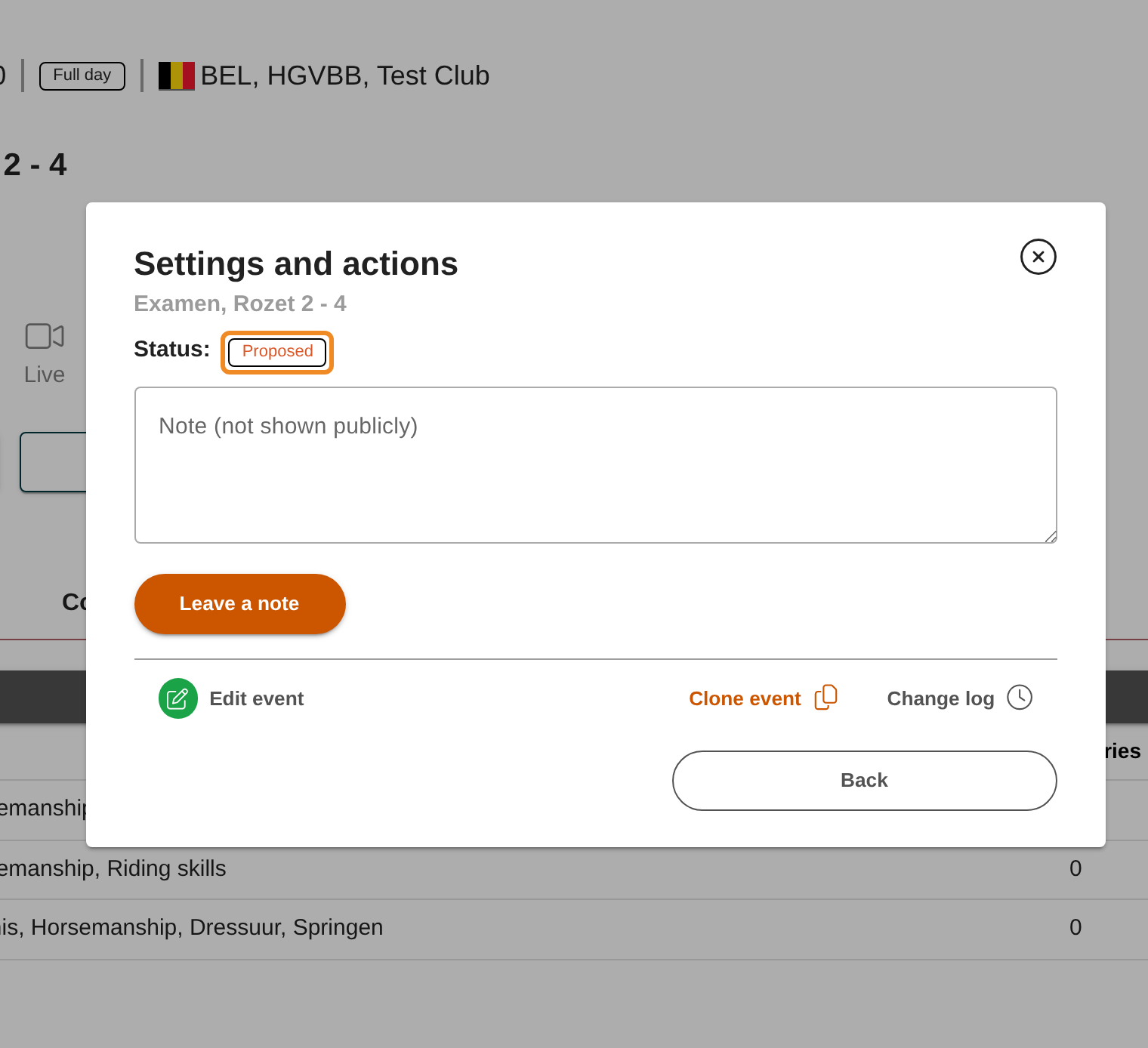
For every exam, go back to the top of the exam’s page and click “Actions”. The “Settings and actions” window opens.
Rozet 1 — Step 19 — Publish the exam
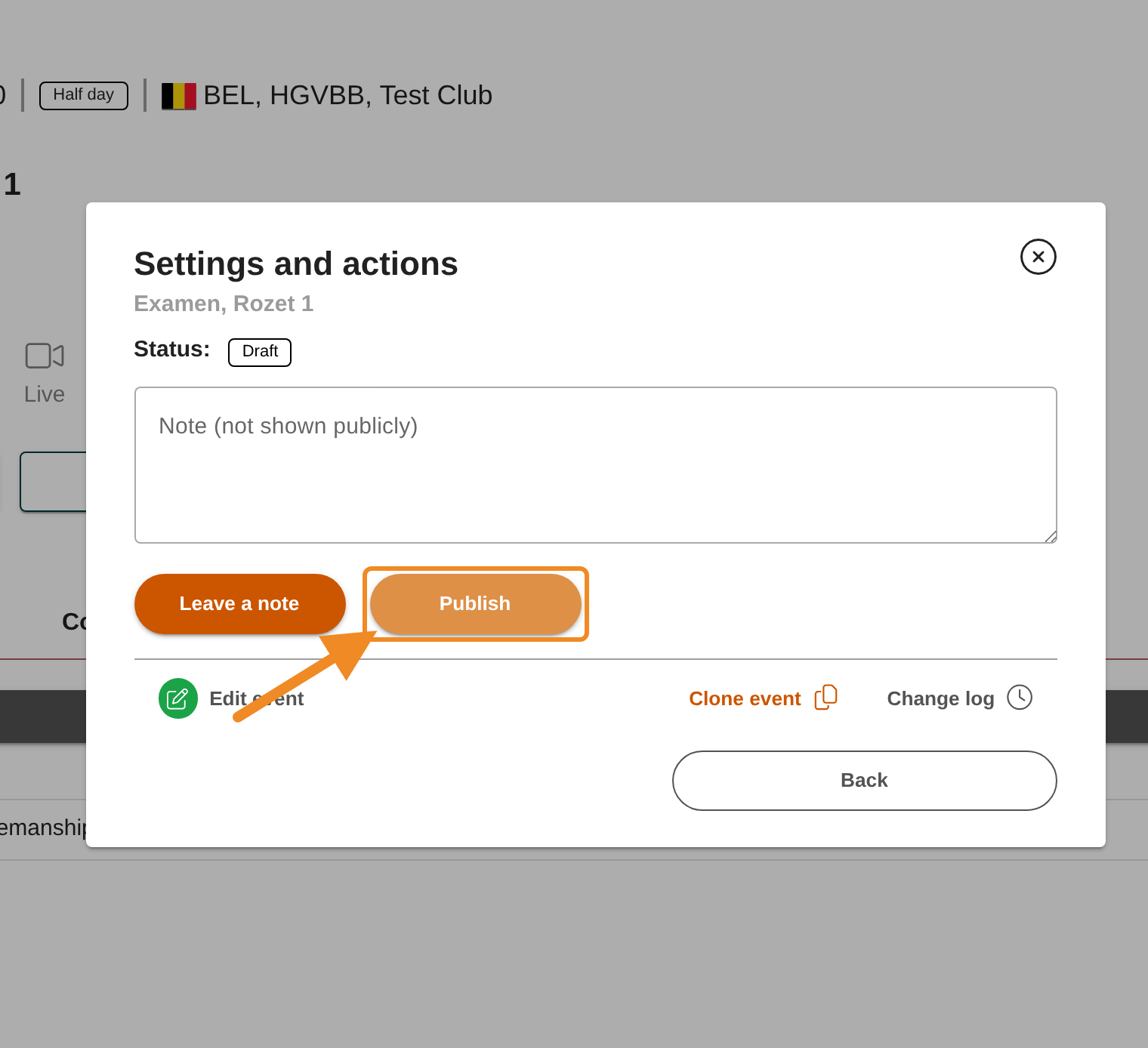
Click “Publish”. The status becomes “Published” and the exam is in the calendar straight away. Your club can still change the exam afterwards with “Edit event”.
Other exams — Step 20 — Propose the exam
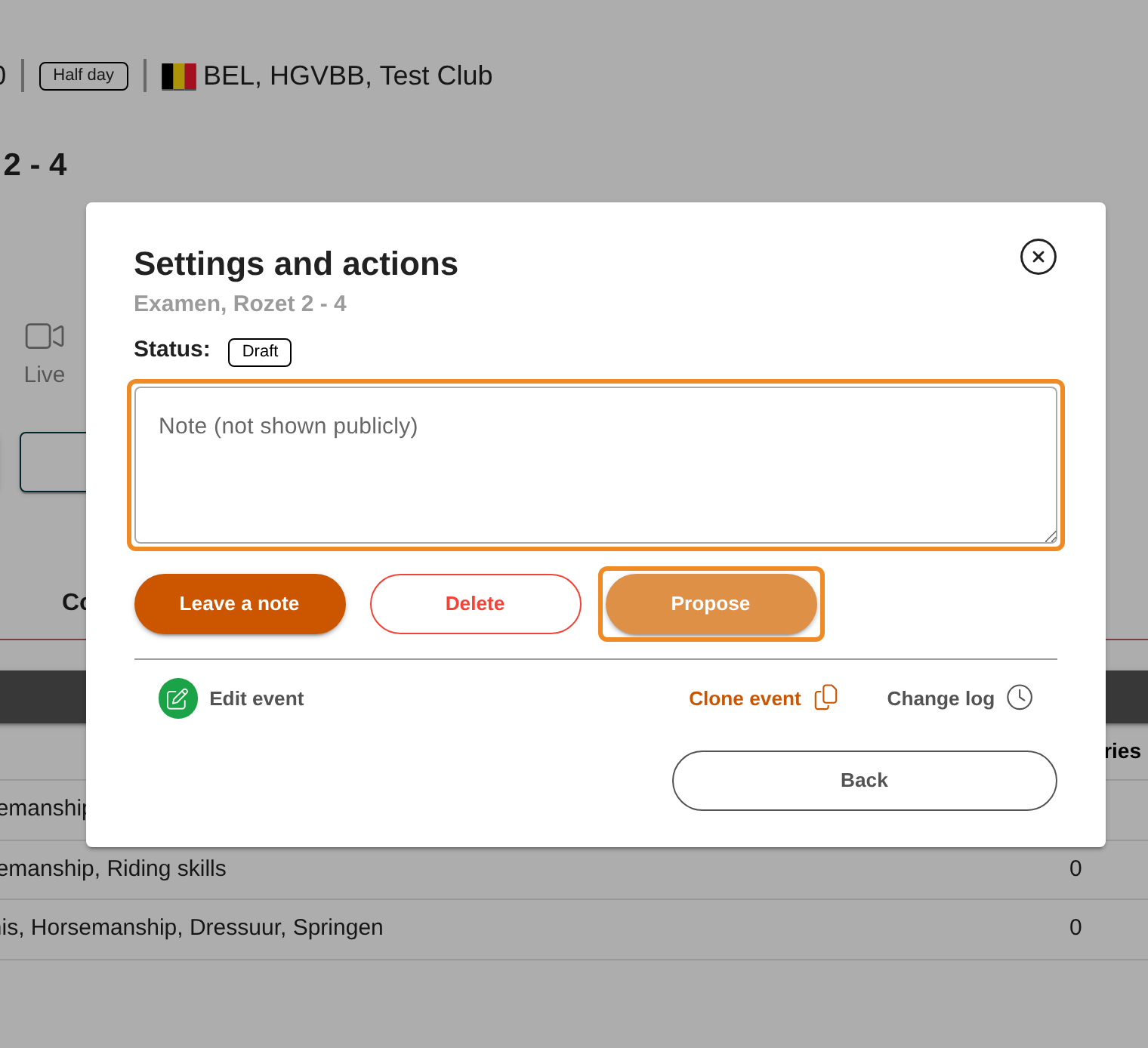
If you want to tell Paardensport Vlaanderen something about the exam, type it in “Note (not shown publicly)”: it is sent with your proposal. Then click “Propose”.
Other exams — Step 21 — Wait for Paardensport Vlaanderen
The status is now “Proposed”. The club administration of Paardensport Vlaanderen checks your exam, assigns its officials, and publishes it in the calendar, or declines it with a note. You find the status again on the exam’s page, under “Actions”.
Good to know
- Checking before you propose: read the exam through once more. Once Paardensport Vlaanderen has published a Rozet 2 or higher exam, your club can no longer change it. To change it, contact the club administration of Paardensport Vlaanderen. A Rozet 1 exam stays editable by your club.
- Declined: the status becomes “Declined”. Open “Actions” to read Paardensport Vlaanderen’s note, change the exam with “Edit event” and click “Propose” again.
- Wrong category, or an exam you no longer need: the category of a saved exam cannot be changed. While the exam is “Draft” or “Declined”, open “Actions” and click “Delete”, then create a new exam with the right category. Remove a Rozet 1 exam’s teacher first: an exam with staff or participants cannot be deleted.
- Teachers for other exams: for Rozet 2 and higher, the “Contacts & Staff” tab says that the federation assigns the officials. Your club adds nobody there.
- Online registration: publishing is all an exam needs. Only if participants should register through your own registration page (a form, your website), add its link under “Link to external registration page” with “Edit event”, then click “Open registration” under “Actions”.
- The price: your club sets no price. The cost of each exam is set by Paardensport Vlaanderen.
- Finding the exam later: it is listed on your club page, on the “Competitions and activities” tab.
If something goes wrong
| Problem | What to do |
|---|---|
| I don’t see “Add exam” | Your club has an outstanding debt, has no valid club licence, or your role does not include organising exams. Pay your club’s orders, or contact the club administration of Paardensport Vlaanderen. |
| The exam is not saved | A required field is empty, or the map has no pin. Check the fields marked in red, and choose the venue’s address from the list. |
| “Exam cannot be proposed as there is less than 2 months before start date.” | The exam’s date is less than two months away. Choose a later date with “Edit event”, or contact the club administration of Paardensport Vlaanderen. |
| “No teacher is assigned to this exam yet. Assign a teacher with a valid VTS diploma on the exam’s Contacts & Staff tab (Staff → Add).” | Assign the teacher first: steps 14–17. |
| “Your organisation has outstanding debts, so this event cannot be proposed or published. …” | Pay your club’s open orders first, then click “Propose” or “Publish” again. |
| “To organise any exam session a club should have a valid licence. …” | Your club’s licence is not valid. Renew it, or contact the club administration of Paardensport Vlaanderen. |
| I don’t see “Add” under “Staff” | The exam is not a Rozet 1 exam: Paardensport Vlaanderen assigns its officials. |
| I can’t find “Edit event” any more | A Rozet 2 or higher exam is published. Contact the club administration of Paardensport Vlaanderen. |
Related articles: How to Pay Your Club’s Orders