
How to Report a Sports Promotional Activity
A sports promotional activity — a clinic, a training day, an open day — is reported by your club in the system and approved by the club administration of Paardensport Vlaanderen. The system calls it an activity. Your club creates it, then proposes it. Paardensport Vlaanderen then publishes it in the calendar, or declines it with a note.
Before you begin
You need:
- the club administrator role for your club;
- the activity’s name, a short description, its dates and the place where it is held.
Your club must have no outstanding debts: while it has one, the “Add activity” button is not shown.
Step 1 — Open your profile menu
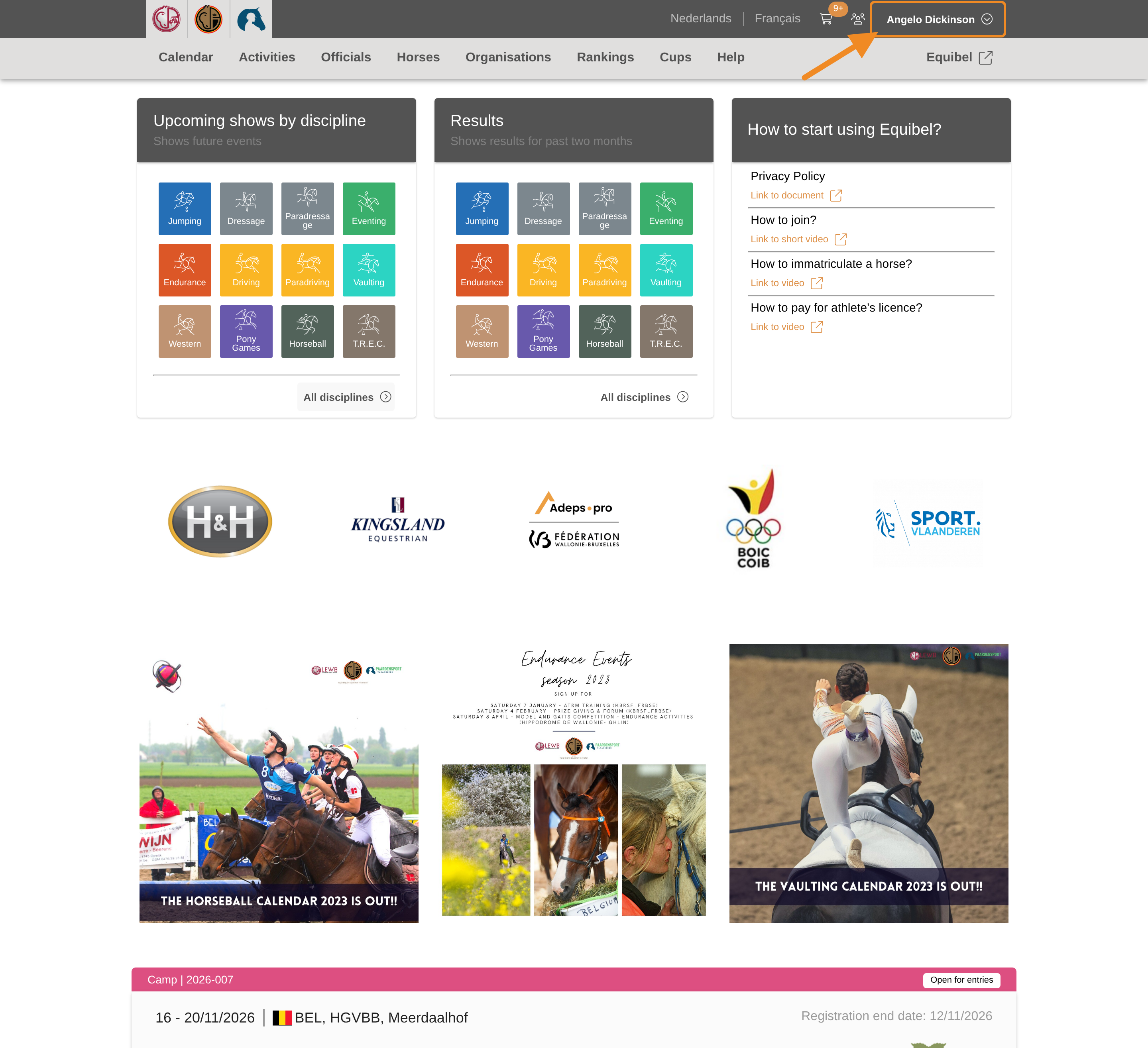
Click your profile button in the upper-right corner of any page.
Step 2 — Open your club
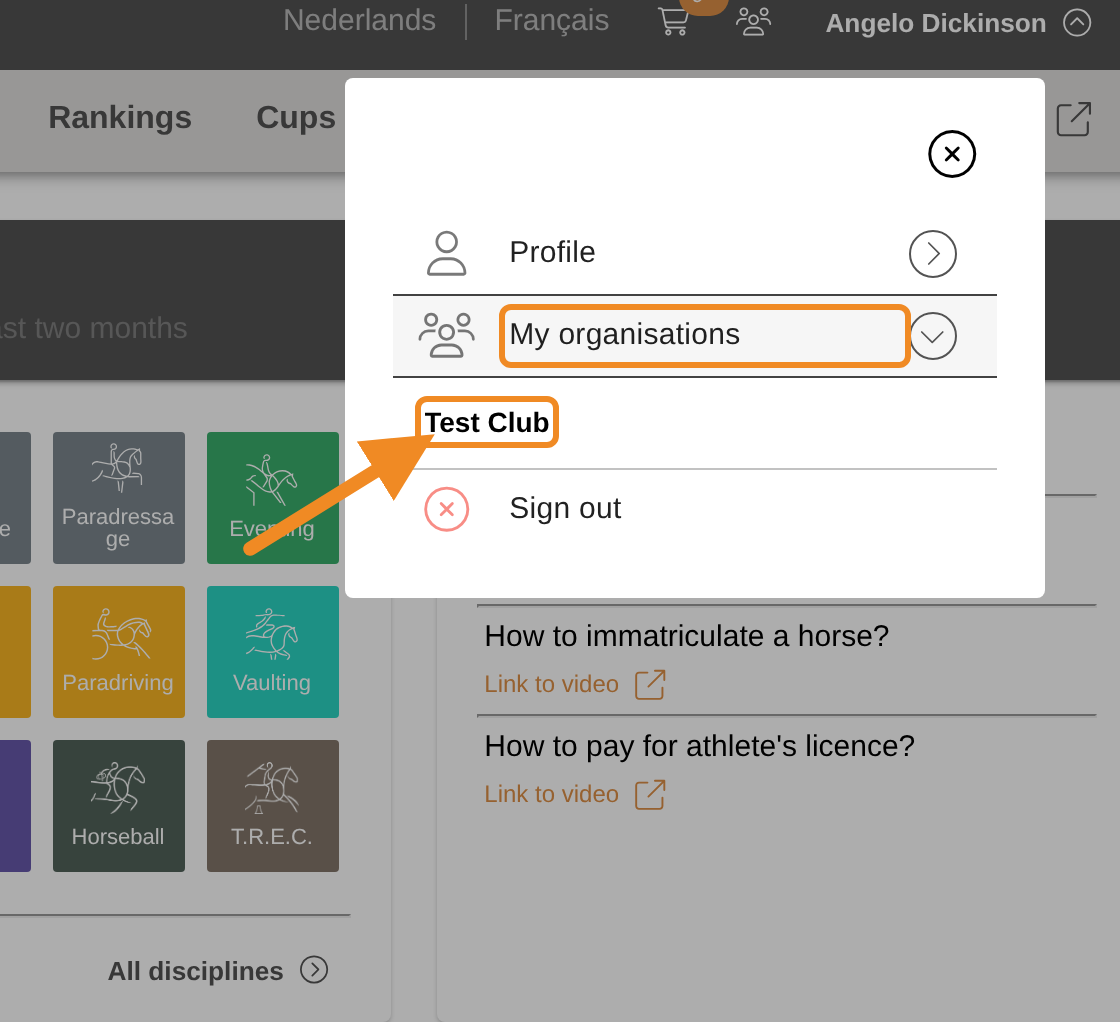
Open “My organisations” and select your club.
Step 3 — Find the tabs
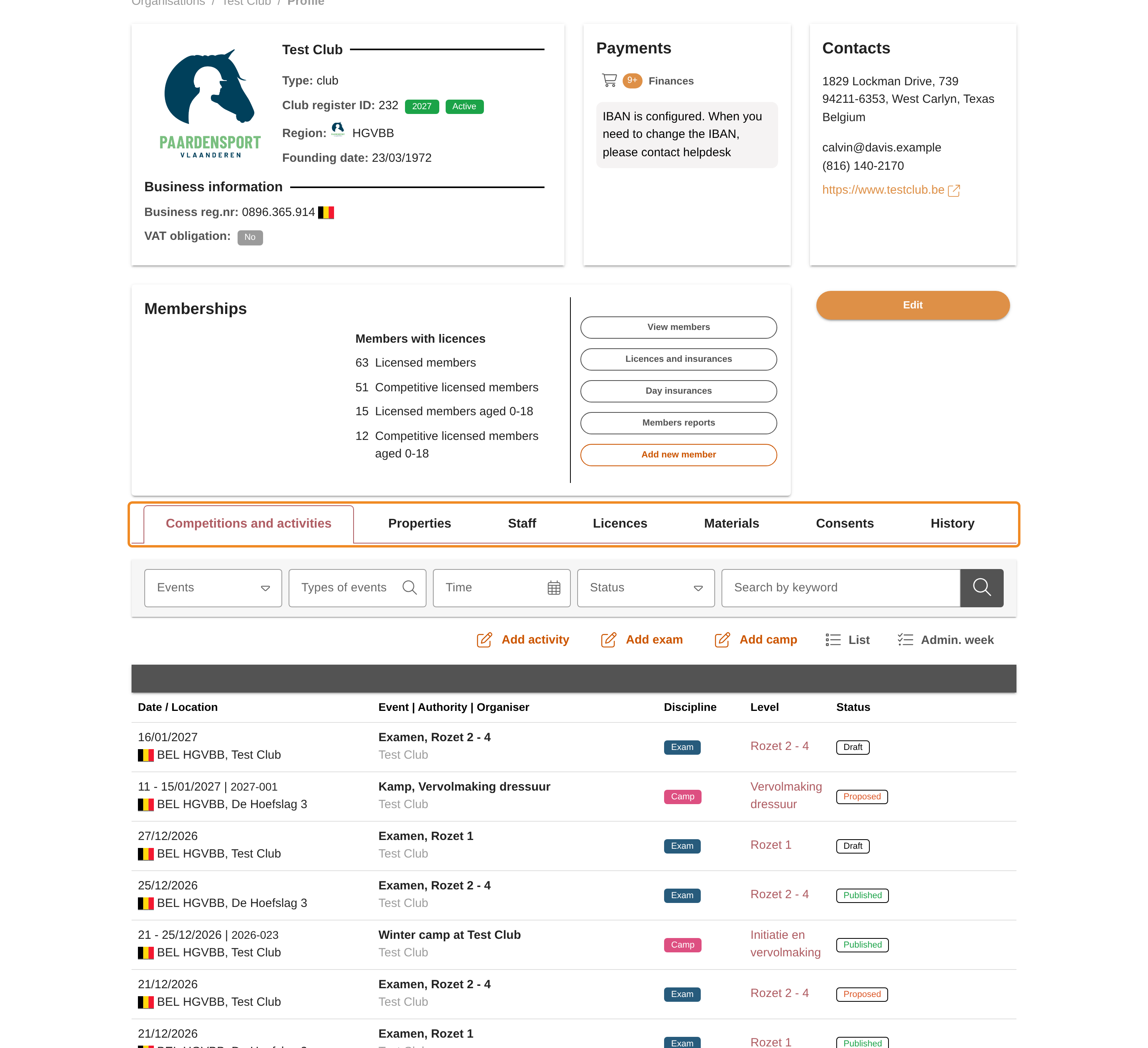
On your club page, find the tabs below the club’s details.
Step 4 — Open the events of your club
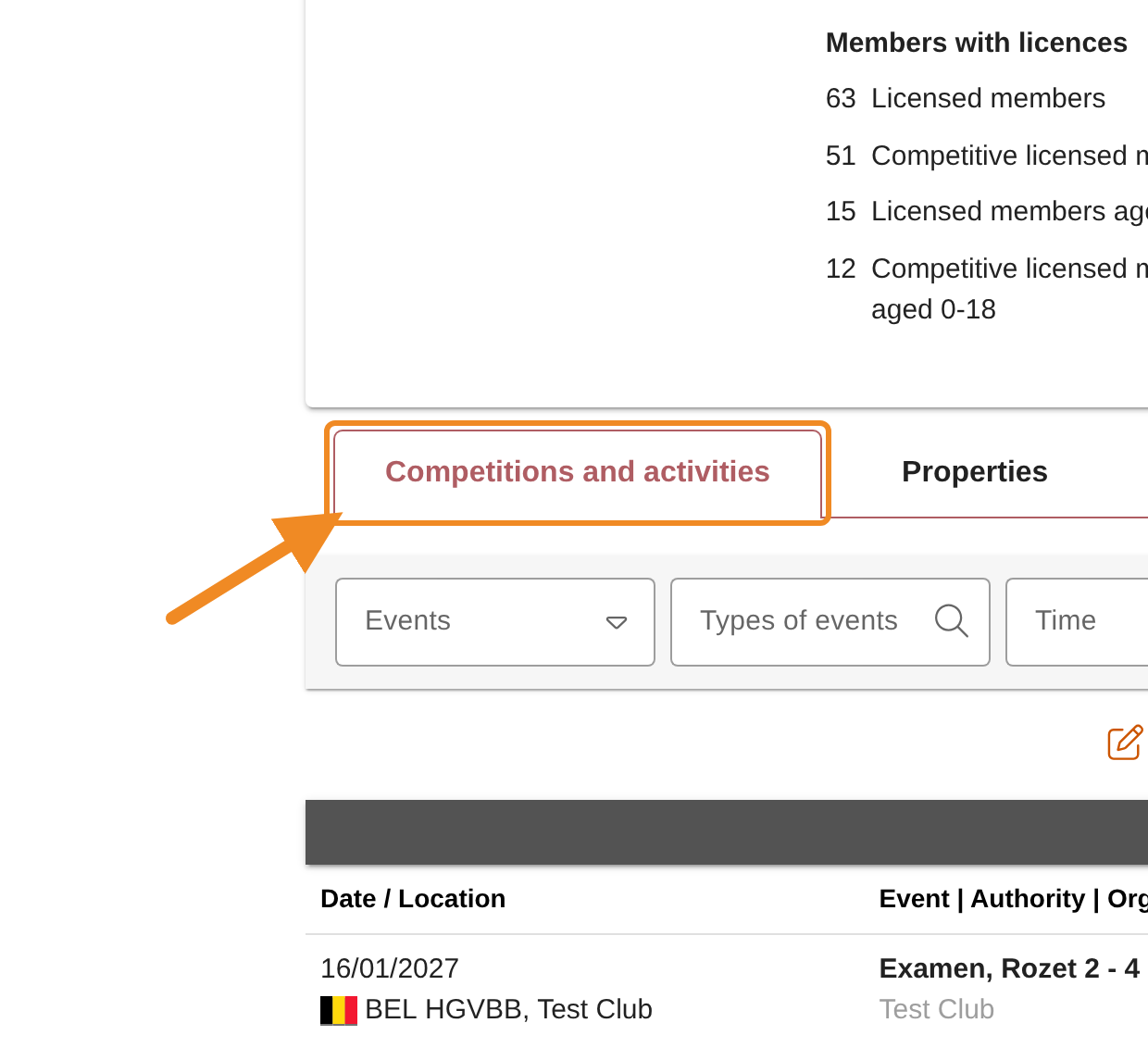
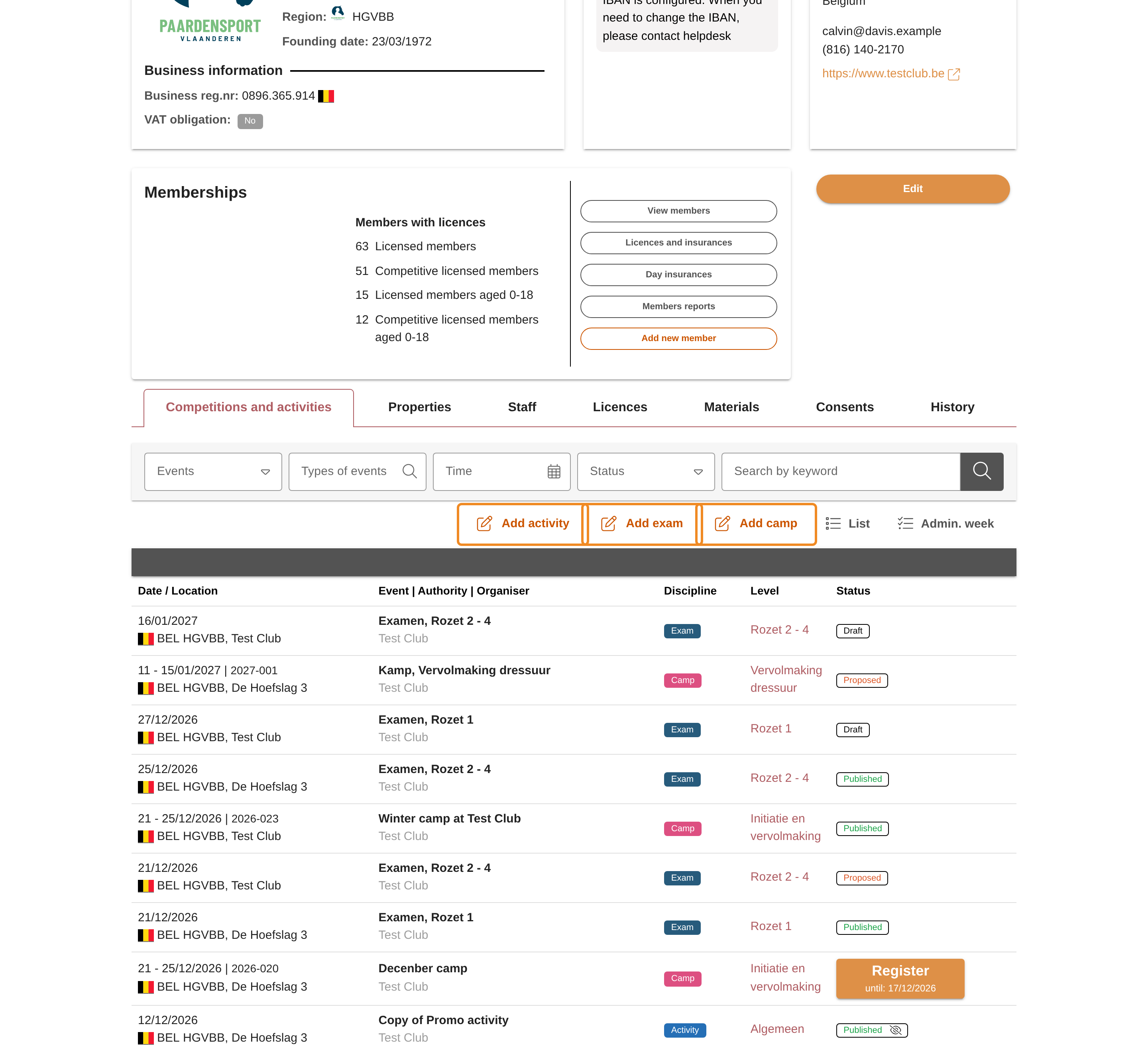
Click the “Competitions and activities” tab. It lists your club’s events and activities.
Step 5 — Find the buttons to add an event
At the top of the tab you find the buttons to add an activity, a camp or an exam. You see only the buttons your club may use.
Step 6 — Add an activity
Click “Add activity”. A sports promotional activity is an activity in the system. The form opens.
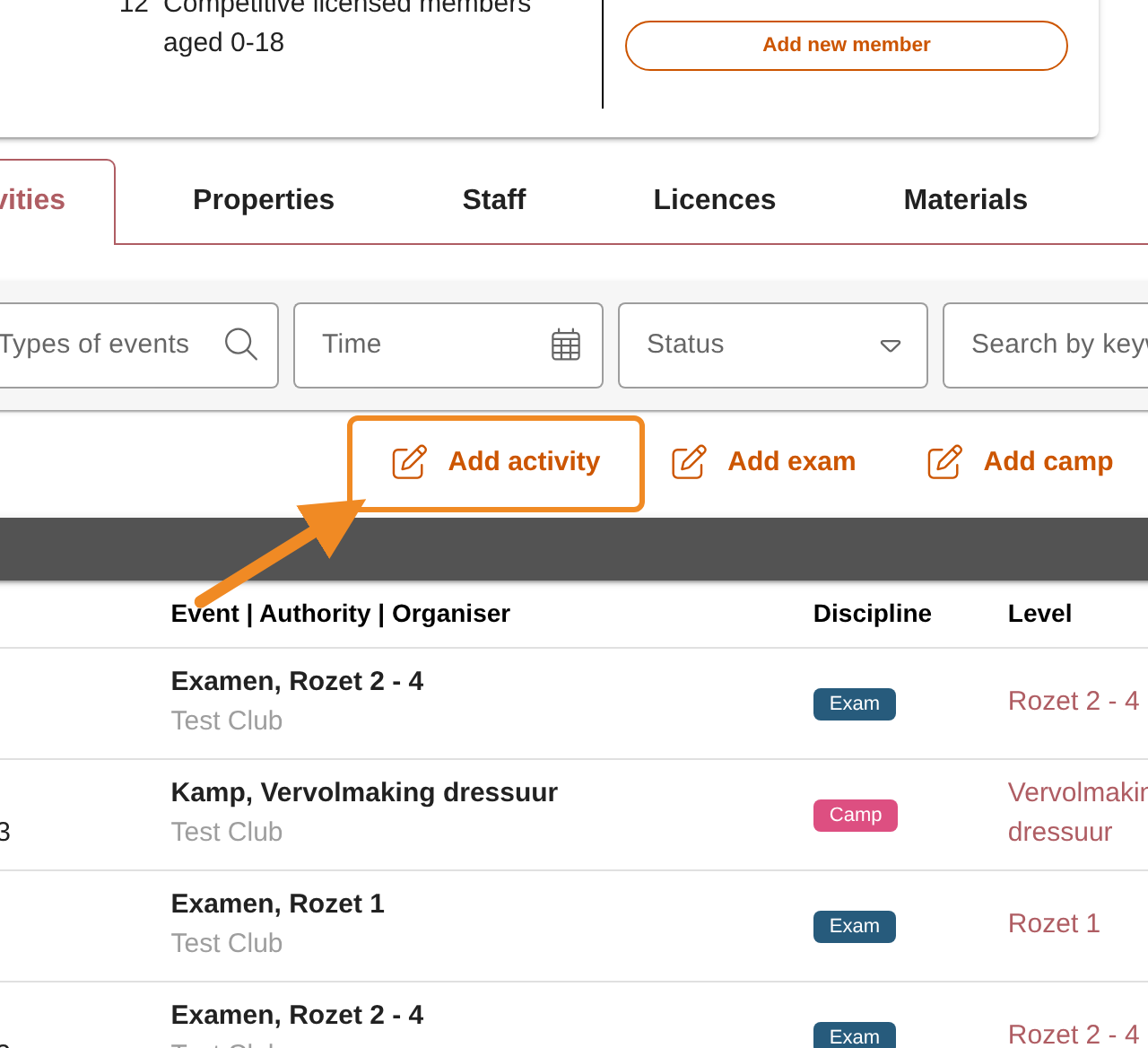
Step 7 — Name and describe the activity
Type a “Name (*)” for the activity. Under “Description”, say what the activity offers: its content, who it is for and what participants need to bring. The name and the description appear on the activity’s page and in the calendar. The description can hold links and pictures.
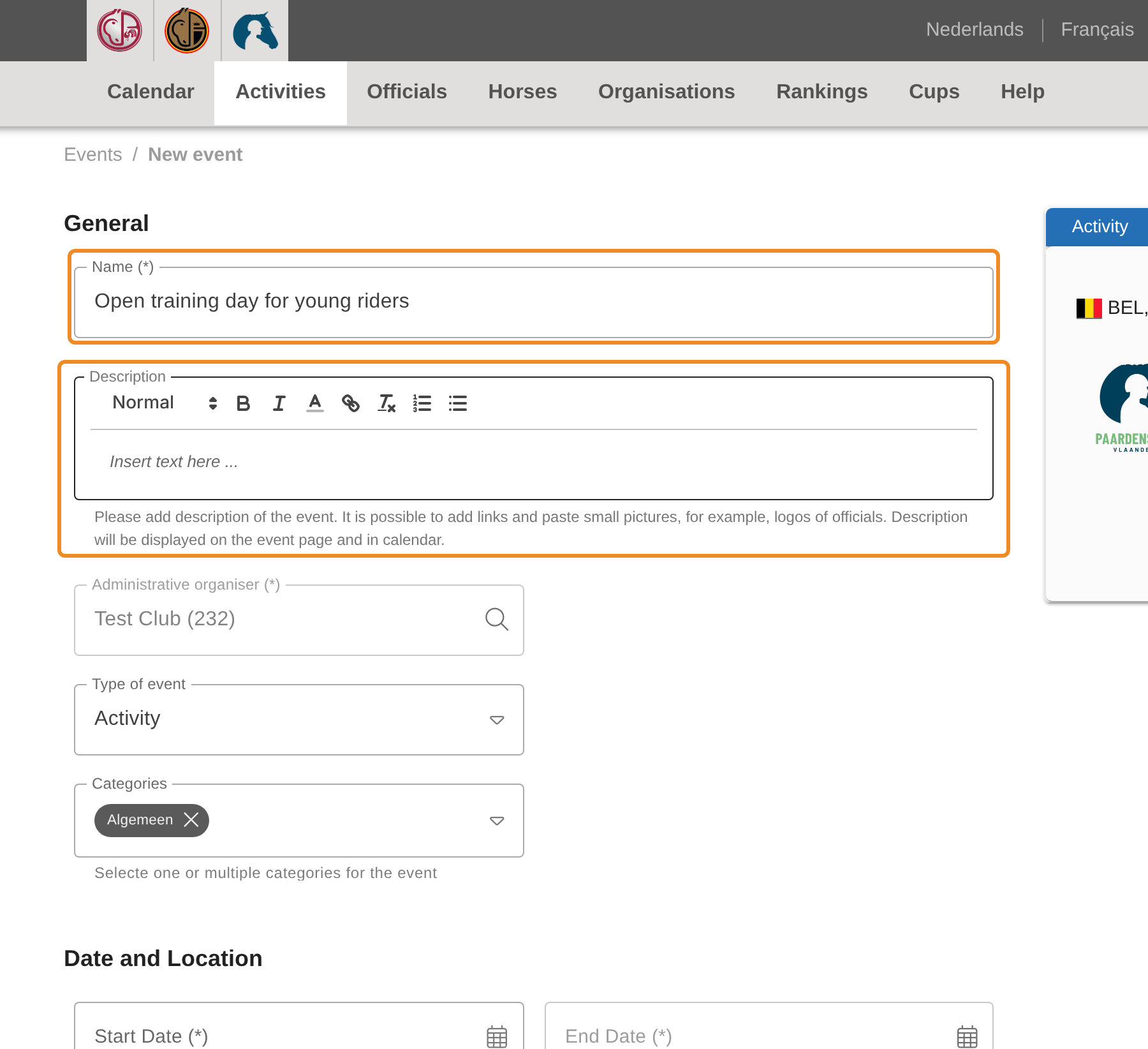
Step 8 — Choose the dates
Set the “Start Date (*)” and “End Date (*)”. Propose the activity in good time: Paardensport Vlaanderen checks the dates before it publishes the activity, and an activity can only be published while its start date is still ahead.
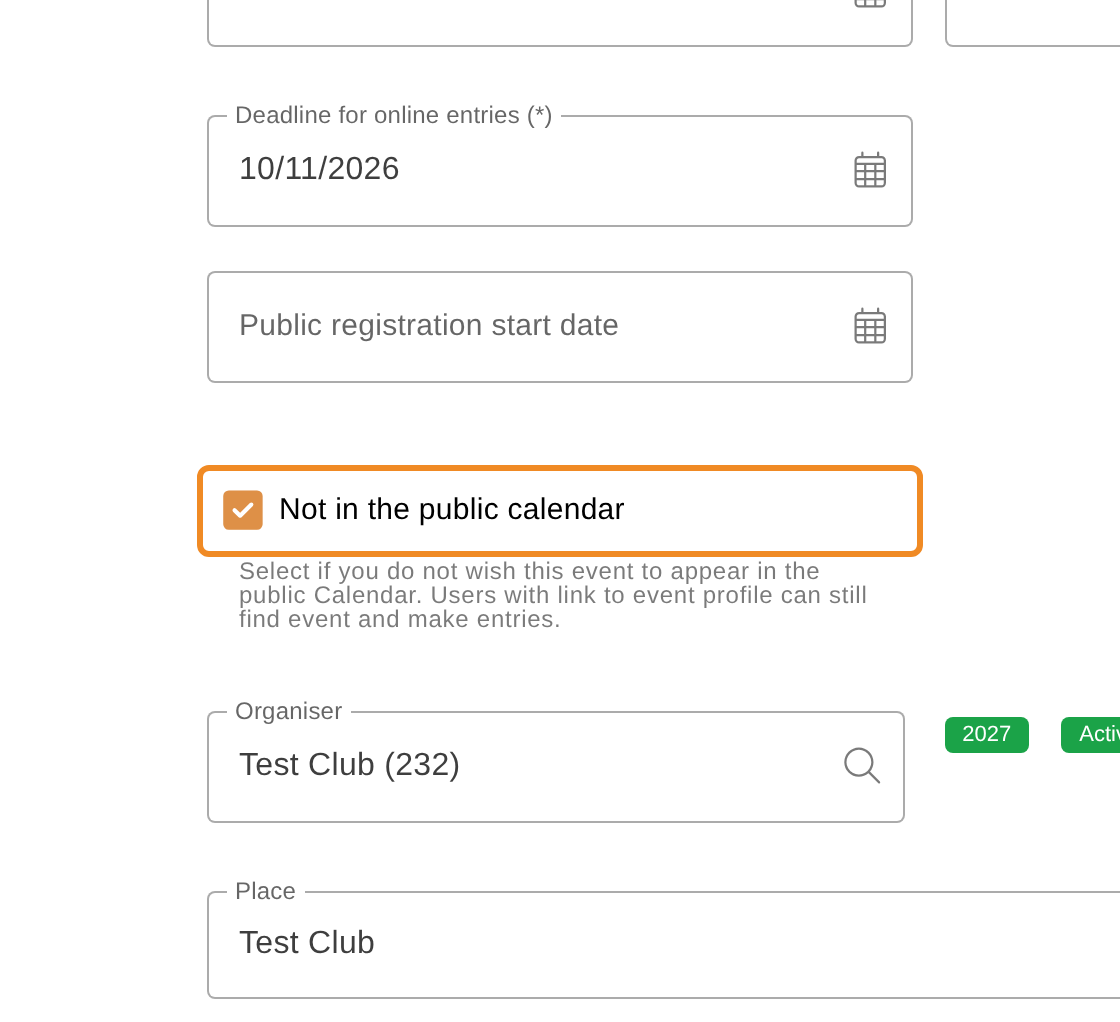
The “Deadline for online entries (*)” is filled in automatically, a week before the start. It only matters if your club later opens the activity for registration in the system, or adds a link to a page where people register.
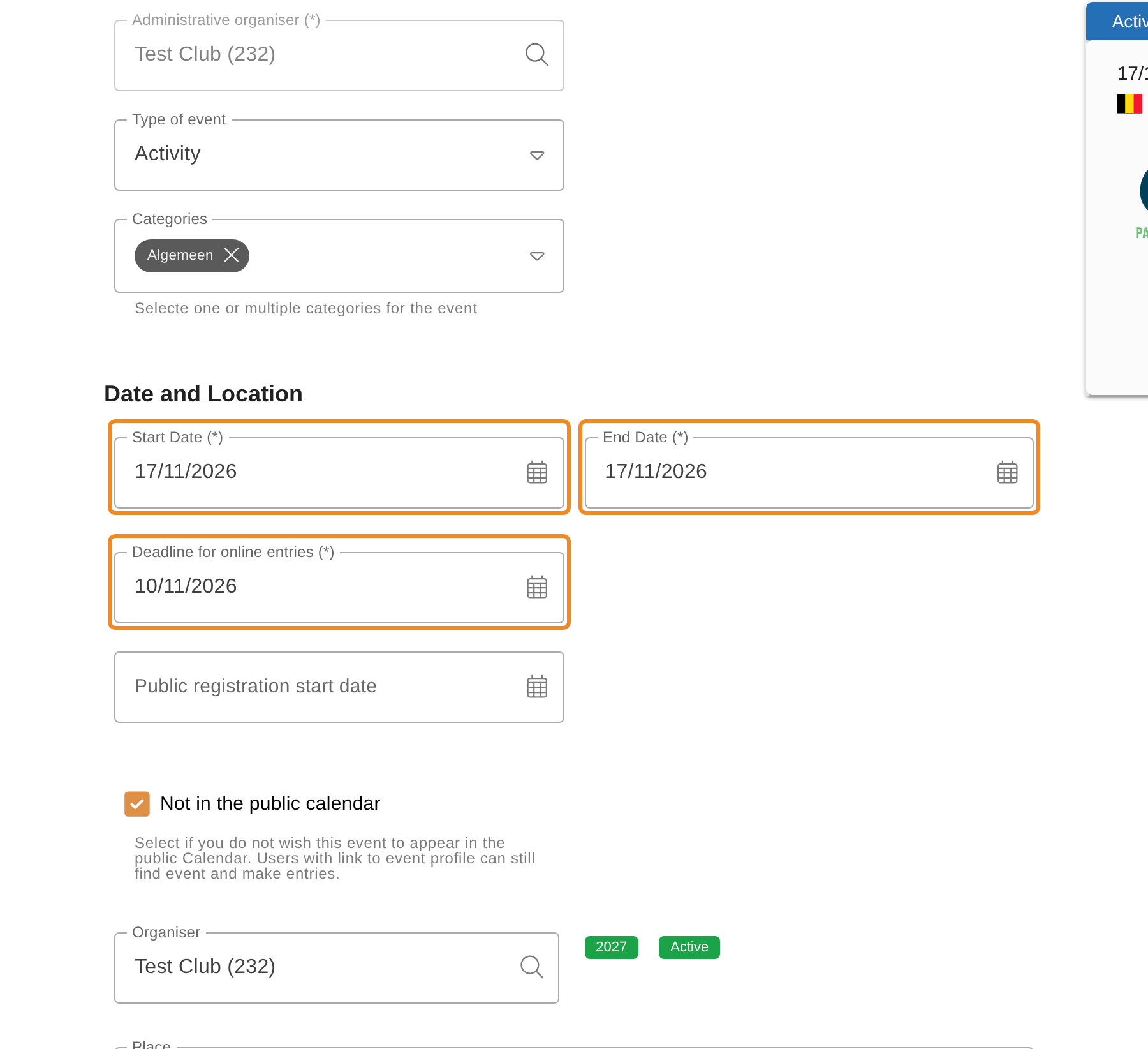
Step 9 — Decide whether the activity is in the public calendar
“Not in the public calendar” is ticked when you start. The activity then stays out of the public calendar: only people with the link to its page find it. Untick it if everyone should find the activity in the calendar.
Step 10 — Say where the activity takes place
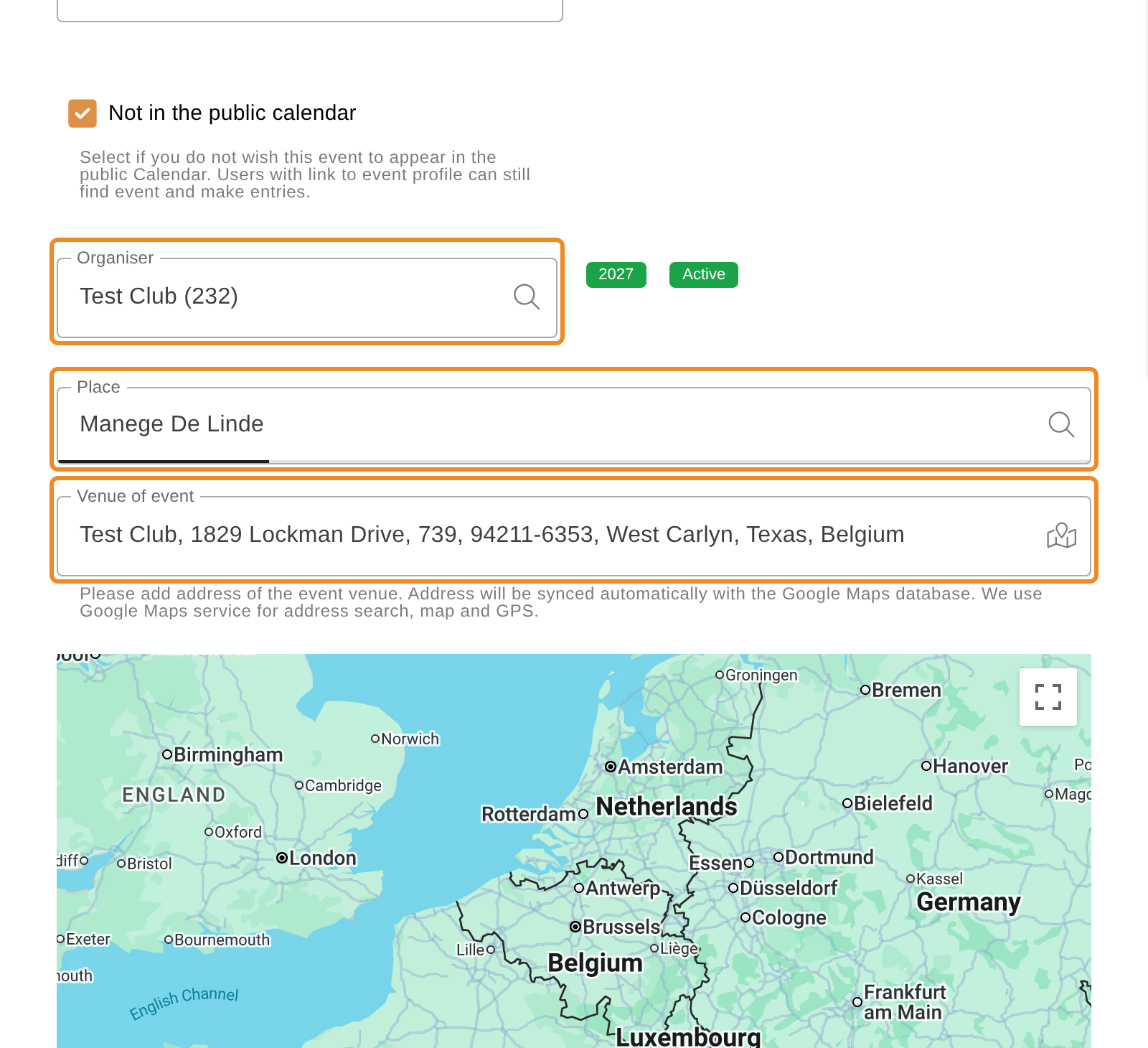
The country and the region are already filled in. Check the “Organiser”: your club. Then fill in the “Place / venue (*)” and the address under “Venue of event”. The map shows where the venue is; you can move its pin. Directions can be added below the map.
Step 11 — Save the activity
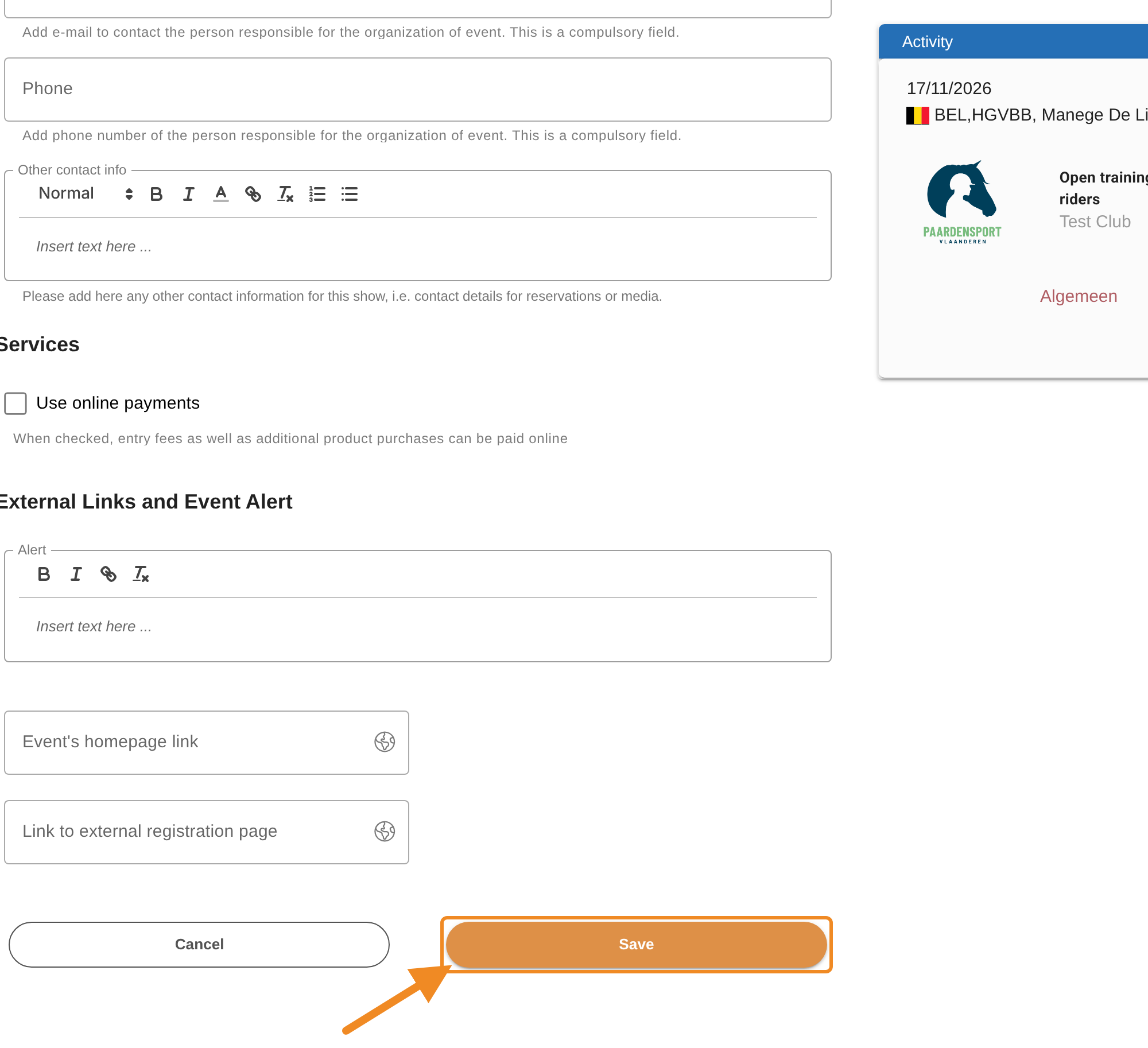
Fill in the other sections if you wish: “Contacts”, and links such as a homepage or an external registration page. Then click “Save”. The activity is saved with the status “Draft”. Nobody outside your club sees it yet.
Step 12 — Open the actions
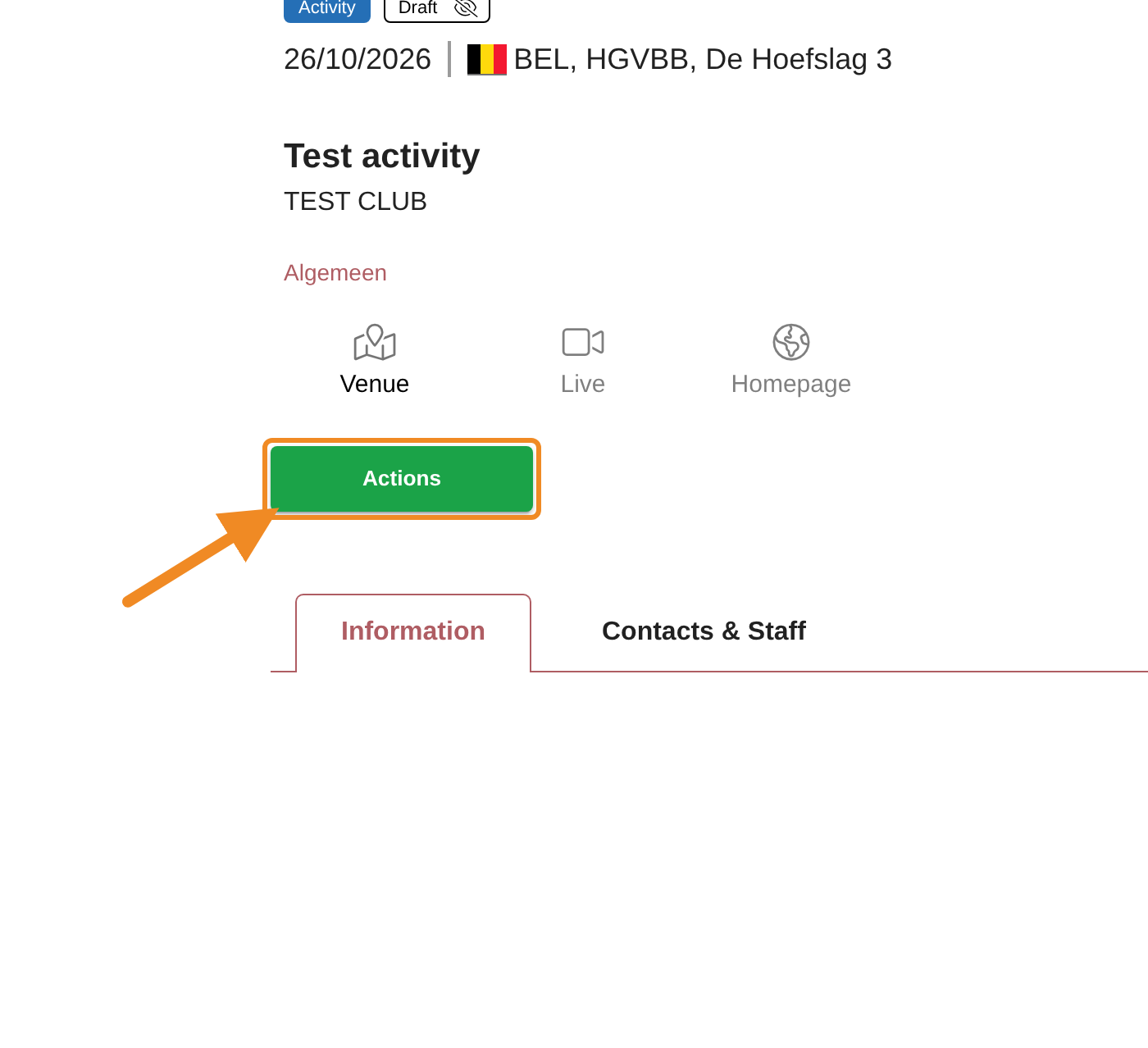
The activity’s page opens. Click “Actions”.
Step 13 — Propose the activity
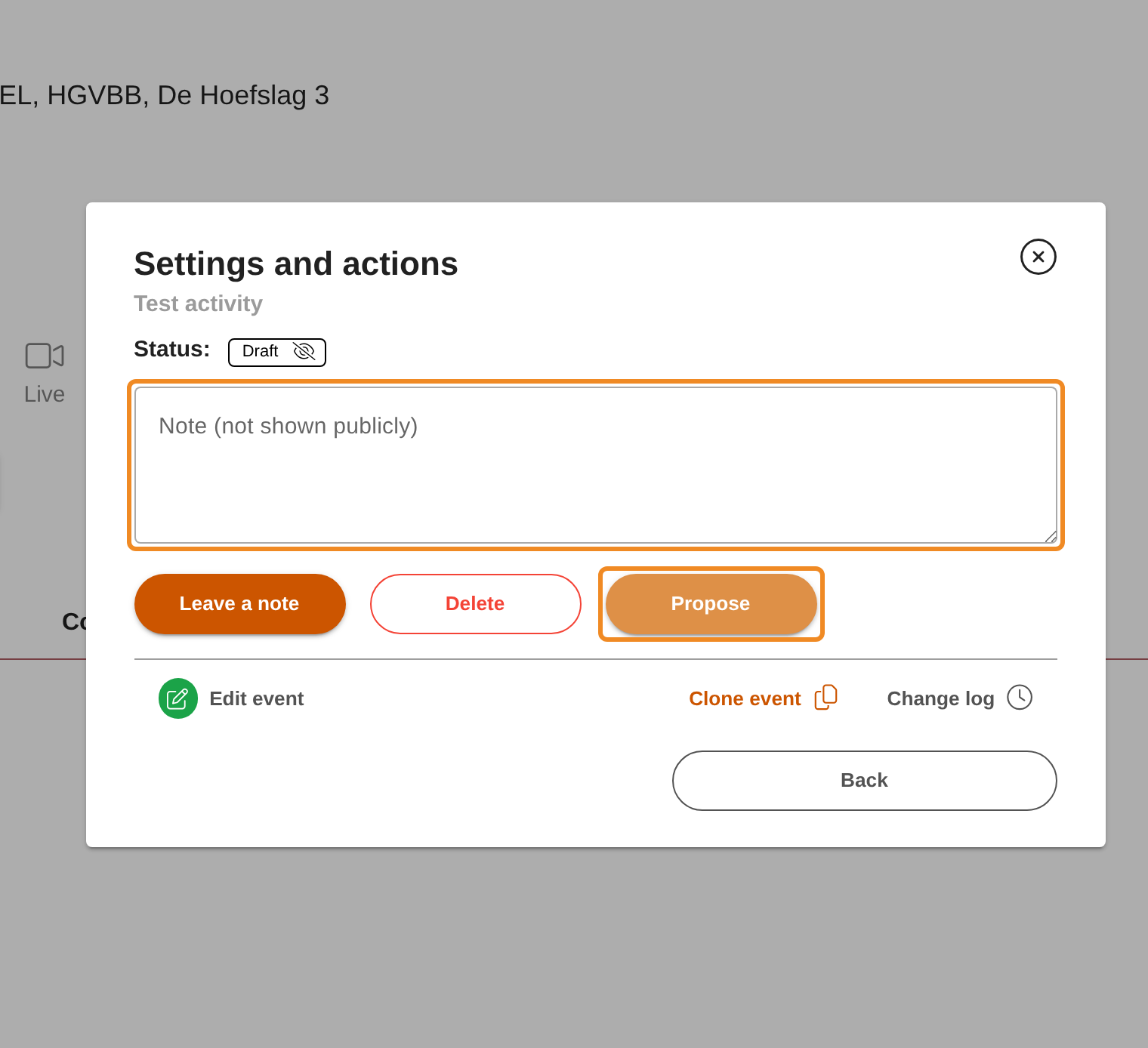
The “Settings and actions” window opens. If you want to tell Paardensport Vlaanderen something about the activity, type it in “Note (not shown publicly)”: it is sent with your proposal. Then click “Propose”.
Step 14 — Wait for Paardensport Vlaanderen
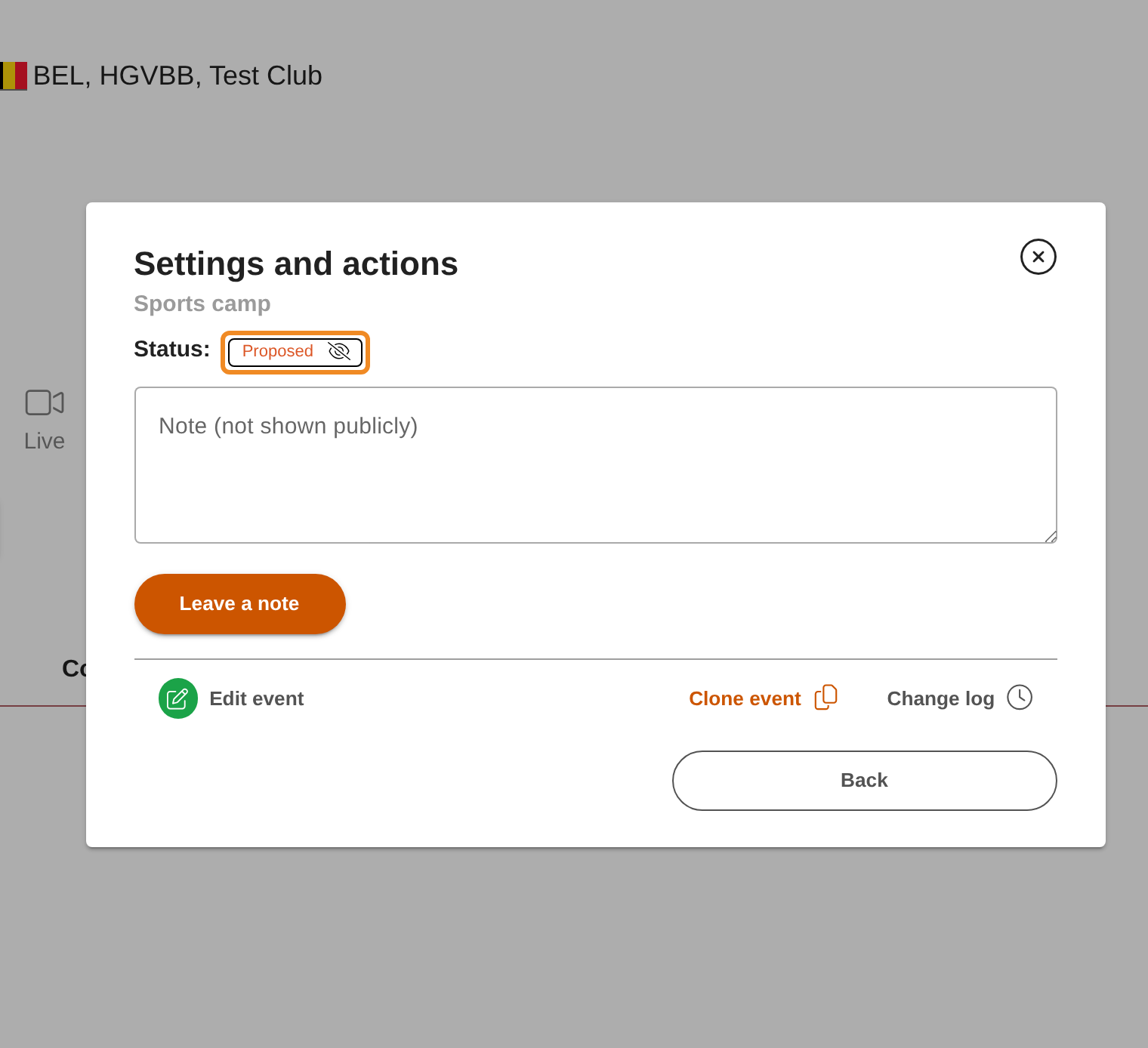
The status is now “Proposed”. The club administration of Paardensport Vlaanderen checks your activity and publishes it in the calendar, or declines it with a note. You find the status again on the activity’s page, under “Actions”.
Good to know
- Checking before you propose: read the activity through once more. Once it is published, your club can no longer change it. To change a published activity, contact the club administration of Paardensport Vlaanderen.
- Declined: the status becomes “Declined”. Open “Actions” to read Paardensport Vlaanderen’s note, change the activity with “Edit event” and click “Propose” again.
- Registration: once the activity is “Published”, your club can open it for registration with “Open registration”, under “Actions”. That needs a link to an external registration page on the activity, or a product to register for.
- Finding the activity later: it is listed on your club page, on the “Competitions and activities” tab.
If something goes wrong
| Problem | What to do |
|---|---|
| I don’t see “Add activity” | Your club has an outstanding debt, or your role does not include adding activities. Pay your club’s orders, or contact the club administration of Paardensport Vlaanderen. |
| “Your organisation has outstanding debts, so this event cannot be proposed or published.” | Pay your club’s open orders first, then click “Propose” again. |
| The activity is not saved | A required field is empty. Check the fields marked in red. |
| I can’t find “Edit event” any more | The activity is published. Contact the club administration of Paardensport Vlaanderen. |
Related articles: How to Pay Your Club’s Orders